
Grok Bot · Freelancers
When you are a team of one, every admin hour comes out of client time. Here is how a few Bots can take the busywork, while you keep the client relationships.
Grok Bot for freelancers works like hiring a small back office. Your Bots can sort your inbox, collect receipts, draft proposals, and write client updates. You still make the calls and send what matters.
I read the Grok Bot docs and help pages on November 4, 2026. The facts below come from those pages. The setup ideas are my own advice, and I mark them that way.
TL;DR
Freelancers can use Grok Bot for the admin around client work. Good first jobs are a morning digest of email and calendar, a receipt collector using the Bot's own email address, first drafts of proposals, weekly client updates, and a follow up list. The docs say to start with read and prepare work, and to keep sending, publishing, and purchasing behind your approval.
Why freelancers are a good fit
The Grok Bot docs say the best Bot roles own a repeatable outcome, not a loose category of questions. Freelance admin is full of repeatable outcomes. Every week you check email, chase invoices, track receipts, and update clients.
The docs also say routines run in the cloud while your laptop is closed. So a Bot can prepare your morning before you sit down.
Five good first jobs
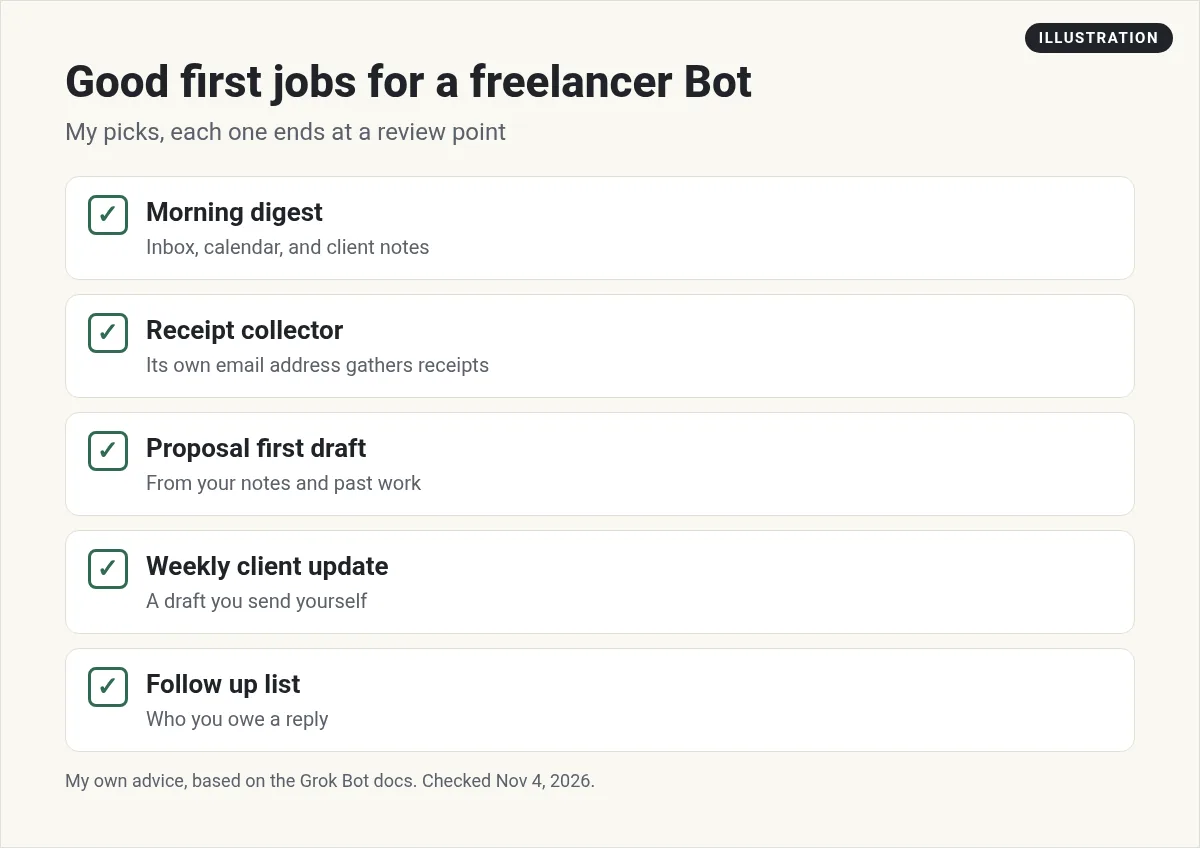
These are my picks. Each one ends at a review point, the way the docs suggest.
1. Morning digest
The docs describe a chief of staff Bot that reviews your inbox, calendar, and notes, and returns only what matters, with the source and the next step. For a freelancer, that is a five minute start to the day.
2. Receipt collector
The help page says you can claim one email address for your Bots at mail.grokbot.com. A Bot can then collect receipts, newsletters, and reports, and sum them up for you. Point your software receipts there, and ask for a monthly list.
3. Proposal first draft
Give the Bot your notes from a discovery call and two past proposals. Ask for a draft in the same style. You fix the price and scope yourself.
4. Weekly client update
Ask for a short update per client from your notes and calendar. The Bot drafts it. You read it and send it.
5. Follow up list
Once a week, ask the Bot who you owe a reply, and who owes you one. That alone saves a lot of lost leads.
Give your Bot its own email
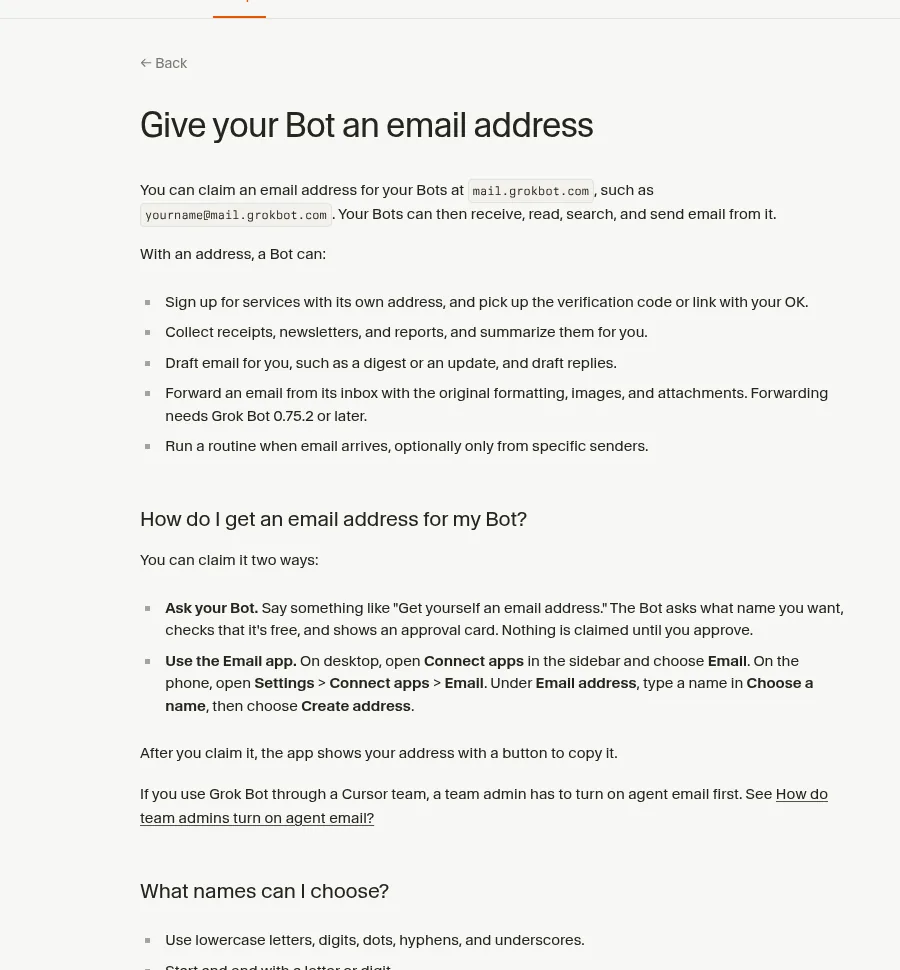
The help page lists what a Bot can do with its own address:
- Sign up for services, and pick up the code or link with your OK.
- Collect receipts, newsletters, and reports, and summarize them.
- Draft email for you, like a digest or a reply.
- Forward an email with its formatting and attachments.
- Run a routine when email arrives, even only from certain senders.
Some details worth knowing. You get one address, and you cannot rename or delete it, so pick the name with care. There is no inbox view. You ask your Bot what came in. And any email a routine wants to send waits as a draft until you approve it.
Put the boring parts on a schedule
The help page says a routine tells one Bot when to run a job. It can run on a schedule, or when something happens, like an email. You set one up by asking in chat, for example every weekday at 9 AM, summarize new email in this chat.
The docs give a good order: do the task once, make it reliable, save it as a skill, and only then put it on a routine.
Three requests to copy (my examples)
Here is how I would word three of these jobs. Each one says what to return and what not to do.
Every weekday at 8 AM, read my new email and today's calendar. List only client items that need me today, with a link to each one. Do not reply to anyone.
On the first of each month, list every receipt that came to your inbox last month. Give the vendor, date, and amount in a spreadsheet. Do not pay or cancel anything.
Using my notes from today's call and the two proposals in my Proposals folder, draft a new proposal in the same style. Leave the price blank for me.
That last line, leave the price blank, is the kind of limit that keeps you in charge.
What to keep for yourself
This part is my advice. Keep these jobs yours, at least at first:
- Pricing and scope. A Bot can draft, but you set the number.
- Anything that sends to a client. Review every draft.
- Hard conversations, like late payments or scope creep.
The docs back this up. Their use cases say to keep sending, publishing, purchasing, and production changes behind approval.
Client data
The docs say all your Bots share one cloud computer, and files and logins there are open to every Bot. If a client contract limits where their files can go, check it before you put those files on the Bot's computer. When a project ends, the docs suggest removing sensitive files and signing out of services you no longer need.
Two videos worth watching
Instantly walks through starting a one person business with Grok Bot, from setup to the first workflows.
From the Instantly channel (not mine): Made by a cold email software company, so expect a plug. Their description notes that results vary.
The How I AI show walks through a full Grok Bot setup, including a chief of staff Bot that sweeps several inboxes.
From the How I AI channel (not mine): Lots of real Bot ideas you can copy. The episode has sponsors.
My own advice
This part is my opinion. Start with the morning digest. It is read only, so nothing can go wrong, and it saves time on day one. Add the receipt collector next. After two weeks, you will know which job to hand off third.
Solo, but not alone
A freelancer does every job in the business. A ready made team of Bots can take the admin from day one.
AIM Agent is an AI Chief of Staff for business owners. It comes with an AI C-suite (COO, CMO, CFO, CRO and CTO), a Business Bot Builder and 100+ business skills, and it runs on AIM OS, a private vault that holds your notes and memory. AIM Agent is a ready-made AI business team that works inside Grok Bot, so you skip the setup and get to work.
Here is what you get:
- An AI Chief of Staff that helps you plan and run your business
- An AI C-suite: COO, CMO, CFO, CRO and CTO
- A Business Bot for each business or project. Give it a real task and it brings the work back for you to review
- 100+ business skills for content, offers, research and more
- Step by step setup guides and email support
So you skip the setup and get to work.

Want an AI team to help run your business? Meet AIM Agent, an AI Chief of Staff for business owners. I am a co-founder of AIM Agent and have a financial interest in the product.
Get a ready made team inside Grok Bot
AIM Agent gives you an AI Chief of Staff, an AI C-suite, and 100+ business skills, so you skip the setup and get to work.
See AIM AgentFrequently asked questions
Is Grok Bot good for freelancers?
Yes, for the admin around client work, like email digests, receipts, proposal drafts, and client updates.
Can a Bot send emails to my clients?
It can draft them. The docs say to keep sending behind your approval, and routine emails wait as drafts.
Can my Bot have its own email address?
Yes. You can claim one address at mail.grokbot.com for all your Bots. You cannot rename or delete it.
Does it work while my laptop is closed?
Yes. The help page says routines run in the cloud while your laptop is closed.
What should I not hand off?
My advice: pricing, scope, client sends, and hard conversations, at least at first.
Is client data safe on the Bot's computer?
All your Bots share one cloud computer. Check client contracts before you put their files there.
Is there a faster way to get a working team?
AIM Agent gives you an AI Chief of Staff, an AI C-suite, and 100+ business skills inside Grok Bot.
Sources
Checked November 4, 2026. Plans, prices, and rules can change.
