
Grok Bot · Knowledge base
The best Bots know your business. Here is where Grok Bot keeps that knowledge, and how to build it up so you stop explaining the same things.
Grok Bot knowledge base setups are not one single feature. They are a few places where your Bots keep what they know: memory, skills, files, Pages, and shared Bots. Put the right thing in the right place, and your Bots get better every week.
I read the Grok Bot help pages and docs on November 4, 2026. Below is what each place holds, how to fill it, and my own tips, which I mark as mine.
TL;DR
Grok Bot keeps knowledge in five places. Memory holds your preferences, rules, and facts about you. Skills hold step by step methods for a task, shared by all your Bots. Files on the shared computer hold reference documents. Pages hold reports and trackers in a Bot's Library. Shared Bots give your team one Bot with the same apps, skills, and files. Logins and cards go in Vault, not memory.
The five places a Bot keeps what it knows
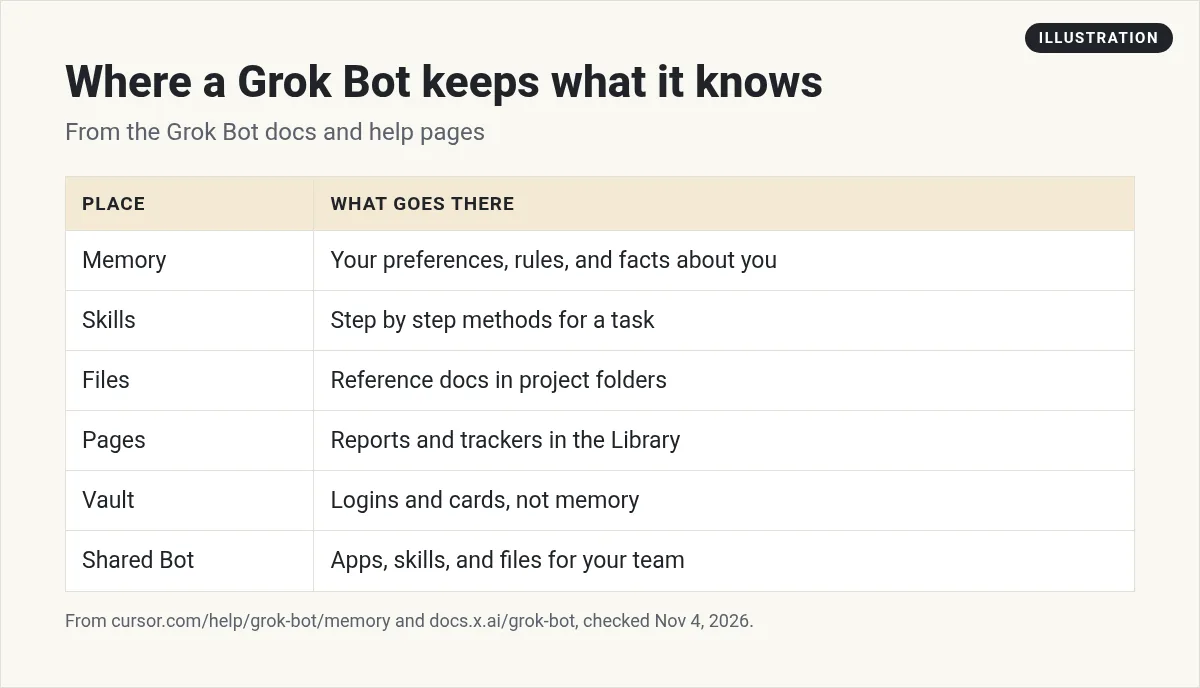
Think of these like the parts of a new hire's training. Memory is what they remember about you. Skills are the how to guides. Files are the reference binder. Pages are the reports on the wall. A shared Bot is the team expert everyone can ask.
1. Memory: what a Bot remembers about you
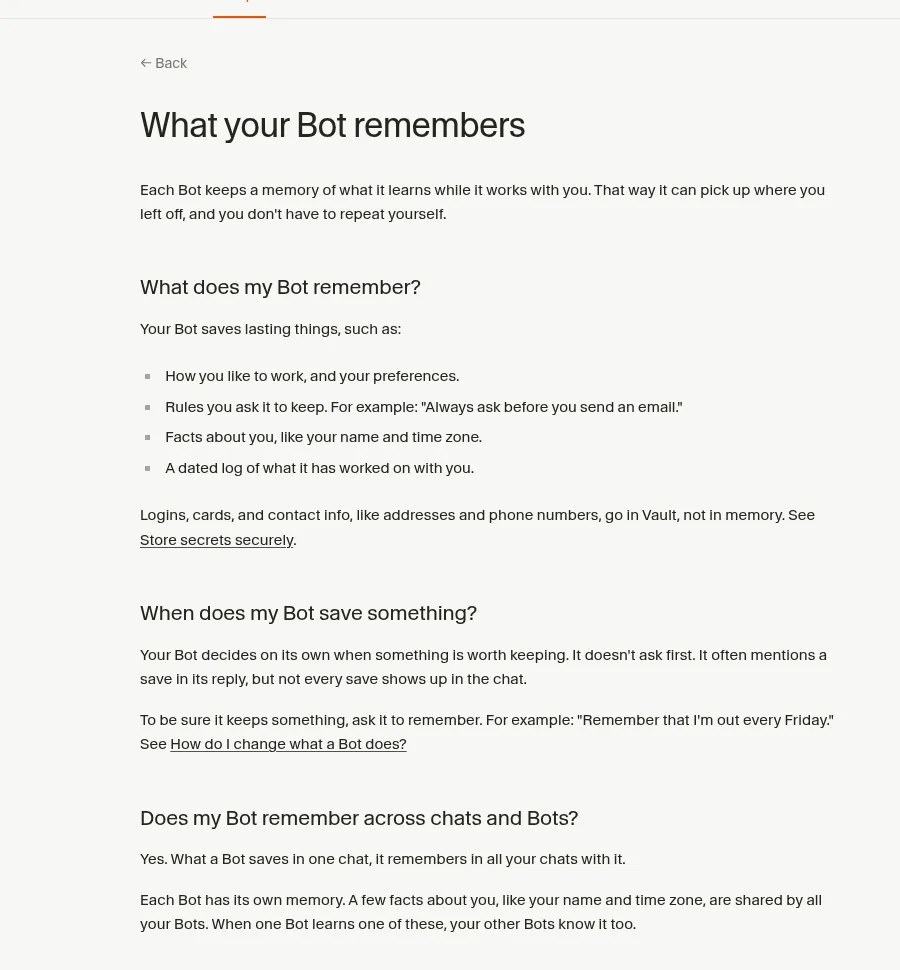
The help page says each Bot keeps a memory of what it learns while it works with you. It saves lasting things like:
- How you like to work, and your preferences.
- Rules you ask it to keep, like always ask before sending an email.
- Facts about you, like your name and time zone.
- A dated log of what it has worked on with you.
A few details matter. Each Bot has its own memory. But some facts, like your name and time zone, are shared by all your Bots. The Bot decides on its own what to save. To be sure it keeps something, just ask it to remember.
There is no memory screen for personal Bots. To check it, ask your Bot what it remembers about you. To fix it, tell it what changed. To remove something, ask it to forget.
One rule: logins, cards, and contact info like addresses and phone numbers go in Vault, not in memory.
2. Skills: the how to guides
The docs say a skill is a reusable set of instructions for how to do a task. Skills are shared across all your Bots, though a Bot may need the right app or login to use one.
The docs say a useful skill states:
- When to use it.
- The inputs and access it needs.
- The steps of the work.
- How to check the result.
- What to return.
- What needs your approval.
The easiest way to make one is to do a task once with your Bot, then ask it to save the process as a skill with a clear name. The docs also say you can teach a workflow by showing it once. If you are on a team, you can publish a skill so teammates can use it too.
3. Files: the reference binder
The docs say Bots can read files other Bots save in the shared workspace. They suggest project folders and clear file names, so handoffs work. That makes the shared computer a good home for reference documents, like your price sheet, brand guide, or FAQ.
The docs add one caution. The final result should still be in the chat, or linked from it. Files are the working material, not the answer.
4. Pages: reports you come back to
The docs say a page is something a Bot builds for you to read, like a report, a memo, a dashboard, a tracker, or an explainer. Pages live in the Bot's Library, so you can find them later and share them. A routine can update a page on a schedule.
The docs also say Pages is rolling out gradually and is not on Enterprise teams yet.
5. Shared Bots: one expert for the team
If you are on a Cursor team, the docs say you can share a Bot the way you share a doc. Sharing does not make a copy. The apps, secrets, skills, and files the owner adds work in every teammate's chat. Each person's chat stays private.
The docs are clear on one thing: only add keys and files you are happy for everyone you share with to use.
How to build your knowledge base (my plan)
This part is my own advice. Do it in this order:
- Week 1: rules. Each time a Bot does something you do not like, tell it the rule. Those land in memory.
- Week 2: reference files. Put your five most used documents in one folder, like a Reference folder, with clear names.
- Week 3: skills. Pick the task you repeat most. Do it once with a Bot, fix it, then save it as a skill.
- Week 4: one page. Ask for a weekly tracker page that a routine updates.
Once a month, ask each Bot what it remembers about you, and clean up anything out of date.
Two videos worth watching
Matthias Röder shows how he connects his second brain to Grok Bot through GitHub, with routines and specialist Bots.
From the Matthias Röder channel (not mine): A nice real example of a personal knowledge base. He links his own template.
Peter Yang talks with Peng Zheng and Lauren Tan, the lead designer and engineer on Grok Bot, about the 14 Bots they use for work and life.
From the Peter Yang channel (not mine): Great ideas straight from the people who built it. The description has sponsor and newsletter links.
My own tips
This part is my opinion. Do not try to load everything on day one. A knowledge base that grows from real work beats a big dump of documents. And write rules as short, clear lines. A Bot follows always ask before you email a customer far better than a long paragraph.
Want a team that already knows the playbook?
Building memory, skills, and files from zero takes weeks. A ready made team starts with business skills built in.
AIM Agent is an AI Chief of Staff for business owners. It comes with an AI C-suite (COO, CMO, CFO, CRO and CTO), a Business Bot Builder and 100+ business skills, and it runs on AIM OS, a private vault that holds your notes and memory. AIM Agent is a ready-made AI business team that works inside Grok Bot, so you skip the setup and get to work.
Here is what you get:
- An AI Chief of Staff that helps you plan and run your business
- An AI C-suite: COO, CMO, CFO, CRO and CTO
- A Business Bot for each business or project. Give it a real task and it brings the work back for you to review
- 100+ business skills for content, offers, research and more
- Step by step setup guides and email support
So you skip the setup and get to work.

Want an AI team to help run your business? Meet AIM Agent, an AI Chief of Staff for business owners. I am a co-founder of AIM Agent and have a financial interest in the product.
Get a ready made team inside Grok Bot
AIM Agent gives you an AI Chief of Staff, an AI C-suite, and 100+ business skills, so you skip the setup and get to work.
See AIM AgentFrequently asked questions
Does Grok Bot have a knowledge base?
Not as one feature. It keeps knowledge in memory, skills, files, Pages, and shared Bots.
What does a Grok Bot remember?
Your preferences, rules you ask it to keep, facts like your name and time zone, and a dated log of work.
Do all my Bots share memory?
Each Bot has its own memory, but a few facts like your name and time zone are shared by all your Bots.
How do I see what a Bot remembers?
Ask it in chat. Personal Bots do not have a memory screen.
Are skills shared across Bots?
Yes. The docs say skills are available across your Bots, though a Bot may need the right app or login.
Where should passwords go?
In Vault, not memory. The help page says logins, cards, and contact info go in Vault.
Is there a faster way to get a working team?
AIM Agent gives you an AI Chief of Staff, an AI C-suite, and 100+ business skills inside Grok Bot.
Sources
Checked November 4, 2026. Plans, prices, and rules can change.
