
Grok Bot · Primary Bot
One Bot is your main contact. Here is how to set it up well.
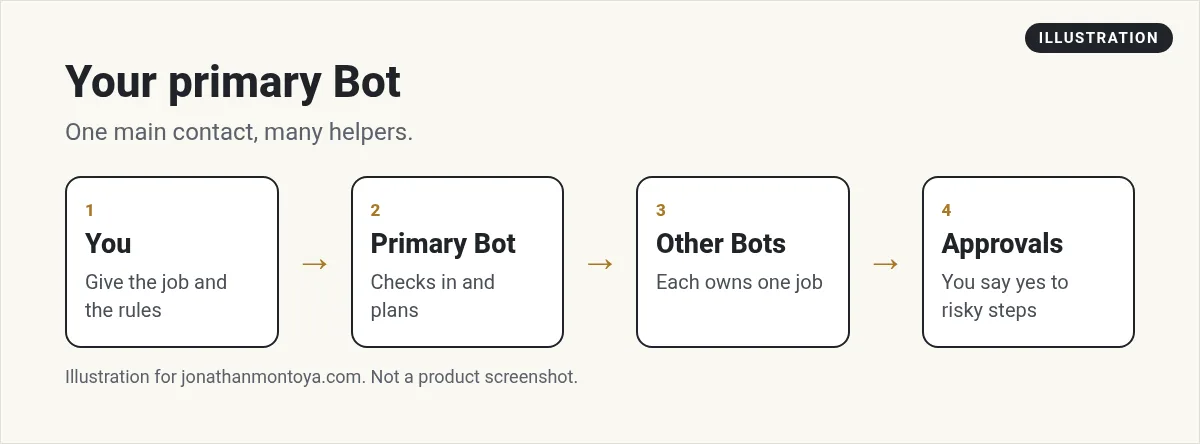
Grok Bot primary Bot is the Bot you talk to most. It is marked with a star, it checks in on its own, and it coordinates work with your other Bots. Think of it as your main point of contact.
I read the Bots page of the official docs and the changelog on November 9, 2026. This guide shows how to set up a primary Bot, what it can do for you, and what it cannot be.
TL;DR
Your primary Bot is your main contact. It checks in on its own and works with your other Bots. Create one or choose an existing Bot, then replace it later if needed. A shared Bot cannot be your primary Bot.
What a primary Bot is
The docs say your primary Bot is your main point of contact. It checks in with you on its own and coordinates work with your other Bots. A Bot is a durable AI teammate with a name, a job, its own conversation, and working context that grows over time.
The changelog from October 2, 2026 adds more. Your primary Bot, marked with a star, will spot work it can take off your plate and offer to handle it. That is the proactive part.
How to create or choose one
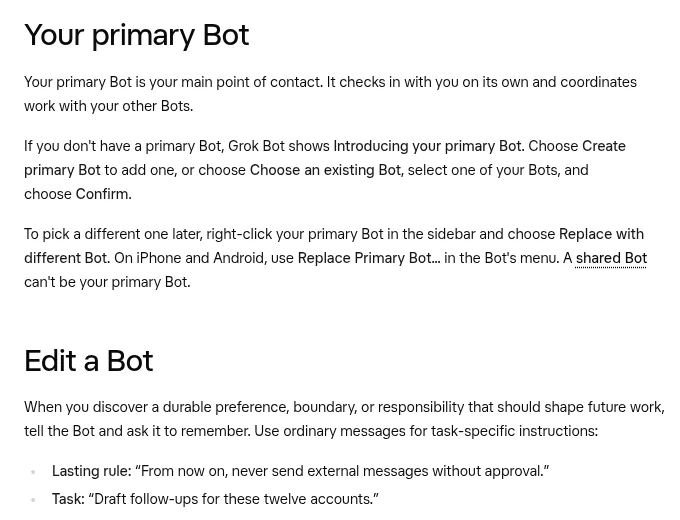
If you do not have a primary Bot, Grok Bot shows Introducing your primary Bot. You have two choices.
- Choose Create primary Bot to add a new one.
- Or choose Choose an existing Bot, pick one of your Bots, and choose Confirm.
Setup also creates your first Bot for you, according to the September 14 changelog. After a Bot is created, your first message should give it its job, its sources, and its approval boundaries, and ask it to remember them.
From the Parker Prompts channel (not mine): A beginner video on setting up your first Bot.
How to replace it
To pick a different primary Bot later, right-click your primary Bot in the sidebar and choose Replace with different Bot. On iPhone and Android, use Replace Primary Bot in the Bot's menu.
There is one rule. A shared Bot cannot be your primary Bot. The changelog also says Team Bots no longer appear in the primary Bot picker, and a refused change says Team Bots cannot be a primary Bot.
Give it a clear job
A primary Bot with no job drifts. Try a first message like this.
You are my primary Bot. Your job is to keep my week on track. Each morning, tell me the three most important things. Ask me before you send anything or change anything. Remember this.
The docs say lasting rules live in the Bot's memory. Use ordinary messages for one time tasks, and tell the Bot to remember anything you want it to keep. Logins, cards, and contact info belong in Vault, not memory.
Import memory into your primary Bot
If you used another AI assistant, you can bring your preferences over. In Settings, Import, choose Start Import, copy the prompt into a chat with your other assistant, paste its answer into the second box, and choose Add to Memory. Grok Bot sends the import to your primary Bot and opens that chat.
A Bot saves things on its own when it thinks they matter. It also saves when you say remember. What it learns in one chat, it remembers in all your chats with it.
From the Riley Brown channel (not mine): A creator reviews four big upgrades.
How it works with your other Bots
The docs suggest you give a job its own Bot when it needs a long lived owner. Your primary Bot can coordinate. Existing Bots can suggest or create a focused Bot too. Ask before they create several, if you want to keep your roster small.
Remember that all your Bots share one cloud computer. Files and browser sessions are visible to every Bot. Do not rely on separate Bots as a security wall.
Tips for a good first month
- Keep one primary Bot, not three.
- Check its morning list for a week before you add routines.
- Turn on notifications for that Bot so you hear when it needs you.
- Pin it at the top of the sidebar.
Example morning with a primary Bot
Say you run a small coaching business. You tell your primary Bot to look at your calendar and your inbox each morning. It answers with three things: a client who needs a reply, a call at noon, and a draft post that is waiting on you. You say yes to one, no to one, and ask for a change on the third.
The Bot does not send anything on its own. It asks first, as long as you set that rule. Over a few weeks you give it more room, one rule at a time.
Mistakes to avoid
- Making the primary Bot do every job. Give big jobs to their own Bots.
- Skipping the first message. A clear job and clear limits come first.
- Changing your primary Bot often. Pick one and tune it.
- Storing passwords in memory. Use Vault.
A business team inside Grok Bot
A primary Bot points the way. A business team does the work behind it.
AIM Agent is an AI Chief of Staff for business owners. It comes with an AI C-suite (COO, CMO, CFO, CRO and CTO), a Business Bot Builder and 100+ business skills, and it runs on AIM OS, a private vault that holds your notes and memory. AIM Agent is a ready-made AI business team that works inside Grok Bot, so you skip the setup and get to work.
Here is what you get:
- An AI Chief of Staff that helps you plan and run your business
- An AI C-suite: COO, CMO, CFO, CRO and CTO
- A Business Bot for each business or project. Give it a real task and it brings the work back for you to review
- 100+ business skills for content, offers, research and more
- Step by step setup guides and email support
So your Bots work inside a business system, not a pile of chats.

Want an AI team to help run your business? Meet AIM Agent, an AI Chief of Staff for business owners. I am a co-founder of AIM Agent and have a financial interest in the product.
Get a business team inside Grok Bot
AIM Agent gives you an AI Chief of Staff, an AI C-suite, and 100+ business skills, with step by step setup guides and email support.
See AIM AgentFrequently asked questions
What is a primary Bot?
It is your main Bot. It checks in on its own and coordinates with your other Bots.
Can I change my primary Bot?
Yes. Right-click it in the sidebar and choose Replace with different Bot.
Can a shared Bot be my primary Bot?
No. Shared Bots and Team Bots cannot be your primary Bot.
Does it work in the background?
It can spot work and offer to handle it. Approvals still apply.
Where does imported memory go?
Import Memory sends it to your primary Bot.
How many Bots can I have?
The changelog says you can create more than 50 Bots.
What is AIM Agent?
AIM Agent gives you an AI Chief of Staff, an AI C-suite, and 100+ business skills inside Grok Bot, with step by step setup guides and email support.
Sources
Checked November 9, 2026. Plans, prices, and rules can change.
