
Automation · n8n
You can run n8n on your own computer or server for free. That is a big deal for automation fans. But n8n itself warns it is for expert users, so here is the honest picture.
n8n is a workflow automation tool, like Zapier, but you can run it yourself. When you self-host, you can run the free Community edition on hardware you control, and your data stays with you.
On October 23, 2026, I went through n8n's hosting docs, its Docker install guide, its page comparing editions, and its pricing page. Here is how self-hosting works, how to set it up, and when you should not do it.
Quick answer
Self-hosted n8n means you run n8n on your own computer or server instead of n8n Cloud. Without a license key, it runs as the free Community edition. You can register it with your email to unlock a few more features for free. Paid Business and Enterprise license keys add things like SSO, environments, and projects. n8n's docs say it recommends self-hosting for expert users.
What does self-hosting n8n mean?
n8n comes in two forms:
- n8n Cloud: n8n runs it for you. You log in and build. You pay a monthly plan.
- Self-hosted: you run n8n on your own machine, a server you rent, or your company's cloud.
The docs say, "All self-hosted installations use the same core product." What changes is the edition, which depends on your license key.
The self-hosted editions
- Community edition: free. This is what n8n runs with no license key. The docs say it "includes almost the complete feature set of n8n."
- Registered Community edition: still free. You register your email to get a free license key. It unlocks folders, debug in editor, and custom execution data.
- Business and Enterprise: paid. A license key unlocks extra features for teams.
The pricing page says the Business plan "is currently only available for self-hosted n8n."
What the free Community edition does not include
The docs list what you do not get without a paid license. The main ones:
- Custom variables
- Environments
- External secrets
- Log streaming (basic logging is included)
- Multi-main mode (queue mode is included)
- Projects
- SSO, like SAML and LDAP
- Sharing workflows and credentials with other users
- Version control using Git
For one person or a small business running its own automations, most of these do not matter. For a team or an agency with many clients, sharing and projects can matter a lot.
Read this before you start
n8n is honest about the risk. Its Docker guide says, "n8n recommends self-hosting for expert users. Mistakes can lead to data loss, security issues, and downtime."
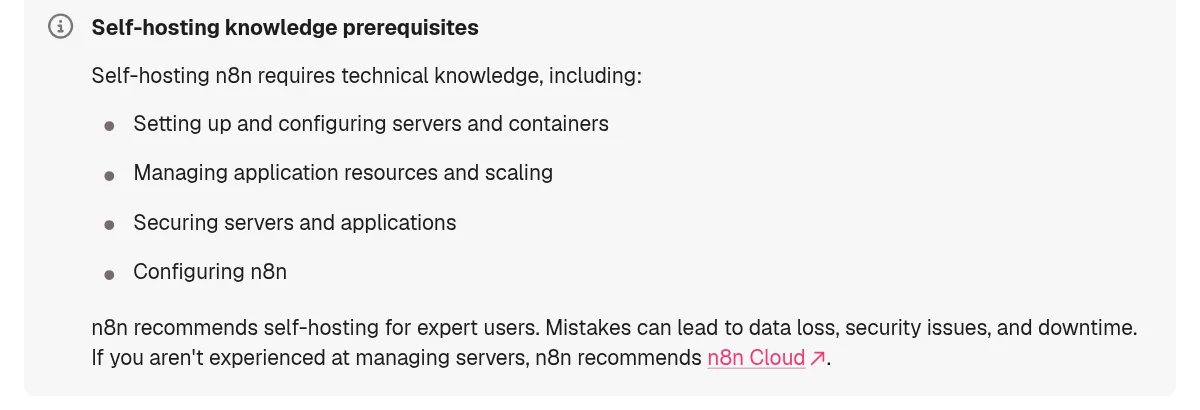
The docs list the skills you need:
- Setting up and configuring servers and containers.
- Managing resources and scaling.
- Securing servers and applications.
- Configuring n8n.
If those words feel new, that is fine. You can still learn by running it on your own computer. Just do not put client data on a server you do not know how to secure. For that, n8n Cloud is the safer path. My n8n pricing guide covers the Cloud plans.
Option 1: the one-line setup
To try it with one command, use n8n's one-line setup. The hosting page says, "Don't want to read the docs? Run this:"
curl -fsSL https://get.n8n.io | sh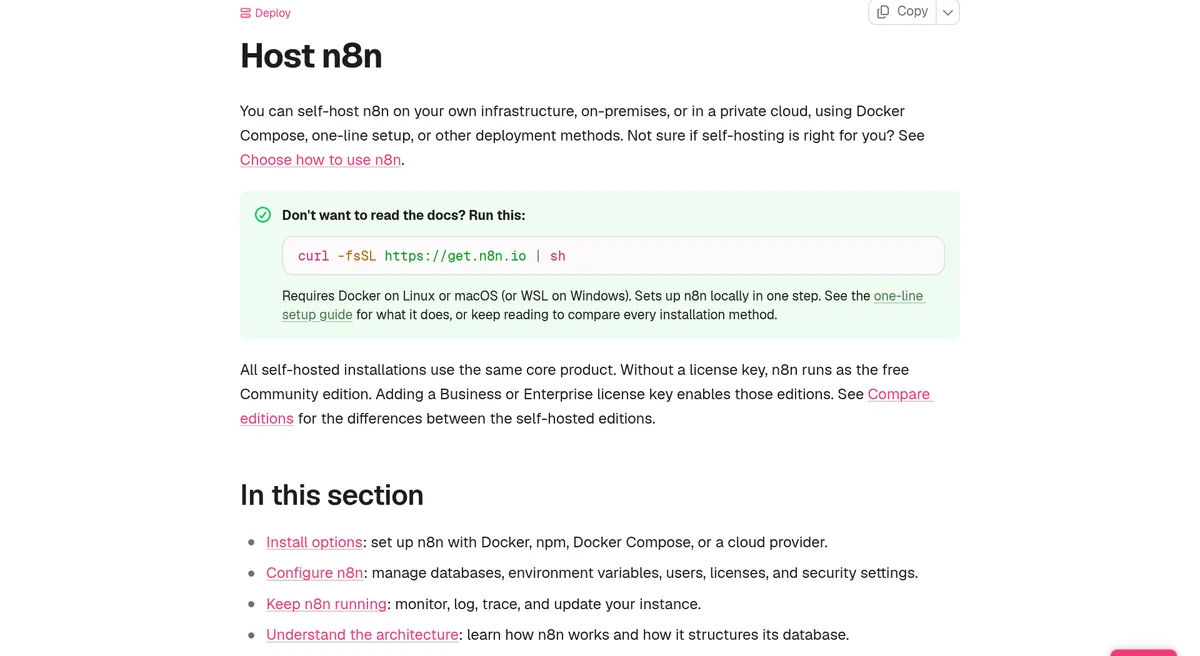
The docs say it "Requires Docker on Linux or macOS (or WSL on Windows)." It sets up n8n locally in one step. This is great for testing on your own computer.
Option 2: set it up with Docker
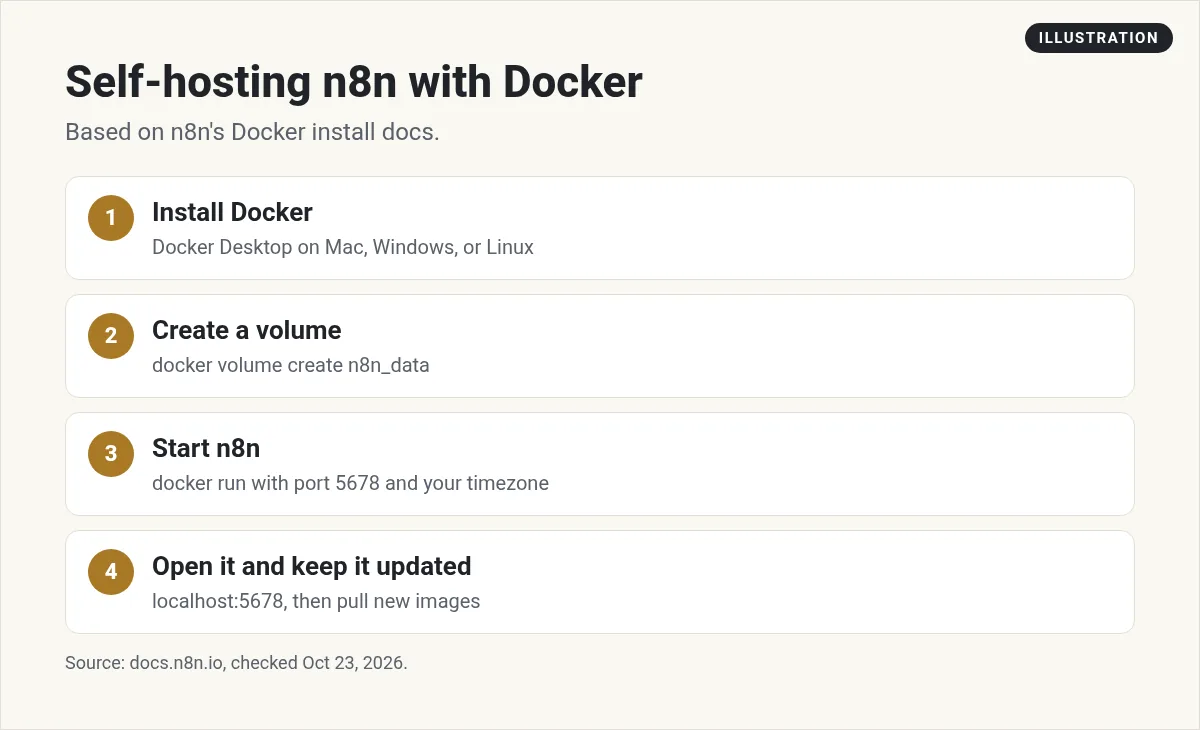
n8n's Docker guide says it "recommends using Docker for most self-hosting needs." Docker runs apps in small, sealed boxes called containers. Here are the steps from n8n's Docker guide.
Note: as of October 23, 2026, n8n marks this Docker page as outdated and points to its Docker Compose guide as the recommended install method, especially for production.
Step 1: install Docker
The docs say Docker Desktop "is available for Mac, Windows, and Linux." On a Linux server with no screen, you can install Docker Engine and Docker Compose on their own.
Step 2: create a volume and start n8n
A volume is a folder Docker keeps safe, so your workflows survive a restart. Run these two commands. Swap in your time zone, like America/Chicago:
docker volume create n8n_data

docker run -it --rm \
 --name n8n \
 -p 5678:5678 \
 -e GENERIC_TIMEZONE="<YOUR_TIMEZONE>" \
 -e TZ="<YOUR_TIMEZONE>" \
 -e N8N_ENFORCE_SETTINGS_FILE_PERMISSIONS=true \
 -v n8n_data:/home/node/.n8n \
 n8nio/n8n
The docs say this "creates a volume to store persistent data, downloads the required n8n image, and starts the container."
Step 3: open n8n
Once it is running, open http://localhost:5678 in your browser. Create your owner account. When it asks, pick the option to register your Community edition so you get the free extra features.
Step 4: keep it updated
To update, pull the latest image with docker pull n8nio/n8n. Then stop your container and start it again. Do this on a regular schedule. Old versions can have security holes.
SQLite or PostgreSQL?
The docs say, "By default, n8n uses SQLite" to save your credentials, past runs, and workflows. That is fine for testing and light use.
n8n also supports PostgreSQL. It is a stronger database for heavier use. The docs say that even with PostgreSQL, you should still keep a volume for the n8n folder, because it holds "encryption keys, instance logs, and source control feature assets."
For production with databases and other services, the docs point to Docker Compose as the best fit.
Where to host it
Your own computer is fine for learning. But it has to be on for your workflows to run. For real use, people rent a small server. n8n's docs have guides for:
- A DigitalOcean droplet "with a real domain and automatic HTTPS."
- A Hetzner Cloud server.
- Google Cloud Run.
- Heroku.
- Bigger setups on AWS, Azure, and Google Kubernetes.
One more thing: if you run n8n on your own computer and want webhooks from outside apps, n8n has to be reachable from the web. The docs offer a tunnel for that, but say "It isn't safe to use it in production."
The docs also say npm-based installs "are deprecated from n8n 3," so Docker is the safer choice for new setups.
Basic safety steps for a self-hosted server
If you put n8n on a rented server, these simple habits go a long way:
- Use a strong owner password. Your n8n holds logins to your other apps.
- Use HTTPS. Never log in over a plain web address on a public server.
- Back up often. Save your volume and your workflows on a schedule, and test that you can restore them.
- Update on a schedule. Pick one day a month to pull the newest image.
- Limit who can reach it. Only open the ports you need.
A good first test workflow
Once n8n is running, build something small before anything important. A Schedule Trigger that sends you a message every morning is a great first test. It proves your time zone is right, your server stays up, and your workflows run when you are not watching.
What does self-hosting really cost?
The Community edition is free. But self-hosting is not free in total. Here is what to plan for:
- The server: a monthly fee to your host. Check your host's current pricing.
- Your time: setup, updates, backups, and fixing things when they break.
- AI costs: if your workflows call AI models, you pay those providers. On self-hosted n8n, the pricing page says the built-in Assistant is in preview and "You bring your own key (BYOK)."
- A license, if you need one: Business features need a paid key. The pricing page says the key "must ping our license server daily to stay active."
Do not forget the time cost. If an hour of your time is worth a lot, n8n Cloud may be cheaper in the end.
Should you self-host n8n?
Self-hosting makes sense if you:
- Are comfortable with servers, Docker, and security basics.
- Run a lot of workflows and want to control your own costs.
- Need your data to stay on your own servers.
- Want to learn how it all works.
Use n8n Cloud if you:
- Are new to servers.
- Handle client data and cannot risk a security mistake.
- Would rather spend your time building workflows than running servers.
My video: My walkthrough of building with n8n.
Any results mentioned in videos are not typical and are not a promise of income. Your results depend on your work and your market.
New to n8n? Start with what n8n is. Want to see how regular people use AI and automation to build simple services for local businesses? I walk through it in my free AI workshop.
Want to put automation to work?
In my free workshop, I show how regular people use AI tools and automation to build simple services and online businesses.
Join my free AI workshopFree to join. No credit card needed.
Frequently asked questions
Is self-hosted n8n free?
Yes. Without a license key, n8n runs as the free Community edition. You still pay for your server and any AI services your workflows use.
What is the Registered Community edition?
It is the free Community edition with a few extra features, like folders and debug in editor, unlocked by registering your email for a free license key.
What do I lose without a paid license?
Features like environments, external secrets, log streaming, projects, SSO, sharing, and Git version control need a Business or Enterprise license.
Is there a one-line way to self-host n8n?
n8n's one-line setup: curl -fsSL https://get.n8n.io | sh. It needs Docker on Linux or macOS, or WSL on Windows.
Does self-hosted n8n use SQLite or PostgreSQL?
SQLite by default. n8n also supports PostgreSQL, which is better for heavier use.
Should beginners self-host n8n?
n8n recommends self-hosting for expert users. Beginners can learn on their own computer, but should use n8n Cloud for client work.
Sources
Checked October 23, 2026. Plans, prices, and rules can change.
