
Overskill for builders
An API sounds scary. It is just a way for one program to ask another program to do a job. Here is what the Overskill API does, who needs it, and the safe way to try it.
Disclosure: Some links in this post are affiliate links. I earn a commission if you buy through this link. It does not change the price you pay. MakerAI is my own company.
Quick answer
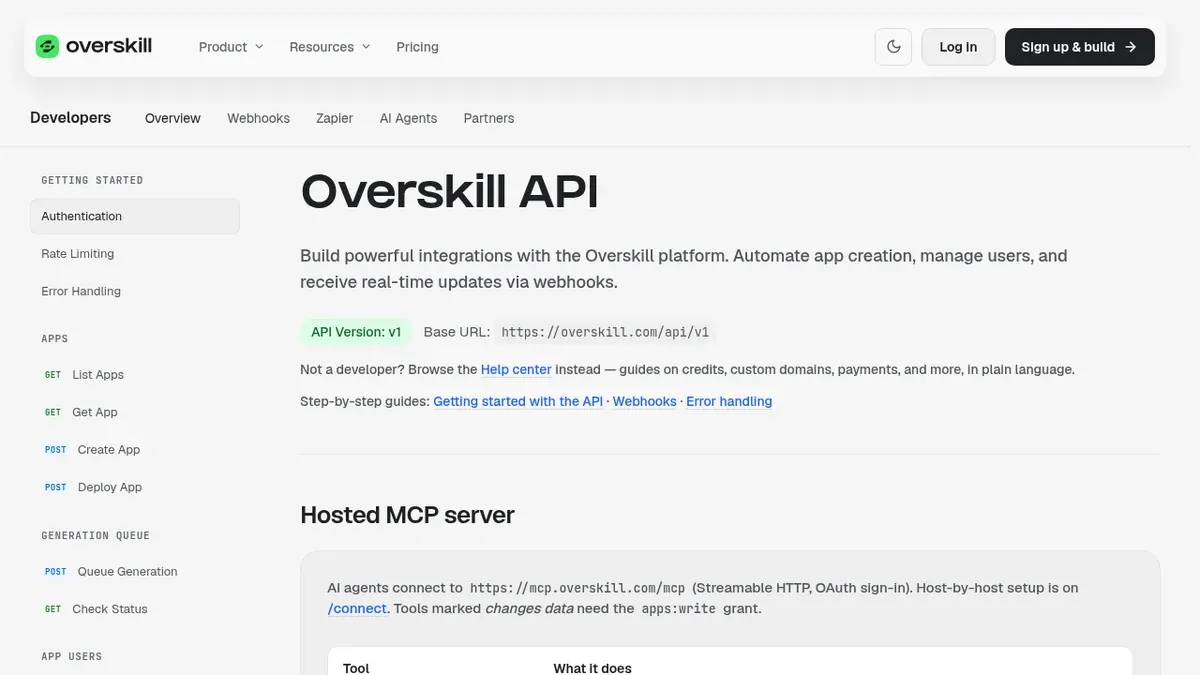
The Overskill (I earn a commission if you buy through this link.) API lets your own software build, check, and publish Overskill apps without clicking around the editor. You make a key in Team Settings, send it with each request, and ask Overskill to queue a build. Most beginners do not need it. If you build one app at a time, use the editor. If you want an AI chat to build for you, use Overskill's MCP connection, which needs no API key.
What an API is, in plain words
Think of a restaurant. You do not walk into the kitchen. You tell the server what you want, and the server brings it back. An API is the server. Your program asks. The other program does the work and sends an answer.
An API key is like the name on a reservation. It tells the other side who is asking and what you are allowed to order. If someone steals your key, they can order on your tab. That is why you keep it secret.
Overskill describes its API in one line on its getting started guide: it lets you "build apps programmatically." In plain words, your code can do what you would do by hand in the editor.
| Word | What it means | Restaurant version |
|---|---|---|
| API | A way for programs to talk to each other | The server who takes your order |
| API key | A secret code that proves who you are | Your name on the reservation |
| Request | One message asking for something | Placing an order |
| Response | The answer that comes back | Your food, or "we are out of that" |
| Webhook | A message sent to you when something happens | The buzzer that goes off when your table is ready |
My plain summary. Not from Overskill docs.
Do you even need the Overskill API?
Most people reading this do not. And that is good news. The editor does everything a beginner needs. The API is for when software, not a person, is doing the clicking.
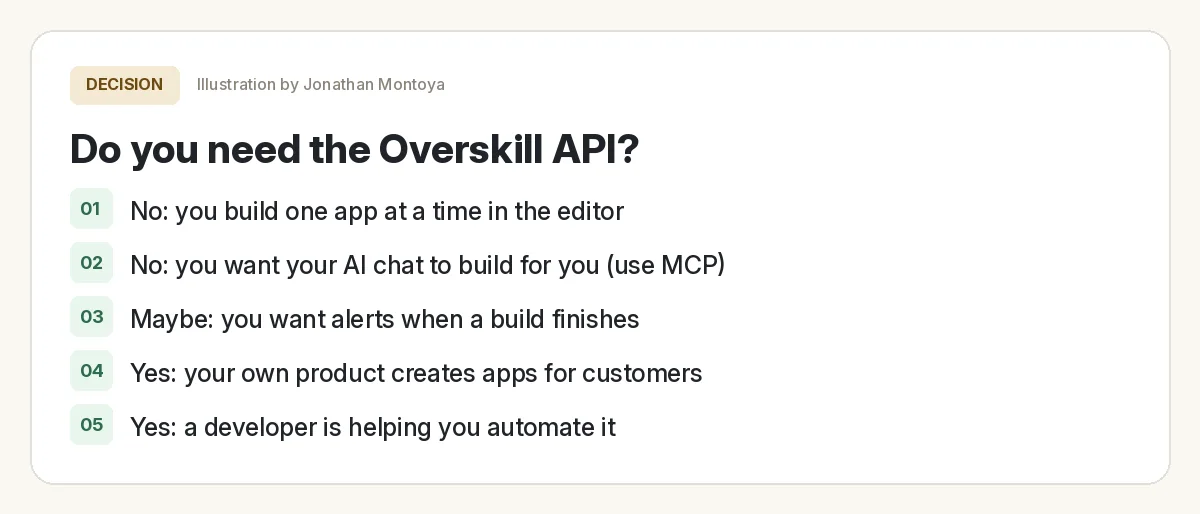
| Your situation | What I would use |
|---|---|
| You build one app at a time | The Overskill editor |
| You want Claude or another AI chat to build for you | Overskill MCP (no API key) |
| Your app needs to send leads to ClickFunnels | The built-in ClickFunnels integration (no webhook needed) |
| Your own product creates apps for your customers | The API |
| A developer is wiring Overskill into your systems | The API, with webhooks |
Based on Overskill help articles, checked Oct 17, 2026.
If you are brand new, start with my Overskill tutorial for beginners and come back later. If you are still deciding on the tool, read what Overskill is first.
Step 1: make an API key
The getting started guide gives the path: Account, then Team Settings, then API Keys. You pick a scope when you make the key. Scope means how much the key is allowed to do.
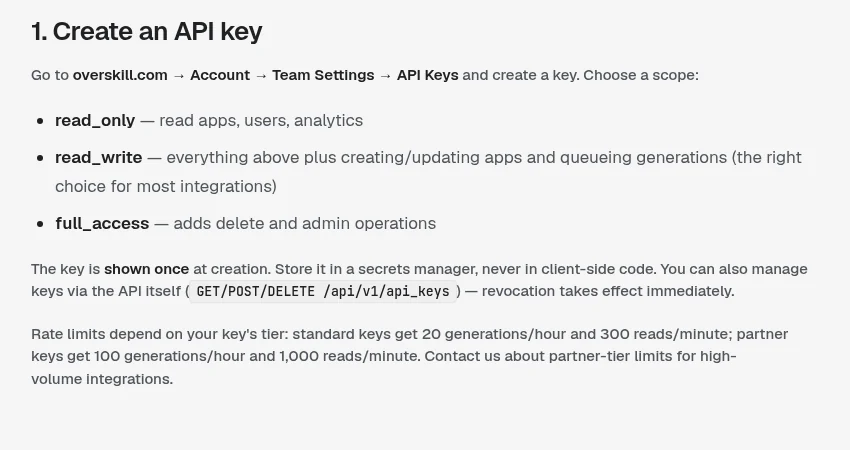
| Scope | What it can do | When to pick it |
|---|---|---|
| read_only | Read apps, users, and analytics | Reports and dashboards |
| read_write | Everything above, plus create and update apps and queue builds | Most real projects (Overskill calls it "the right choice for most integrations") |
| full_access | Adds delete and admin actions | Only if you truly need it |
Source: Overskill help, getting started with the API, checked Oct 17, 2026.
Three things to know. The key is shown once, so copy it right away. It starts with os_. And you cannot change a scope later. The errors guide says "scopes are fixed at creation time," so you make a new key instead.
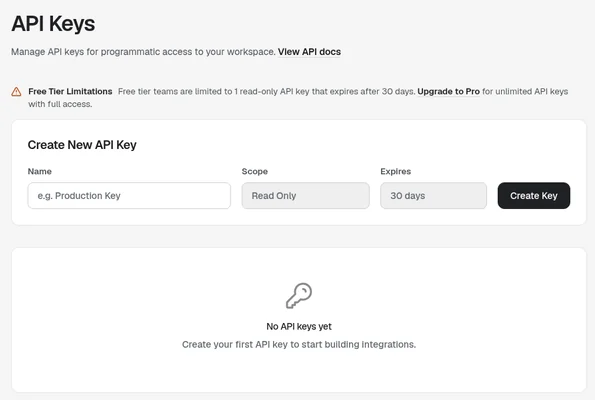
That screenshot is from an account without a paid plan. It shows a limit of one read only key that expires after 30 days. So if you want to queue builds through the API, plan on a paid plan. Check the notice in your own account, since plans can change.
The basic flow, one call at a time
Here is the order the guide walks through. You do not need to memorize it. Just know the shape, so the docs make sense when you read them.
- Ask what you can do. Call GET /api/v1/capabilities first. It lists what your plan can and cannot do right now.
- Ask for a build. Send POST /api/v1/generation_queue with a prompt and a name. Overskill answers right away with a job id.
- Check on the build. Ask about the job every 15 seconds or so, watch a live stream, or get a webhook when it is done.
- Get the links and publish. Read the app details, then deploy it when you are happy.
- Watch your credits. Call GET /api/v1/usage to see your balance before you run more builds.
Every request carries your key in a header named X-API-Key. A header is a label on the message. The guide lists the address to send requests to as www.overskill.com/api/v1.
That one line is a safe first test. It only reads. It does not build anything or spend credits on a build.
What a webhook is (and when you want one)
Asking "is it done yet?" every 15 seconds works. But it is a bit like calling a restaurant over and over. A webhook flips it. Overskill calls you when something happens.
The webhooks guide says they are "the recommended way to track generations and deployments in production integrations." Production just means the real, live version people use.
| Event | What it means |
|---|---|
| app.generation.completed | A build finished |
| app.generation.failed | A build broke |
| app.generation.blocked | A build stopped on purpose, for example because credits ran out |
| app.deployment.completed | A publish finished |
| app.user.created | Someone signed up for one of your apps |
A few events from the Overskill webhooks guide, checked Oct 17, 2026.
Each webhook message is signed with a header called X-Overskill-Signature. Your code checks that signature to prove the message really came from Overskill. The guide says to reject messages older than about 5 minutes.
Errors you will see, and what they mean
Errors are normal. Overskill sends each error with a next_steps field that tells you what to do. Here is the short version.
| Code | What it means | What to do |
|---|---|---|
| 401 | Missing, wrong, or revoked key | Check the key. If it was revoked, make a new one |
| 403 | The key is real, but its scope is too small | Make a new key with the right scope |
| 404 | Wrong id, or it belongs to another team | Check you used the job id, not the app id |
| 402 | Out of credits | Show the unlock link to a person. Do not retry |
| 429 | Too many requests too fast | Wait, then try again |
| 400 | Something in your request is wrong | Fix the field it names |
Source: Overskill help, API errors and how to handle them, checked Oct 17, 2026.
Rate limits and credits
A rate limit is a speed limit. It stops any one key from flooding the system. Here is where I need to be honest: two Overskill pages show different numbers today.
| Page | What it says (checked Oct 17, 2026) |
|---|---|
| Help: API errors guide | Per key: standard 20 builds an hour and 300 reads a minute; partner 100 builds an hour and 1,000 reads a minute; enterprise is higher |
| Developers page | Free 60, Pro 300, Enterprise 1,000 requests a minute |
The help articles were updated more recently, so I would plan around those. If the limit matters for your project, ask Overskill support which one applies to your key.
Builds also cost credits, the same as in the editor. The pricing page says a fresh build costs about 2,000 to 8,000 credits. Plans were $25 a month (Starter) and $99 a month (Studio), checked Oct 17, 2026. See my Overskill pricing guide and how to save Overskill credits.
The easier path for most people: MCP
If your goal is "I want my AI chat to build Overskill apps for me," skip the API. Overskill has a hosted MCP server. MCP is a standard way for AI assistants to use outside tools.
You add https://mcp.overskill.com/mcp as a connector in an assistant that supports it, then sign in through your browser. The help article says, "You do not need to paste an API key into this MCP connection."
| API | MCP | |
|---|---|---|
| Who uses it | Your own code | An AI assistant like Claude |
| How you sign in | An API key in a header | Browser sign-in (OAuth) |
| Best for | Products and automations | Building by chatting |
| Skill needed | Some coding, or a developer | Comfort with your AI tool |
Based on the Overskill developers page and help articles, checked Oct 17, 2026.
My safety rules for any API key
API key safety check
Nothing you check here is sent or saved. Download it if you want to keep it.
That is it. You now know more about APIs than most people who use them every day. The trick is to start with one read, see it work, and build from there.
Meet AIM Agent
AIM Agent is an AI Chief of Staff for business owners. You give it a real task, and it brings the work back for you to review. You stay the one who approves.
Meet AIM AgentI am a co-founder of AIM Agent and have a financial interest in the product.
Want to try Overskill?
Start in the editor. Move to the API only when your own software needs to do the clicking.
Try OverskillI earn a commission if you buy through this link. Check the live pricing page before you buy.
Frequently asked questions
Do I need the Overskill API to build an app?
No. You can build, test, and publish in the Overskill editor without the API. The API is for when your own software needs to create or manage apps for you.
Where do I make an Overskill API key?
Overskill's getting started guide says to go to Account, then Team Settings, then API Keys. Pick a scope, then copy the key right away. It is shown only once and starts with os_.
Which API key scope should I pick?
Pick the smallest scope that does the job. Overskill calls read_write the right choice for most integrations. Use full_access only if you need delete or admin actions.
What is the difference between the Overskill API and MCP?
The API is for your own code and uses an API key. MCP lets an AI assistant like Claude use Overskill after a browser sign in, with no API key to paste.
Does the Overskill API cost credits?
Builds made through the API use credits like builds in the editor. When you run out, the API returns an unlock link for a person to buy credits or upgrade. Do not retry in a loop.
What does a 429 error mean on the Overskill API?
It means you sent too many requests too fast for your key's rate limit. Wait for the delay in the response, then try again.
Sources
All checked October 17, 2026. Overskill is in beta and changes often, so plans, features, and rules can change. Links to overskill.com below include my affiliate code. I earn a commission if you buy through this link.
