
App Building · Compare
Both give your app a database, user sign-in, and file storage without running your own server. They work in very different ways, and they charge in very different ways. Here is how to pick.
Every app needs a place to keep its data and a way for users to sign in. Supabase and Firebase both do that for you. So which one should your app use?
I checked both pricing pages and their docs on October 27, 2026. Here is how they differ, what each one costs, and how to choose.
Quick answer
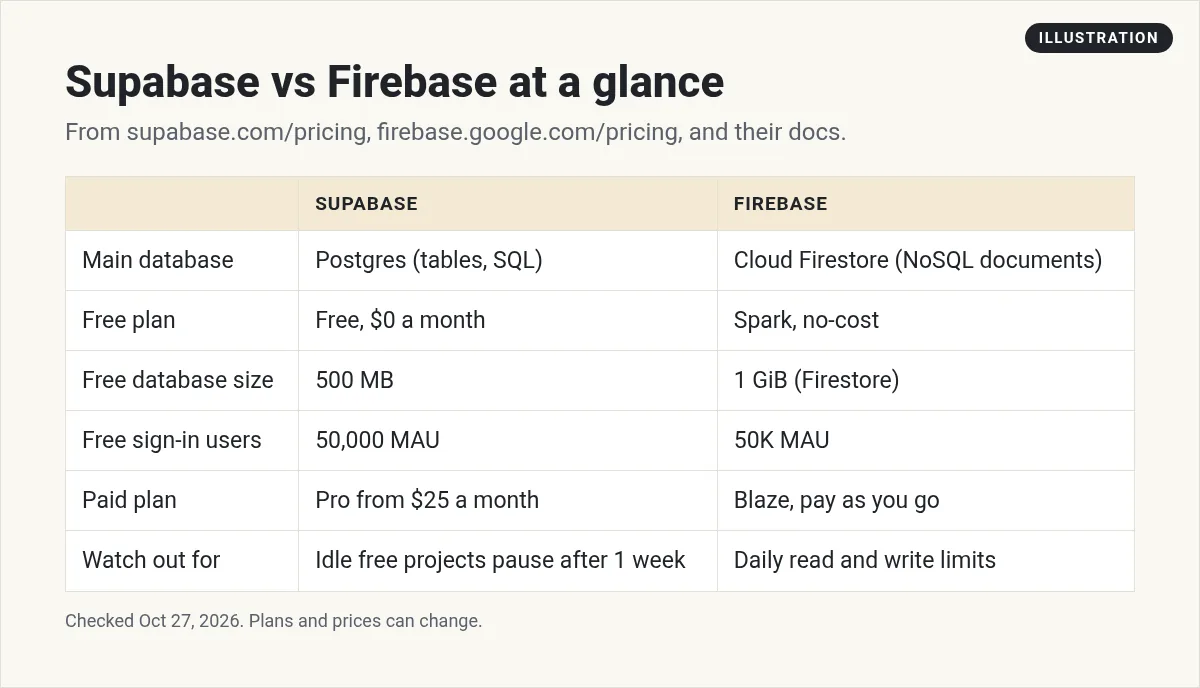
Supabase gives each project its own Postgres database, which is a SQL database with tables. Firebase's main database, Cloud Firestore, is a NoSQL database that stores data as documents in collections. On October 27, 2026, Supabase had a $0 Free plan and a Pro plan from $25 a month. Firebase had a no-cost Spark plan and a pay as you go Blaze plan. Pick Supabase if you want SQL and a flat monthly price. Pick Firebase if you want Google's tools and pay for what you use.
The big difference: how your data is stored
Supabase uses Postgres. Its docs say "Every Supabase project gets a full Postgres database, not a Postgres abstraction." Postgres stores data in tables with rows and columns, like a set of linked spreadsheets. You can ask questions of it with SQL.
Firebase uses Cloud Firestore as its main database. Its docs call it "a cloud-hosted, NoSQL database." You store data in documents, and documents sit in collections. A document can hold nested data inside it.
What does that mean for you? Tables are great when your data links together, like customers, orders, and products. Documents are flexible when each item can look a little different. Neither is better for every app.
One more note. Firebase now also offers SQL Connect, which runs on Cloud SQL for PostgreSQL. So you can use Postgres on Firebase too, but it is priced differently, as you will see below.
Free plans compared
Supabase Free
The Supabase Free plan is $0 a month. It includes unlimited API requests, 50,000 monthly active users, a 500 MB database, 5 GB of egress, and 1 GB of file storage. There is a catch: "Free projects are paused after 1 week of inactivity. Limit of 2 active projects."
Firebase Spark
Firebase calls its free plan Spark, the no-cost plan. The pricing page says "No payment method needed." Here are some of its no-cost limits for Cloud Firestore:
- 1 GiB of stored data
- 10 GiB a month of network egress
- 50K document reads a day
- 20K document writes and 20K deletes a day
Sign-in is free up to 50K monthly active users. Hosting is free up to 10 GB of storage and 360 MB a day of data transfer.
Firebase also has its Realtime Database. On Spark, it allows 100 simultaneous connections and 1 GB stored. On Blaze, connections go up to 200K per database, and storage past 1 GB costs $5 per GB.
The way the limits are counted is different. Supabase counts database size in total. Firebase counts many things per day, like reads and writes. So a busy day can use up a Firebase limit even if your data is small.
Paid pricing compared
Supabase Pro: a flat price plus extras
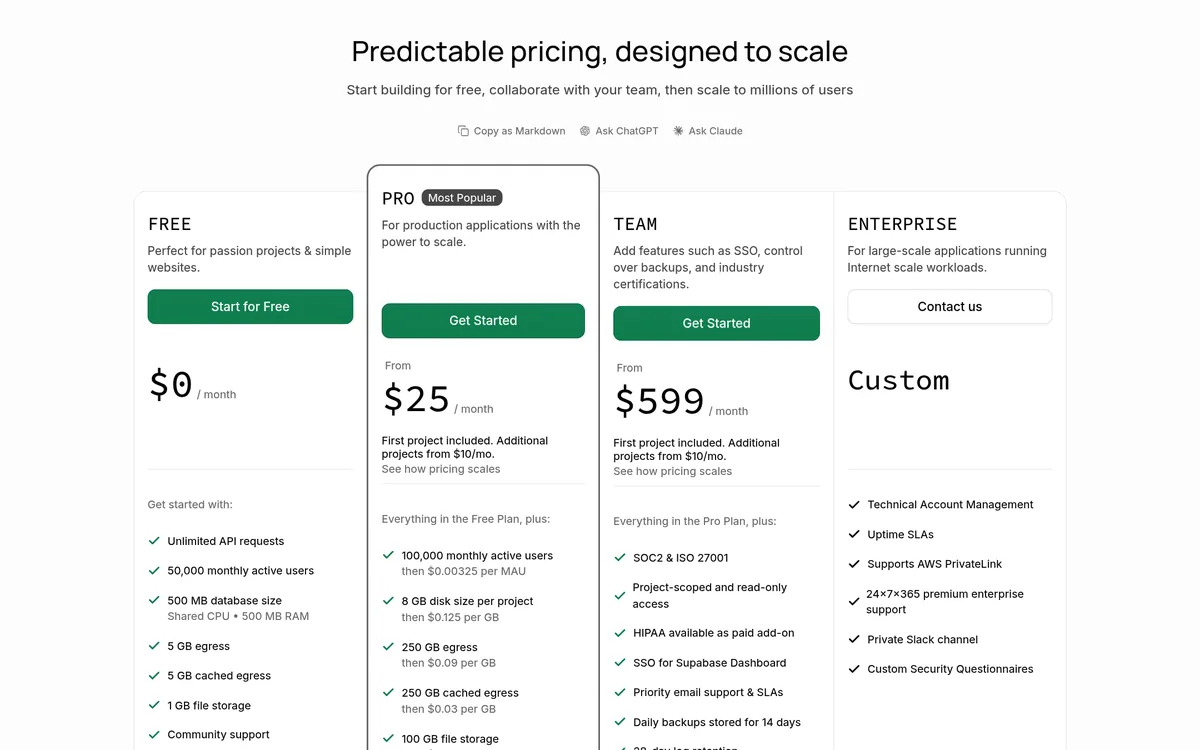
Supabase Pro is "From $25" a month. It includes 100,000 monthly active users, then $0.00325 per user. It includes an 8 GB disk, then $0.125 per GB, and 250 GB of egress, then $0.09 per GB. It also gives you 100 GB of file storage and daily backups kept for 7 days.
The price covers one project. The pricing page says "First project included. Additional projects from $10/mo." Pro also has a spend cap. Supabase says "The Pro Plan has a spend cap enabled by default to keep costs under control." Turn it off only if you want to pay for more than the plan includes.
Team is from $599 a month, for things like single sign-on and longer backups. Enterprise is custom.
Firebase Blaze: pay as you go
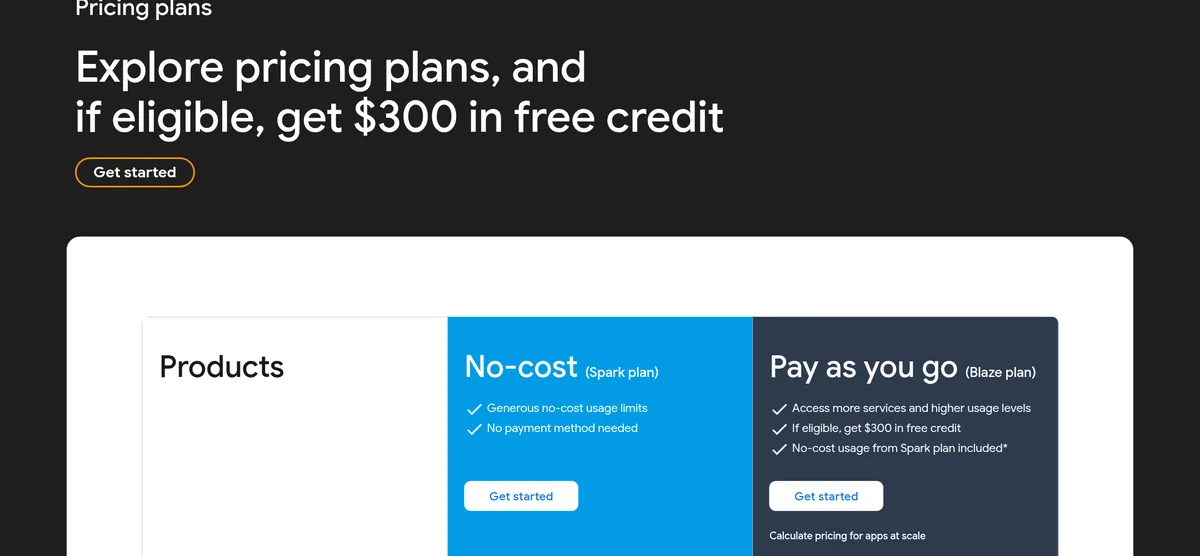
Firebase Blaze has no set monthly price. You pay for what you use beyond the no-cost amounts, which are still included. The pricing page says "If eligible, get $300 in free credit" when you upgrade.
Some features need Blaze. Cloud Functions, the server code, is Blaze only. It is free up to 2M calls a month, then $0.40 per million. Sign-in by text message is "Billed per SMS sent." And the SQL Connect Postgres option has a 3-month no-cost trial, then starts "as low as $9.37 / month," with prices that vary by region and setup.
Here is my take on the trade-off. Supabase Pro is easier to budget, since you start from a set monthly price and the spend cap is on by default. Blaze can cost very little for a small app, but the bill moves with your traffic. If you use Blaze, set up a budget alert in Google Cloud and check your usage often.
Sign-in, storage, and realtime
Both handle user sign-in. Firebase's docs say its Authentication supports "passwords, phone numbers, popular federated identity providers like Google, Facebook and Twitter, and more." Supabase lists Auth among its core features, and its free plan includes 50,000 monthly active users.
Both have realtime data. Firestore keeps data in sync "through realtime listeners," and it "offers offline support for mobile and web." Supabase's docs say Auth, Storage, Realtime, and Edge Functions are all built on its Postgres database.
Both have file storage. Supabase Free includes 1 GB, and Pro includes 100 GB. Firebase lists Cloud Storage on its pricing page with its own no-cost limits.
What developers get with each
If you or your AI builder writes the code, here are a few things each side offers.
Supabase. Its features page lists an "Auto-generated REST API via PostgREST," which means your app can read and write data without you building that part. It also lists "Authorization via Row Level Security," described as a way to "Control the data each user can access with Postgres Policies." In plain words, you can set rules so each user only sees their own data.
Firebase. Firestore has SDKs for Apple, Android, and web apps, plus Node.js, Java, Python, Unity, C++, and Go. Its docs say Firestore caches data your app is using, so the app can still read and write "even if the device is offline." When the device is back online, the changes sync. It also lists ACID transaction support and automatic multi-region data replication.
Both let you control who can read and write data. Both have server code options: Edge Functions on Supabase, and Cloud Functions on Firebase's Blaze plan.
Which one should you pick?
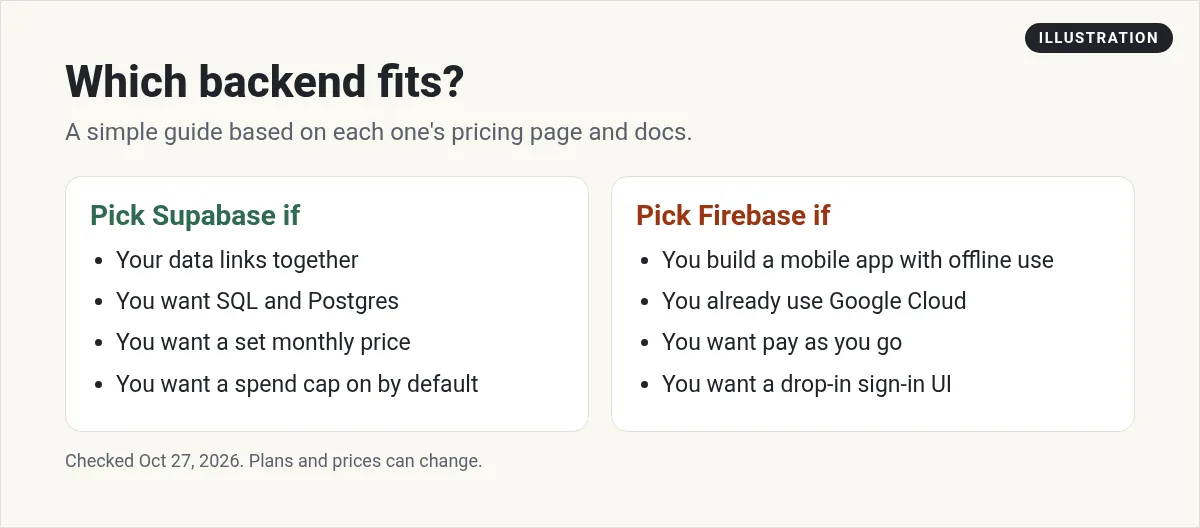
Pick Supabase if:
- Your data links together, like users, orders, and products.
- You want SQL and a standard Postgres database.
- You want a set monthly price and a spend cap.
Pick Firebase if:
- You are building a mobile app and want offline support built in.
- You already use Google Cloud.
- Your app is small and you want to pay only for what you use.
If you build with an AI app builder, check which backend it connects to first. That may make the choice for you. For a full look at Supabase's plans, see my Supabase pricing guide. For the bigger picture on costs, read how much it costs to build an app. And if you are new to this, start with how to build an app with no coding experience.
Before you choose a backend
Nothing you check here is sent or saved. Download it if you want to keep it.
Build your first app with AI
Want to see how I use AI tools to plan and build apps? Join my free AI workshop. I walk through it step by step.
Join my free AI workshopFree to join. No credit card needed.
Frequently asked questions
What is the main difference between Supabase and Firebase?
Supabase gives each project a full Postgres database, which stores data in tables. Firebase's Cloud Firestore is a NoSQL database that stores data as documents in collections.
Is Supabase cheaper than Firebase?
It depends on your app. Supabase Pro starts at $25 a month with a spend cap on by default. Firebase Blaze is pay as you go, so a small app may cost little, but the bill moves with usage.
Is Supabase free?
Yes. On October 27, 2026, the Free plan was $0 a month with a 500 MB database and 50,000 monthly active users. Free projects pause after 1 week of inactivity, with a limit of 2 active projects.
Is Firebase free?
Firebase's Spark plan is no-cost and needs no payment method. It includes limits like 1 GiB of Firestore storage and 50K document reads a day.
Does Firebase support SQL?
Yes, through SQL Connect with Cloud SQL for PostgreSQL. It has a 3-month no-cost trial, then starts as low as $9.37 a month, varying by region and setup.
Which is better for a beginner?
Both work. Check which backend your app builder connects to first. Supabase suits linked data and a set monthly price. Firebase suits mobile apps and pay as you go.
Sources
Checked October 27, 2026. Plans, prices, and rules can change.
