
AI for Business · Guide
AI can help lawyers research, draft, and review documents faster. It also comes with real ethics duties. Here is what the tools do, what the ABA says, and a careful way to start.
Research, first drafts, and document review take time. AI can help with a first pass. But a law firm cannot treat AI like a toy. Client secrets and court filings are on the line.
I checked the ABA's guidance and four legal AI tools' official pages on October 25, 2026. This is a plain guide to what AI can do for lawyers and how to use it without cutting corners. It is general info, not legal or ethics advice.
Quick answer
AI for lawyers means using AI tools to help with legal research, drafting, document review, and running the firm. Legal AI tools like Harvey, CoCounsel Legal, Lexis+ with Protégé, and Clio's AI features are built for this work. The ABA's Formal Opinion 512 (July 2024) says lawyers using generative AI must think about competence, client confidentiality, communication with clients, and reasonable fees. In short: understand the tool, protect client data, check every output, and bill fairly.
What AI can do for lawyers
Here are some uses:
- Legal research. Ask a question in plain words and get an answer with sources to check.
- First drafts. Draft memos, letters, contract clauses, and briefs as a starting point.
- Document review. Sort and summarize large sets of documents in discovery or due diligence.
- Contract analysis. Spot unusual terms and compare against your standard language.
- Client intake. Answer common questions and collect details before a consult.
- Firm admin. Summarize matters, draft emails, and track time.
The key word is help. The lawyer stays in charge and is responsible for the final work.
What the ABA says: Formal Opinion 512
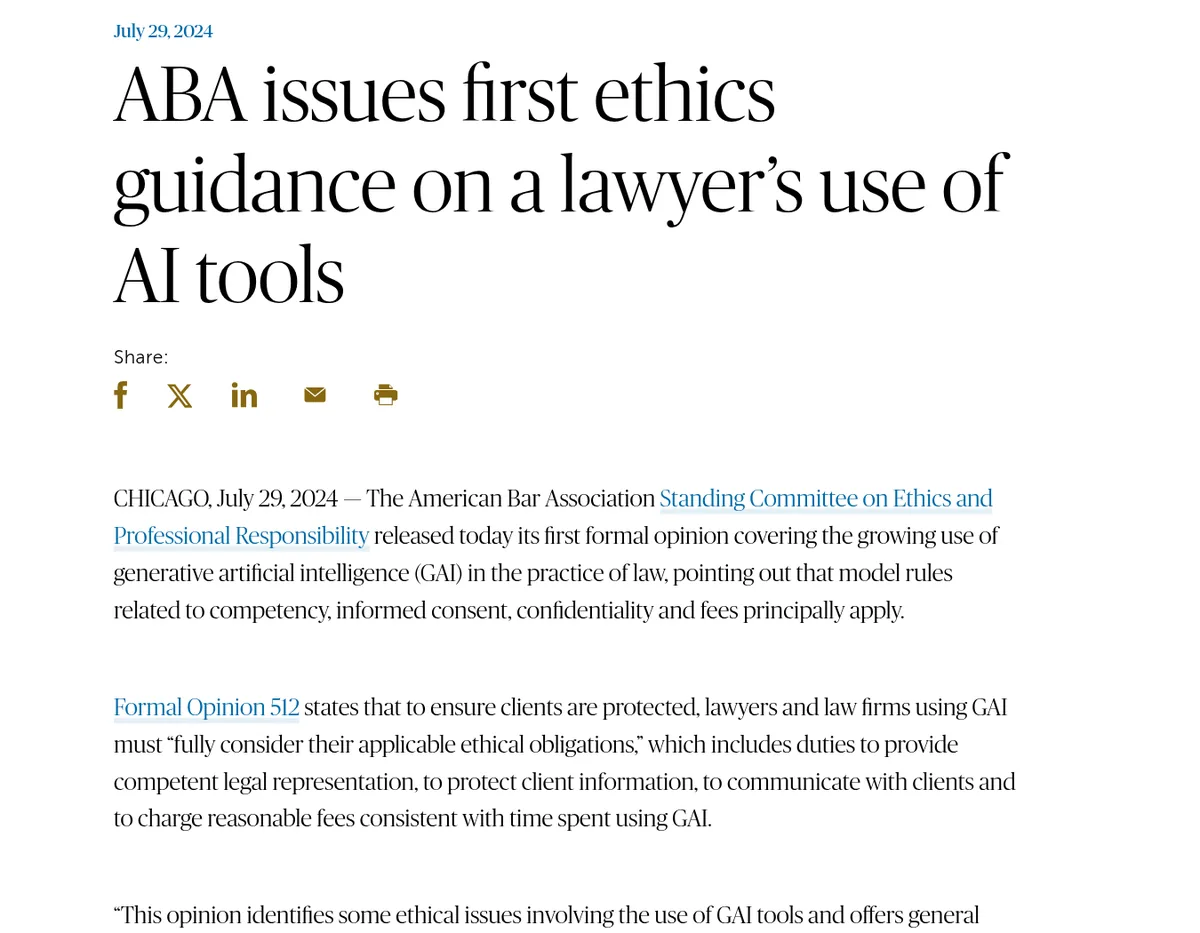
On July 29, 2024, the ABA released its first formal ethics opinion on generative AI, called Formal Opinion 512. The ABA's news release says lawyers using these tools must "fully consider their applicable ethical obligations." The 15-page opinion lists model rules lawyers should be mindful of, including these four.
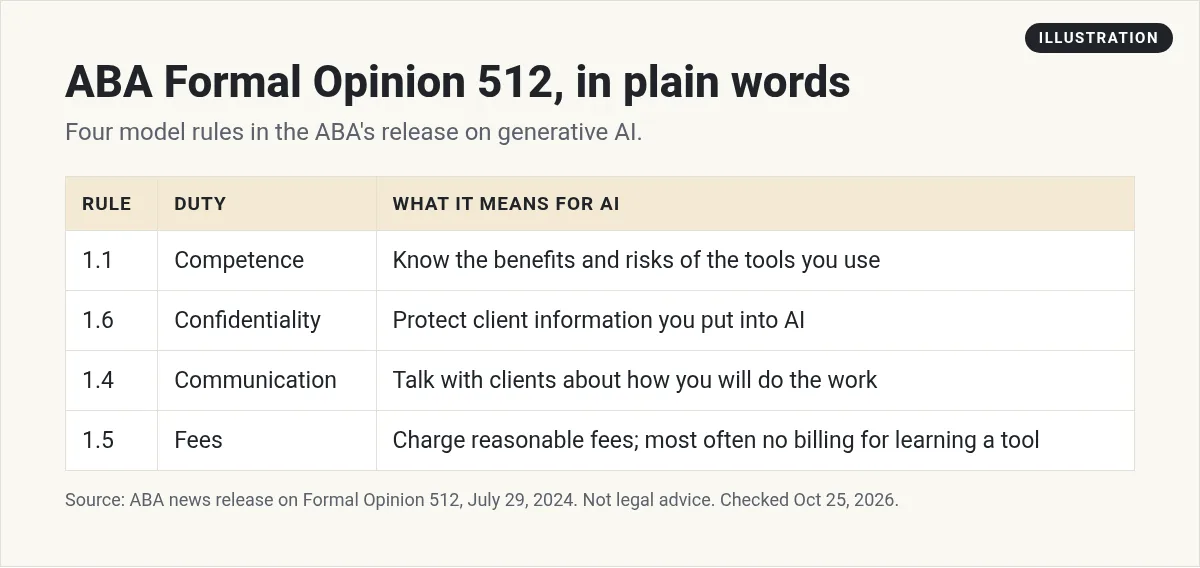
1. Competence (Model Rule 1.1)
Lawyers must give competent help to clients. The ABA release says lawyers should understand "the benefits and risks associated" with the technology they use. In plain words: know what your AI tool does well, and where it can go wrong.
2. Confidentiality (Model Rule 1.6)
Lawyers must keep client information private unless the client gives informed consent. So before you paste client details into any AI tool, you need to know where that data goes and who can see it.
3. Communication (Model Rule 1.4)
Lawyers must "reasonably consult" with clients about how their goals will be met. The release says Model Rule 1.4(a)(2) states that a lawyer shall "reasonably consult" with the client about the means by which the client's objectives are to be accomplished.
4. Fees (Model Rule 1.5)
Fees must be reasonable. The opinion gives an example. If a lawyer spends 15 minutes putting info into an AI tool to draft a pleading, they may bill for that time and for the time spent reviewing the draft. But in most cases, a lawyer cannot charge a client for learning how to use the tool.
The ABA also says state and local bars will likely keep giving updated guidance. Check your own state's rules, too.
Legal AI tools to know
I am listing what each company says on its own site, not ranking them.
Harvey
Harvey is built for law firms and legal teams. Its site lists agents that handle complex legal work, a vault to store and bulk analyze documents, and research across legal, regulatory, and tax questions. A banner on its homepage said Harvey raised $550M at a $15.5B valuation.
CoCounsel Legal (Thomson Reuters)
CoCounsel Legal is grounded in Westlaw and Practical Law content plus your firm's own documents. Thomson Reuters says it can "Review up to 10,000 documents against 100 questions" and show results in one table, with each answer traceable to its source.
Lexis+ with Protégé (LexisNexis)
Protégé is the AI assistant across LexisNexis products. LexisNexis says it works across Microsoft 365 and your document systems, with drafting, research, and analysis grounded in LexisNexis sources and your organization's knowledge.
Clio
Clio is practice management software that now includes legal AI. Its site says 400,000+ legal professionals trust it to run their firms, and that it is SOC 2 Type II certified.
General AI tools
Some lawyers may also use general tools like ChatGPT or Claude for non-confidential tasks, like outlining a blog post or rewriting a client FAQ in plain words. Be careful here. Read the data settings and terms, and do not paste client secrets into a tool unless you know how it handles them. My guide to ChatGPT pricing compares the plans.
AI for solo lawyers and small firms
You do not need a big budget to start. Some simple places to start:
- Turning notes into a first draft of a client letter you then edit.
- Explaining legal steps in plain words for a client handout or FAQ page.
- Summarizing long public records or rules so you can spot what matters faster.
- Answering common intake questions on your website, with a clear note that it is not legal advice.
Keep the same rules: protect client data, check every output, and bill fairly.
What AI does not replace
AI can draft and sort. It cannot stand in court, build trust with a scared client, or make a judgment call on strategy. It does not know your client's full story unless you tell it, and it does not carry your license.
Think of it like a fast, eager helper who needs close review. The better you know the law, the more useful AI becomes, because you can spot its mistakes quickly.
Key risks
- Made up citations. AI can invent cases or quotes that look real. Check every cite against the source.
- Leaking client data. Free or consumer tools may handle data differently from tools built for firms.
- Old or wrong law. A tool may miss a new ruling or mix up states.
- Overbilling. If AI saves time, your bills should reflect real time and value.
A careful way to start with AI in your firm
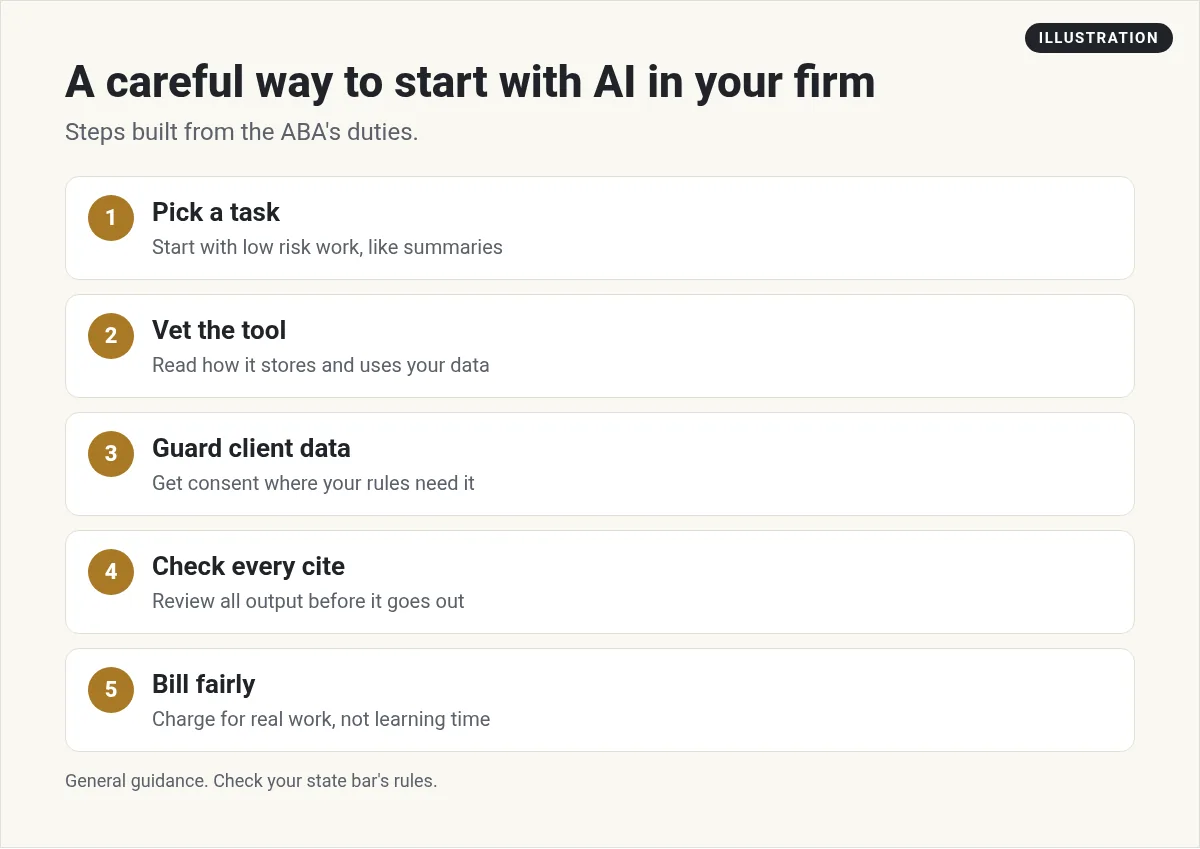
- Pick one task. Start with something low risk, like summarizing a long public document or drafting a first pass of a standard letter.
- Vet the tool. Read its security page and terms. Find out if your data is stored, shared, or used for training.
- Guard client data. Use tools approved by your firm. Get client consent where needed.
- Check every output. Read every line, verify every cite, and fix the tone.
- Bill fairly. Follow the fee guidance above. The ABA says that in most circumstances, a lawyer cannot charge a client for learning how to work a GAI tool.
- Write a short firm policy. List approved tools, banned uses, and who reviews AI work.
Building your own legal tools with AI
You do not always need a big enterprise tool. Some lawyers and legal tech founders build small tools for one job, like an intake form that sorts cases or a checklist app for a type of filing.
My video: In this video, I show how to build a simple legal software tool with AI and no code. Results vary, and nothing in this video is legal advice.
Any results mentioned in videos are not typical and are not a promise of income. Your results depend on your work and your market.
If you want to try this, my guides on how to build an AI agent and micro SaaS ideas are good next steps. For client intake, see AI receptionist software. And to get better results from any AI tool, read my guide to prompt engineering.
Before your firm uses an AI tool
Nothing you check here is sent or saved. Download it if you want to keep it.
Meet AIM Agent
AIM Agent is an AI Chief of Staff for business owners. You give it a real task, and it brings the work back for you to review. You stay the one who approves.
Meet AIM AgentI am a co-founder of AIM Agent and have a financial interest in the product.
Frequently asked questions
How are lawyers using AI?
Lawyers use AI for legal research, first drafts, document review, contract analysis, client intake, and firm admin. The lawyer still reviews and is responsible for the final work.
Is it ethical for lawyers to use AI?
ABA Formal Opinion 512 gives guidance for lawyers who use generative AI. It says lawyers must consider competence, confidentiality, client communication, and reasonable fees. Check your state's rules too. This is general info, not legal or ethics advice.
What is ABA Formal Opinion 512?
It is the ABA's first formal ethics opinion on generative AI, released July 29, 2024. It is 15 pages and focuses on Model Rules 1.1, 1.6, 1.4, and 1.5.
Can lawyers bill for time spent using AI?
Per the ABA opinion, a lawyer may bill for time spent putting info into a tool and reviewing the result. In most cases, they cannot bill clients for learning how to use the tool.
What are the best AI tools for lawyers?
Legal AI tools include Harvey, CoCounsel Legal, Lexis+ with Protégé, and Clio. The right one depends on your practice, budget, and security needs.
Can I use ChatGPT for legal work?
For non-confidential tasks, maybe. Read the data settings and terms first, never paste client secrets into a tool you have not vetted, and check every output.
Sources
Checked October 25, 2026. Plans, prices, and rules can change.
