
Build with AI · Claude Code
Tag @claude on a GitHub issue, and it can read the code, make the fix, and open a pull request. Here is how to set it up and keep costs in check.
If your project lives on GitHub, you can bring Claude Code right into it. You type @claude in an issue or pull request comment, and Claude goes to work. It can explain code, fix a bug, or turn an issue into a pull request.
On October 22, 2026, I went through Anthropic's GitHub Actions docs and the claude-code-action page on GitHub. Here is what it does, how to set it up, what it costs, and how to stay safe.
Quick answer
Claude Code GitHub Actions runs Claude Code inside your GitHub workflows. Mention @claude in an issue or pull request, and Claude can analyze code, make changes, and push commits. The fastest setup is to run /install-github-app inside Claude Code. Each run uses GitHub Actions minutes plus Claude usage, either API tokens or your Claude subscription if you sign in with a subscription token. Checked October 22, 2026.
What is Claude Code GitHub Actions?
Anthropic's docs describe it as "a GitHub Action that runs Claude Code inside your repository’s workflows."
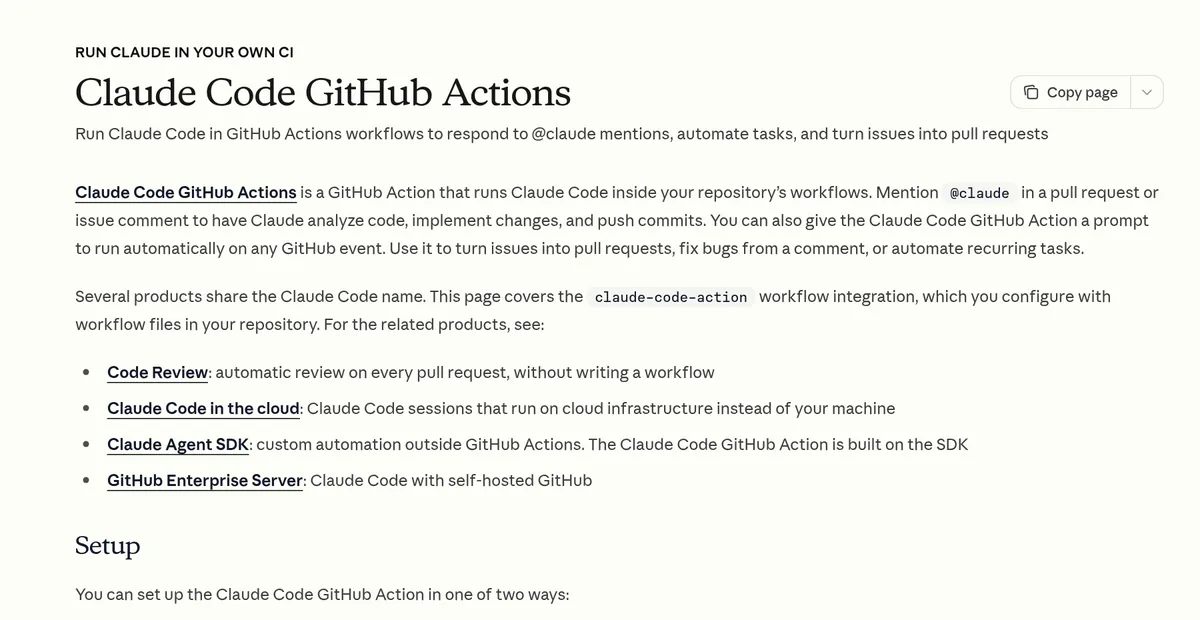
In plain words, it lets Claude work inside your GitHub project without you opening your laptop. Here is what you can use it for:
- Answer questions: ask @claude how a piece of code works.
- Fix bugs: ask it to fix a bug from a comment.
- Turn issues into pull requests: describe a change, and Claude writes it.
- Review pull requests: have Claude post review comments.
- Run on a schedule: run a task each day, like a daily report.
The docs note that several products share the Claude Code name. This one is the claude-code-action workflow. It is different from Anthropic's Code Review product, which reviews pull requests without a workflow file.
What you need first
- Admin access to the GitHub repository.
- A way to pay for Claude: an API key from the Claude Console, or a Claude subscription. Subscription tokens work on Pro, Max, Team, and Enterprise plans.
- The GitHub CLI, signed in with gh auth login, if you use quick setup.
- A github.com repository. Quick setup does not work with GitLab or Bitbucket remotes.
Quick setup, step by step
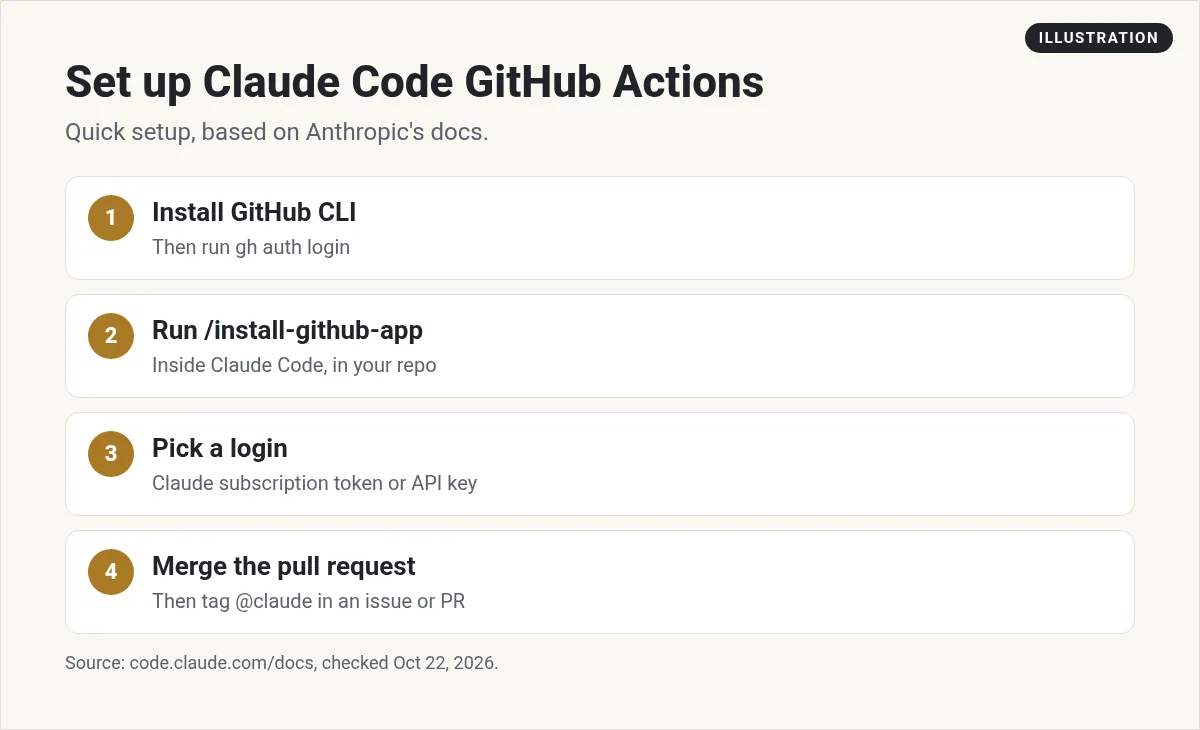
- Install the GitHub CLI and run gh auth login.
- Open Claude Code in your project folder and run /install-github-app.
- Follow the prompts. Claude Code installs the Claude GitHub App.
- Pick how to sign in. Claude Code can reuse your API key, or create a long lived token with your Claude subscription.
- Claude Code saves the login as a repository secret and opens a pull request with the workflow files.
- Merge that pull request. Now @claude works in the repository.
The docs say you can press Esc to stop setup partway through. A step already in progress finishes, and nothing after it starts.
Manual setup
Use manual setup if you don't run Claude Code on your computer, or if the quick command fails.
- Install the Claude GitHub App on your repository.
- Add a secret. Use ANTHROPIC_API_KEY for an API key, or CLAUDE_CODE_OAUTH_TOKEN for a subscription token. You make that token by running claude setup-token on your computer.
- Copy the workflow file. Copy examples/claude.yml from the claude-code-action repo into your .github/workflows folder.
- Test it. Tag @claude in an issue or pull request comment.
If you use a subscription token, the docs say to change the anthropic_api_key line in the workflow to claude_code_oauth_token.
Two ways it runs
- Interactive mode: with no prompt in the workflow, Claude waits for someone to type @claude. Results show up as a comment on the issue or pull request.
- Automation mode: with a prompt in the workflow, Claude runs on its own when a GitHub event happens, like a new pull request or a schedule. Results go to the workflow run log by default.
For schedules, the docs add a catch. GitHub runs scheduled workflows only from the default branch. In public repositories, GitHub turns the schedule off after 60 days with no activity.
Rolling it out to a whole organization
Quick setup and manual setup both work one repository at a time. For a team with many repositories, the docs suggest this:
- Install the Claude GitHub App once at the organization level, for all or some repositories.
- Save the login as an organization level Actions secret, so each repository doesn't need its own copy.
- Add the workflow file to each repository, or set it up once as a reusable workflow that each repository calls.
Bigger companies can skip long lived secrets by using workload identity federation through a Claude Console service account. Teams on Amazon Bedrock, Google Cloud, or Microsoft Foundry can route Claude through their own cloud account instead.
What does it cost?
The action itself has no separate price listed in the docs. The docs say "Each run consumes two kinds of resources":
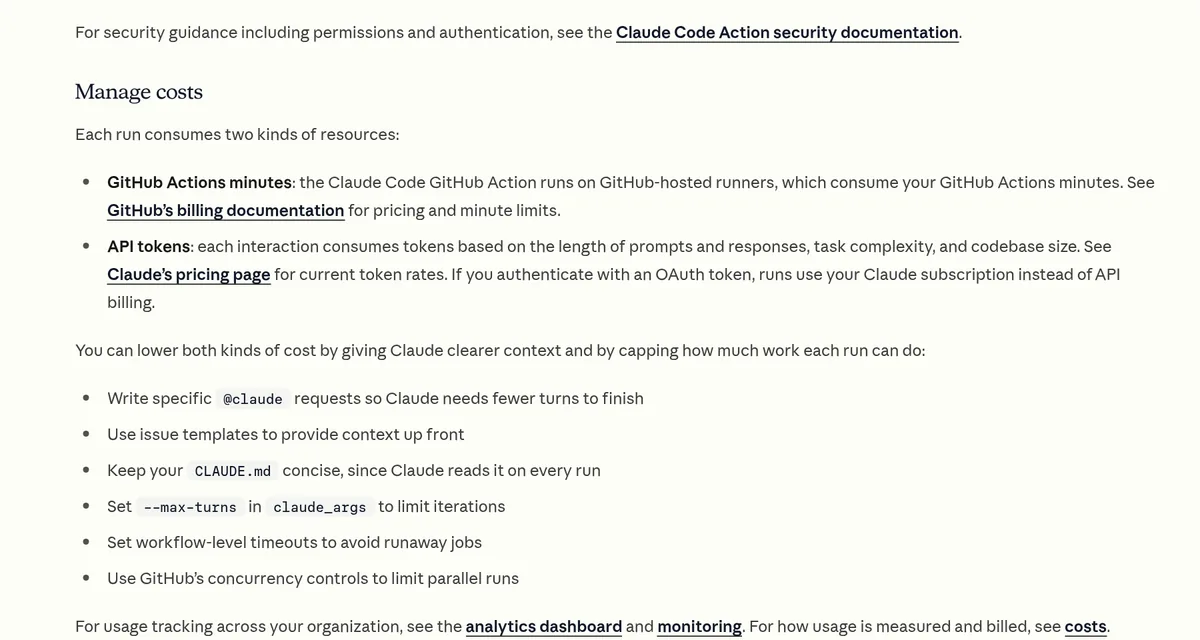
- GitHub Actions minutes: runs happen on GitHub hosted runners, which use your Actions minutes. GitHub's billing docs list the prices and free minutes.
- Claude usage: each run uses tokens based on the prompt, the task, and your codebase size. With an API key, you pay API rates. With a subscription token, runs use your Claude subscription instead.
If you go the subscription route, Claude Pro is $20 per month billed monthly, or $17 per month on the annual plan ($200 billed up front), checked October 22, 2026. Max starts at $100 per month. See Claude Code pricing for the full picture. To pick between the two plans, see Claude Pro vs Max.
One tip from the docs: for a secret shared across many repositories, use an API key rather than a subscription token, since a token is tied to the person who made it.
How to keep costs down
The docs list these ways to save:
- Write specific @claude requests so Claude needs fewer turns.
- Use issue templates so the context is there up front.
- Keep your CLAUDE.md short, since Claude reads it on every run.
- Set a max turns limit in claude_args.
- Set workflow timeouts to stop runaway jobs.
- Use GitHub's concurrency controls to limit runs at the same time.
How to keep it safe
- Never put keys in your code. The docs say, "Never commit API keys or OAuth tokens directly to your repository." Store them as GitHub Secrets.
- Review before you merge. Read every change Claude makes, just like a teammate's code.
- Know who can trigger it. By default, the person who triggers a run on an issue or pull request needs write access. Bots are blocked unless you allow them, which stops loops.
- Know the permissions. The Claude GitHub App asks for a full set of permissions shared by all Claude GitHub features. If your company wants fewer, the docs explain how to make a custom app.
Use CLAUDE.md to set the rules
The docs suggest a CLAUDE.md file in the root of your repository. Put your code style, review rules, and project rules there. Claude follows these when it makes pull requests and answers requests. Learn more in my Claude Code best practices guide.
If @claude doesn't respond
The docs give this checklist:
- Check that the GitHub App is installed on the repository.
- Check that workflows are turned on for the repository.
- Check that your API key or token is saved in the repository secrets.
- Make sure the comment has @claude as a full word, not /claude.
- Make sure the person commenting has write access.
How to remove it
To uninstall, delete the workflow files, delete the secret, and uninstall the GitHub App if no other Claude feature uses it. The docs warn that deleting a secret does not cancel the key itself. To fully retire an API key, delete it in the Claude Console too.
New to Claude Code? Start with how to use Claude Code and my list of Claude Code commands.
Before you turn on @claude
Nothing you check here is sent or saved. Download it if you want to keep it.
Meet AIM Agent
AIM Agent is an AI Chief of Staff for business owners. You give it a real task, and it brings the work back for you to review. You stay the one who approves.
Meet AIM AgentI am a co-founder of AIM Agent and have a financial interest in the product.
Frequently asked questions
What is Claude Code GitHub Actions?
It is a GitHub Action that runs Claude Code inside your repository's workflows. Mention @claude in an issue or pull request, and Claude can analyze code, make changes, and push commits.
How do I set up Claude Code GitHub Actions?
The fastest way is to run /install-github-app inside Claude Code. It installs the GitHub App, saves your login as a secret, and opens a pull request with the workflow. Merge it, then tag @claude.
Does Claude Code GitHub Actions cost money?
Each run uses GitHub Actions minutes and Claude usage. With an API key you pay API rates. With a subscription token, runs use your Claude subscription.
Can I use my Claude Pro plan instead of an API key?
Yes. Subscription tokens work on Pro, Max, Team, and Enterprise plans. Create one with claude setup-token and save it as the CLAUDE_CODE_OAUTH_TOKEN secret.
Why is @claude not responding?
Check that the GitHub App is installed, workflows are on, your secret is saved, the comment has @claude as a full word, and the commenter has write access.
Does it work with GitLab?
Quick setup only works with github.com repositories. Anthropic has separate docs for running Claude Code in GitLab CI/CD.
Sources
Checked October 22, 2026. Plans, prices, and rules can change.
