
Grok Bot · Design
One of the designers who built Grok Bot uses Grok Bot to design it. His Bots handle Figma busywork, motion tuning, and quick experiments, so he spends more time on taste.
Grok Bot for designers is less about making a design for you and more about trying more ideas, faster. John Bai, a designer on the Grok Bot team, runs four design Bots. One handles repetitive Figma work. One helps him tune motion. One turns rough ideas into prototypes he can try. One answers engineering questions.
I read his x.ai guide, Designing Grok Bot with Grok Bot, and watched two interviews with him on November 3, 2026. Here is how his Bots work and how to set up your own.
TL;DR
Make one Bot per design job. A Figma Bot uses the Figma MCP to read real frames and components and fill in repeat work. A motion Bot builds a small playground around a real animation file so you can tune timing by feel. An experiments Bot turns a loose idea into a few versions you can try. You still judge every version. The Bots just tighten the loop.
The big idea: make more versions
John's point is simple. As making gets easier, you can explore more directions and react sooner. He says Bots have not replaced the tools in his kit. They changed how fast he can bring an idea to life and how many ideas he is willing to try.
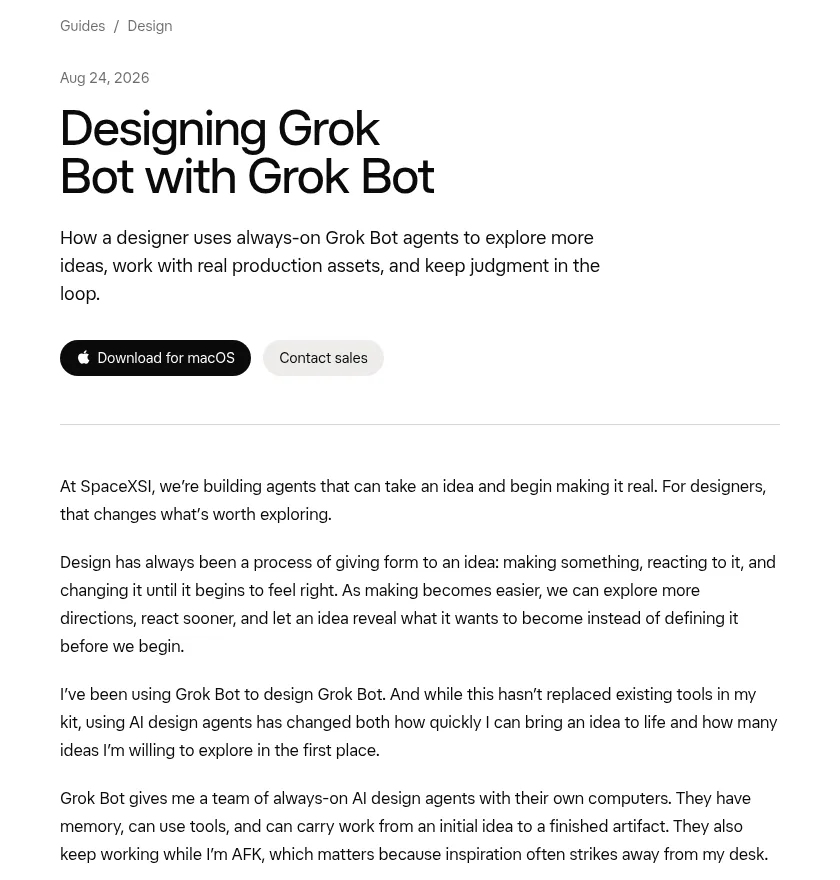
His Bots also keep working while he is away from his desk. That matters, he says, because ideas often come when you are not at the computer.
Meet his four design Bots
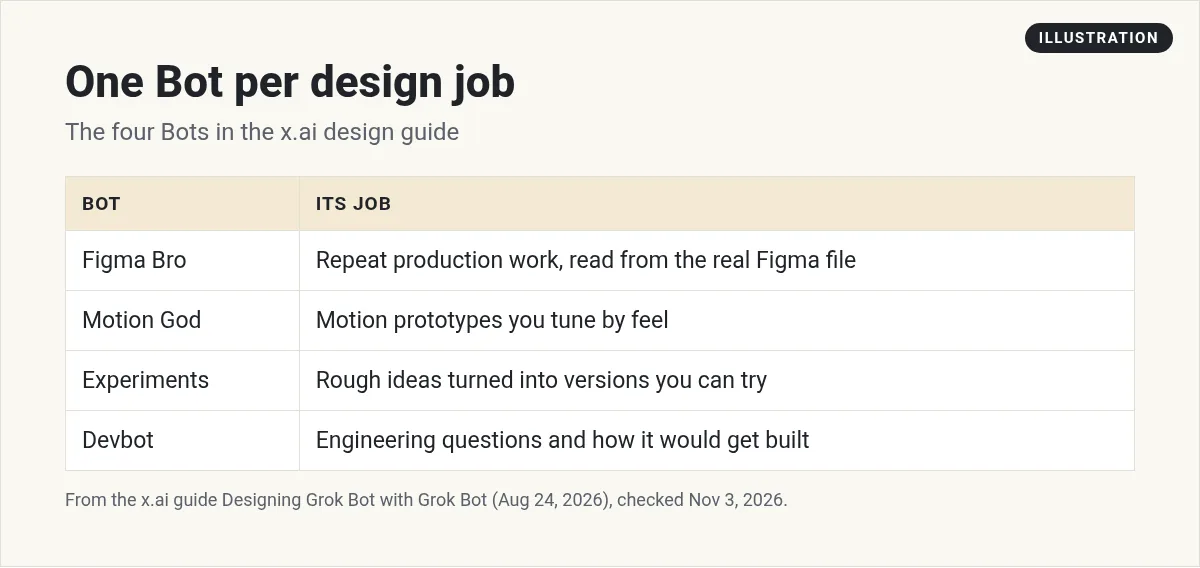
- Figma Bro handles repetitive production work in Figma.
- Motion God helps him prototype motion while he describes how it should feel.
- Experiments takes ideas he wants to see before he knows what they should become.
- Devbot answers engineering questions and helps the others understand how an idea would get built.
The Bots do not work alone. They can huddle, hand off parts of a project, and bring the work back together.
Figma Bro: the repeat work
For the Grok Bot onboarding flow, the team needed 20 starter Bot cards, each with its own portrait and details. John built one auto layout component in Figma and asked Figma Bro to fill in the rest. Then he made a page layout and had Figma Bro find the right tool logos and place them in order.
His reason is worth reading twice. These jobs are not hard, but they eat creative attention. They are also where small mistakes pile up: the wrong logo, an old component, the tenth card spaced differently from the first.
So he does not let the Bot eyeball it. Through the Figma MCP, the Bot reads the real file: exact positions, sizes, spacing, type, fills, and component structure. The existing component is the source of truth. If you want to know more about MCP, my Grok Bot connectors guide is a good start.
Motion God: tune by feel
Motion used to be where John handed an idea to a specialist. Now he stays in the loop. For an email campaign, he wanted a short clip where the Bot character appears, notices the app window, and bounces into place.
He did not want an approximation. He had Motion God build a playground on localhost around the real animation file from the product. He could move sliders for timing, springs, and easing. Or he could just say things like hold the look longer, or the bounce is too much. The Bot changed it, and he watched again.
He says he rarely knows if a move should take 280 or 340 milliseconds before he sees it. But he knows how to describe it, and he knows when it feels right.
Experiments: just try it
He asked Experiments to explore ways to call up a Bot from anywhere on a Mac. It built three: a Bot tucked into the Mac notch, a Bot that peeks in from the corner, and a Bot that follows the cursor. Experiments handed the movement to Motion God and the desktop questions to Devbot, then pulled it together into prototypes he could live with for a few days.
None of them shipped as built. That was not the point. He had an idea, made three versions real, and learned from each one.
Set up your own design Bots
Step 1. Start with your most boring job. Resizing, filling cards, renaming layers, exporting assets.
Step 2. Connect Figma. Look for it in Connect apps. The changelog lists Figma among connectors that can show an interactive card in the chat. The Bot works best when it reads the real file instead of a screenshot.
Or start from his Bot. The Grok Bot marketplace lists a figma bro template by John Bai. It turns a Figma frame into a build spec and audits components, tokens, and motion. My Grok Bot templates guide shows how to add one.
Open the Pricing page file. Use the Card component in the Components page. Make 12 cards from the list in this doc, one per row. Keep spacing at 24. Do not change the component. Tell me which cards had text that did not fit.
Step 3. Add an experiments Bot. Give it rough ideas and ask for three versions you can click through.
Step 4. Keep your judgment. John's closing line: Bots do not replace that judgment, they give you more chances to use it.
If you make visual content too, my Grok Bot images and videos guide covers making media inside Grok Bot.
Two videos worth your time
Dive Club sat down with John Bai for a deep look at the Grok Bot design journey, including early onboarding ideas that did not ship.
From the Dive Club 🤿 channel (not mine): This is a design podcast interview, so it is about process, not a step by step setup.
How I AI shows John and another Grok Bot designer, Peng Zheng, using Grok Bot with the Figma MCP, including directing Figma work by voice memo.
From the How I AI channel (not mine): The episode has a sponsor read in its description. The Figma demo is the useful part.
Watch outs
- Brand files. Give the Bot access only to files it needs.
- Check the output. Look at every card, not just the first and last.
- Logos and rights. Make sure any asset a Bot finds is one you can use.
- Taste is yours. Let the Bot make versions. You pick.
Get a whole team around your design work
Design Bots work best next to a team that already knows your business, your offers, and your voice.
AIM Agent is an AI Chief of Staff for business owners. It comes with an AI C-suite (COO, CMO, CFO, CRO and CTO), a Business Bot Builder and 100+ business skills, and it runs on AIM OS, a private vault that holds your notes and memory. AIM Agent is a ready-made AI business team that works inside Grok Bot, so you skip the setup and get to work.
Here is what you get:
- An AI Chief of Staff that helps you plan and run your business
- An AI C-suite: COO, CMO, CFO, CRO and CTO
- A Business Bot for each business or project. Give it a real task and it brings the work back for you to review
- 100+ business skills for content, offers, research and more
- Step by step setup guides and email support
So the work you design actually gets launched, sold, and followed up.

Want an AI team to help run your business? Meet AIM Agent, an AI Chief of Staff for business owners. I am a co-founder of AIM Agent and have a financial interest in the product.
Give your creative work a team
AIM Agent gives you an AI Chief of Staff, an AI C-suite, and 100+ business skills, so the business side of your work has owners from day one.
See AIM AgentFrequently asked questions
Can Grok Bot work in Figma?
Yes. In the x.ai guide, a designer's Figma Bot uses the Figma MCP to read real frames, components, and spacing.
Does Grok Bot replace designers?
The guide's writer says it has not replaced his tools or his judgment. It lets him try more ideas faster.
What design jobs should I hand off first?
Repeat production work, like filling cards from one component or placing logos in a layout.
Can a Bot help with motion design?
The guide shows a Bot building a small playground around a real animation file so the designer can tune timing by feel.
Do design Bots work together?
Yes. In the guide, Experiments hands parts of a project to Motion God and Devbot and then brings it together.
Who wrote the guide?
John Bai, a designer on the Grok Bot team at x.ai.
Is there a faster way to get a Bot team for my business?
AIM Agent gives you an AI Chief of Staff, an AI C-suite, and 100+ business skills, so you start with a team built for business work.
Sources
Checked November 3, 2026. Plans, prices, and rules can change.
