
Grok Bot · Product
Most product managers manage a product, not people. With Grok Bot, a PM can have a small team of Bots that actually reports to them. Here is how one PM on the Grok Bot team set it up.
Grok Bot for product managers means a small team of Bots that follows your work, researches customer feedback, turns messy threads into specs, and helps ship code. You keep the product calls and the final say on what goes out.
I read the official Grok Bot for PMs guide on October 30, 2026. It was written by a product manager who used Grok Bot for months before launch. Even if you are not a PM, the ideas work for anyone who runs a product or an offer, including small business owners like me.
TL;DR
Give your Bots separate jobs. A Chief of Staff watches your calendar, Slack, and inbox, and keeps an attention list of what you are actually working on. A product Bot turns feedback and threads into specs. A data Bot answers quick questions with charts. Engineering Bots hand coding to Cloud Agents. Keep final review for outside emails, purchases, and deletes.
A PM with a team that reports to them
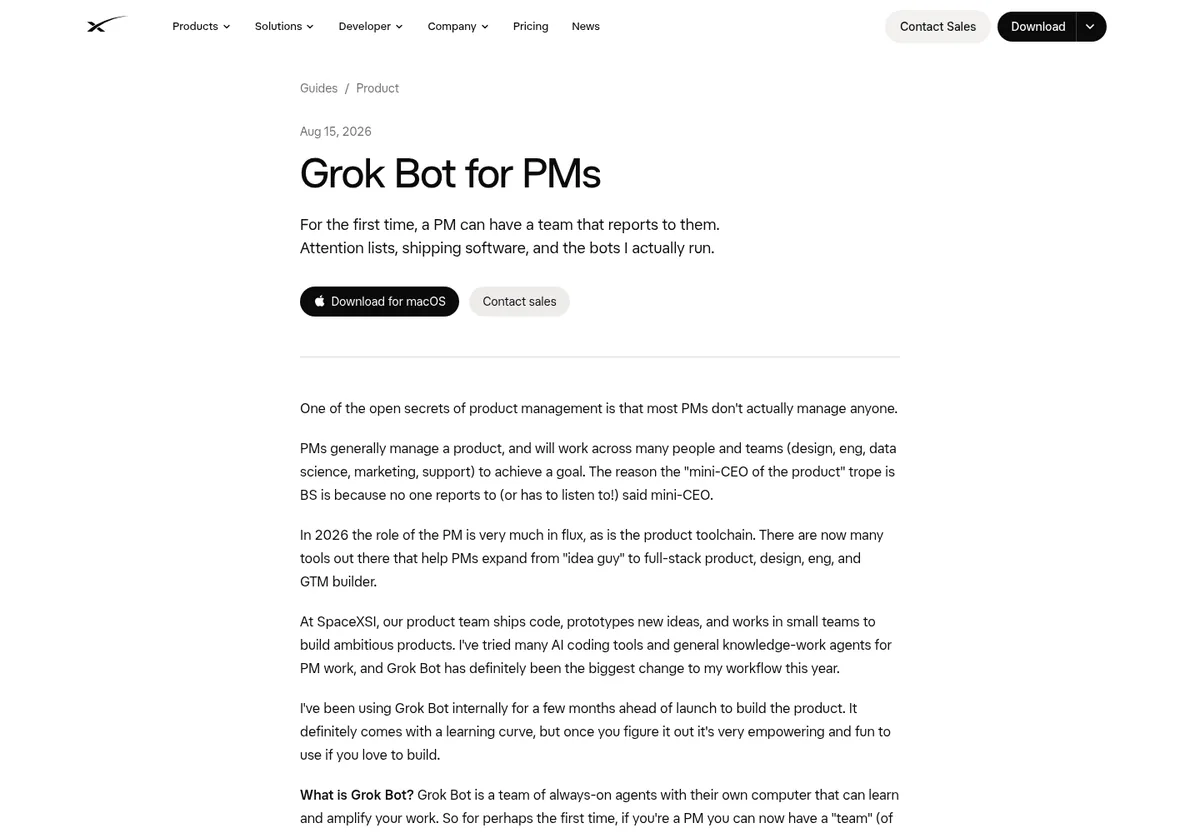
The guide opens with an open secret: most PMs do not manage anyone. They work across design, engineering, data, and marketing, but nobody reports to them.
With Grok Bot, that changes. The author describes Grok Bot as a team of always on agents with their own computer that can learn and amplify your work.
The attention list
This is my favorite idea in the guide. Weekly priority lists go stale fast. So instead, the author has a Bot follow what they actually do across Slack, email, and meetings, and keep an attention list.
It is a live view of what you are focused on, built from your real work. The guide says it helps in two ways:
- Bots can use it as a filter, and point you to threads that match your focus.
- You can compare what you said matters with where your time actually went.
The guide shares the setup ask: every hour, review email, Slack, notes, and calendar, and write a short list of the projects you are focused on, their state, and what comes next. Then you can ask it to archive emails that do not match the list.
That is a great fit for a Grok Bot chief of staff.
Research across customer feedback
Product teams have feedback everywhere: call recordings, support tickets, customer channels, and notes. The guide says the challenge is making all that raw context readable for agents.
The fix is simple. Connect the tools where customer context lives, and sign in on the Bot's computer to anything without a connector. Then ask real questions, like where customers get stuck. See Grok Bot connectors and Grok Bot research.
One PM's Bot team
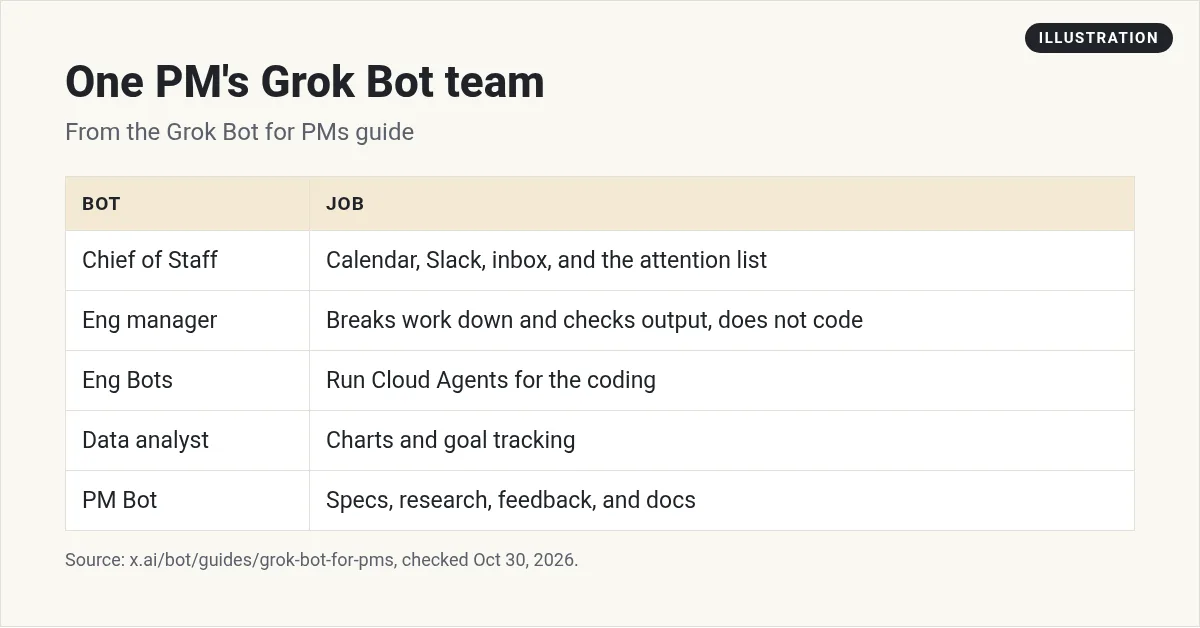
- Chief of Staff. Calendar, Slack, and inbox. The only generalist. Stays quiet if nothing changed.
- Eng manager. Does not code. Breaks work down, hands it to engineering Bots, and checks the output against the goal.
- Engineering Bots. Use Cloud Agents to do the coding. See Grok Bot for coding.
- Data analyst. The one the author uses most. Answers quick questions with charts.
- PM Bot. Specs, research, feedback, and docs. For example, it turns a thread about a feature into a spec with quotes.
Why many Bots, not one
The guide's author chose many focused Bots over one Bot that does everything, for three reasons:
- You know who does what.
- They work at the same time on separate tasks.
- Each one learns its own job, with its own memory.
The Chief of Staff should not be debugging tests, and the test Bot should not be archiving your mail. My guide to Grok Bot memory explains how each Bot keeps its own.
From the Brian Casel channel (not mine): Brian Casel shows how he barely chats with his Bots, yet they run large parts of his small business through skills and routines. A practical look at a team of focused Bots.
Lessons from the guide
- Teach it your voice. The author's best tip: have a Bot read your past Slack messages and write a style guide for you. Then it can sample the exact thread before drafting, so it sounds like you.
- Keep it quiet. Bots lean toward action and can over share. Ask them to stay quiet unless something needs you.
- Human on the important stuff. The author still sends most messages and edits most docs, partly because people want to know you thought about any ask.
- Keep final review. The author keeps final review for outside emails, purchases, and deletes.
What a week looks like
Here is how this could look for a product owner in a normal week:
- Monday. The Chief of Staff sends your attention list and flags anything that slipped last week.
- Tuesday. The PM Bot turns a long feature thread into a short spec with quotes from customers.
- Wednesday. You ask the data Bot how many users tried the new feature. You get a chart in minutes.
- Thursday. The eng manager Bot splits the spec into tasks and hands them out.
- Friday. You review pull requests with screenshots and decide what ships.
You make the calls all week. The Bots do the gathering, sorting, and first drafts.
For small business owners
If you sell a course, an app, or a service, you are the product manager. The same setup works:
- A Chief of Staff that keeps your attention list.
- A research Bot that reads customer emails and reviews each week and lists the top three asks.
- A data Bot that answers sales questions with a simple chart.
Start with one. Add the next only when the first one runs on its own. Give each Bot a clear name and one job, so you always know who to ask. A Bot with a fuzzy job tends to do a fuzzy job.
From the Raner channel (not mine): A recording of the Grok Bot for Product Managers session from the Grok Bot Galaxy livestream, held September 15 to 17, 2026.
Get the business team without building it
The PM in the guide built a team of focused Bots one by one. For a business owner, that setup can take weeks.
AIM Agent is an AI Chief of Staff for business owners. It comes with an AI C-suite (COO, CMO, CFO, CRO and CTO), a Business Bot Builder and 100+ business skills, and it runs on AIM OS, a private vault that holds your notes and memory. AIM Agent is a ready-made AI business team that works inside Grok Bot, so you skip the setup and get to work.
Here is what you get:
- An AI Chief of Staff that helps you plan and run your business
- An AI C-suite: COO, CMO, CFO, CRO and CTO
- A Business Bot for each business or project. Give it a real task and it brings the work back for you to review
- 100+ business skills for content, offers, research and more
- Step by step setup guides and email support
So you start with business roles already in place, and you keep the final say on every product and money call.

For how routines keep these Bots running, read Grok Bot routines. Want an AI team to help run your business? Meet AIM Agent, an AI Chief of Staff for business owners. I am a co-founder of AIM Agent and have a financial interest in the product.
Start with a team that reports to you
AIM Agent gives you an AI Chief of Staff, an AI C-suite, and 100+ business skills, so you get a focused team on day one.
See AIM AgentFrequently asked questions
How do product managers use Grok Bot?
For attention lists, research across feedback, specs from threads, quick data questions, and shipping code through Cloud Agents.
What is an attention list?
A live list of what you are actually focused on, kept by a Bot from your Slack, email, meetings, and calendar.
Should I use one Bot or many?
The PM guide uses many focused Bots, so you know who does what and each learns its own job.
Can a PM ship code with Grok Bot?
Yes. Engineering Bots hand coding to Cloud Agents and check the results.
How do I make Bot drafts sound like me?
Have a Bot read your past messages and write a style guide, then use it before drafting.
What should stay with a person?
Outside emails, purchases, and deletes, per the guide's author.
Is there a faster way to get a Bot team for my business?
AIM Agent gives you an AI Chief of Staff, an AI C-suite, and 100+ business skills, so you start with a team built for business work.
Sources
Checked October 30, 2026. Plans, prices, and rules can change.
