
Grok Bot · Coding
Grok Bot is not a code editor. It is a teammate that can hand coding work to Cloud Agents, watch them, push back, and bring you a pull request to review. Here is how that works, even if you are not an engineer.
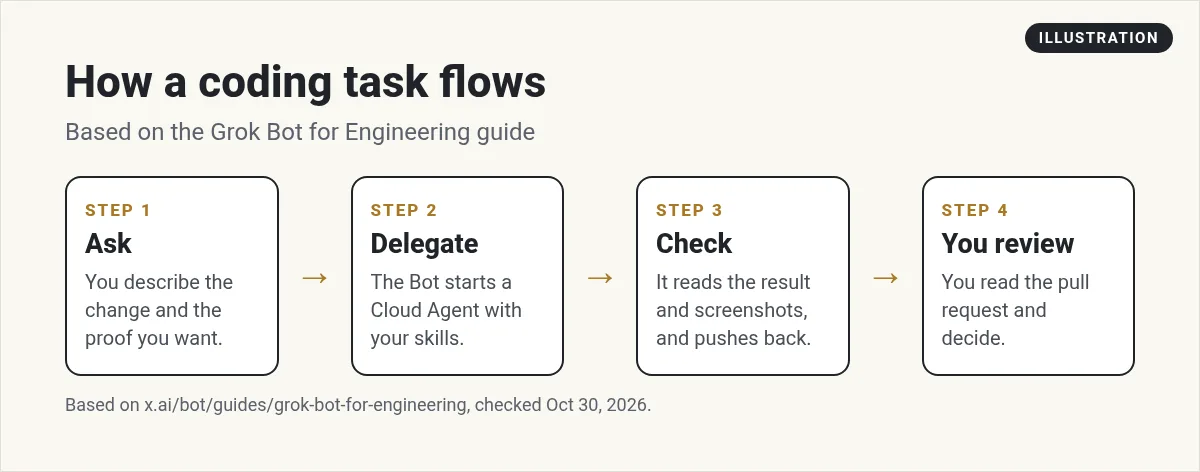
Grok Bot for coding works like a manager for coding agents. You describe the change and the proof you want. The Bot starts a Cloud Agent, checks the result, and brings you a pull request to review.
I read the official Grok Bot for Engineering guide, the docs, and the changelog on October 30, 2026, and watched two builders test it. I am not a full time engineer. That is part of why this matters to me: you can get real code changes done by describing them in plain words.
TL;DR
Connect GitHub to your Bot. Then describe the change you want and what proof you expect, like a screenshot before and after. The Bot starts a Cursor Cloud Agent to do the coding, watches its progress, checks the proof, and pushes back if it falls short. You get a pull request to review and merge. Keep merges in your hands, at least until you trust the setup.
How coding works in Grok Bot
The official engineering guide calls Grok Bot a very capable engineering intern with its own computers. It can manage coding agents and learn from how you work.
The key idea is that the Bot does not write all the code in the chat. It hands the work to Cursor Cloud Agents. Those agents run on separate computers that have the code and tools set up. Your Bot keeps an eye on them, reads what they did, and sends follow ups.
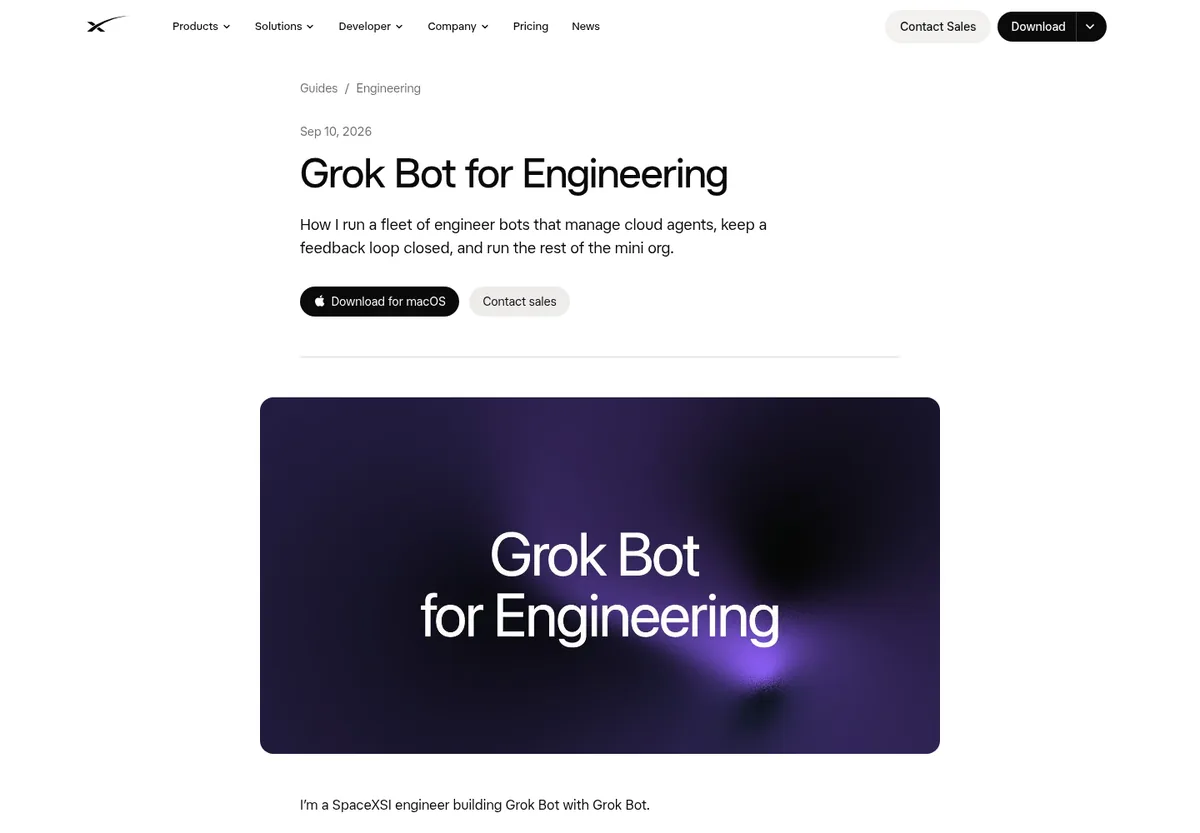
The guide says every engineer Bot can create Cloud Agents, read their transcripts, review the proof attached to pull requests, and send follow ups. That is the loop you want.
Set it up
- Connect GitHub. The changelog says when GitHub is not connected, the Bot offers a single Connect GitHub action. See Grok Bot connectors.
- Give it one repo first. Start small. If GitHub cannot see a repository, the Bot gives you a link to the page where you grant access.
- Write down your rules. How you name branches, how you test, and what good looks like. Save these as a skill. My guide to Grok Bot skills shows how.
- Decide who merges. I keep merges with a person.
How to ask for a change
The guide's biggest tip is a complete feedback loop. Tell the Bot what proof you want, and it keeps going until it gets it. For example:
Change the signup button on the home page to green. Show me a screenshot before and after. Open a pull request. Do not merge it.
Cloud Agents can take screenshots, so the Bot can check the visual change was made and push back if it was not.
From the Travis Automates channel (not mine): Travis Automates shows why talking to a Grok Bot can be the easiest way to use Cursor: the Bot coordinates the coding agents while you describe what you want in plain words.
Code review and safety
A few things from the changelog are worth knowing:
- Bots using the built in code review tools act with your access and never approve your own pull request.
- Commits a Cloud Agent makes keep your co author line.
- Follow ups to a running Cloud Agent reach it right away.
On a team, an admin can turn off Bots starting Cloud Agents. The docs say that switch is on by default. See Grok Bot safety for the approval basics.
Nightly jobs
The engineering guide has a fun idea: nightly audits. While you sleep, Bots clean up code, remove dead logic, and look for speed wins. In the morning you get a fresh set of pull requests to review.
Other audit ideas from the guide include security checks, build time checks, and checks for features that shipped in only one language. Set these up as a routine. See Grok Bot routines.
One honest warning from the guide itself: an urgent mode that checks agents every few minutes can use up usage fast. Save it for true emergencies.
From the Snapper AI channel (not mine): Snapper AI connects Codex and GitHub to Grok Bot's computer, then asks for website changes and gets pull requests to review. A good look at a non engineer friendly flow.
For a small business site
You do not need a big engineering team for this to help. Here is what I would hand a coding Bot first:
- Small text and design changes on your website.
- Fixing broken links and slow images.
- Adding a simple form or page.
- A weekly check for errors.
These are small, clear jobs with an easy way to check the result. That makes them a great way to learn how your Bot works before you hand it anything bigger.
Each change comes back as a pull request with a screenshot. You look, you merge. If you are not sure, ask a developer friend to look over the first few.
Mistakes I would avoid
- Vague asks. Make the button better gives the agent nothing to aim at. Say what to change and what proof you want.
- Too many repos at once. Start with one. Add more once the first one runs smoothly.
- Auto merge on day one. Read the first ten pull requests yourself. You will learn what the Bot gets right and where it needs rules.
- Secrets in chat. Never paste keys into a message. Use the Vault or a secure form instead.
- No tests. Ask the Bot to run your tests and show the results with every pull request.
Tips from the guide
- Treat it like a talented intern. Ask it to do its homework and study how other engineers do the job.
- One area per Bot. The guide's author gives each engineer Bot one area to own, because Bots do best when focused.
- Keep a list outside the chat. The author has Bots track pull requests in a shared database, so progress is easy to scan.
If you are curious which model does the work, read Grok Bot models.
Pair your coding Bot with a business team
A coding Bot ships changes. A business also needs someone deciding which changes matter: the offer, the page that sells, the follow up.
AIM Agent is an AI Chief of Staff for business owners. It comes with an AI C-suite (COO, CMO, CFO, CRO and CTO), a Business Bot Builder and 100+ business skills, and it runs on AIM OS, a private vault that holds your notes and memory. AIM Agent is a ready-made AI business team that works inside Grok Bot, so you skip the setup and get to work.
Here is what you get:
- An AI Chief of Staff that helps you plan and run your business
- An AI C-suite: COO, CMO, CFO, CRO and CTO
- A Business Bot for each business or project. Give it a real task and it brings the work back for you to review
- 100+ business skills for content, offers, research and more
- Step by step setup guides and email support
So your code work points at real business goals, and you still approve every merge.

For the bigger picture, read Grok Bot computer use and Grok Bot chief of staff. Want an AI team to help run your business? Meet AIM Agent, an AI Chief of Staff for business owners. I am a co-founder of AIM Agent and have a financial interest in the product.
Get a team that knows what to build next
AIM Agent gives you an AI Chief of Staff, an AI C-suite, and 100+ business skills, so your build work ties back to the business.
See AIM AgentFrequently asked questions
Can Grok Bot write code?
Yes. It usually hands the coding to Cursor Cloud Agents, checks their work, and brings you a pull request.
Do I need to be a developer?
No, but someone should review changes before they go live. Ask for screenshots as proof.
Does Grok Bot work with GitHub?
Yes. The GitHub connector can list repositories, compare commits, and read pull request comments.
Will it approve its own pull requests?
No. The changelog says the built in review tools never approve your own pull request.
What is a Cloud Agent?
A Cursor coding agent that runs on its own computer with your code and tools. Your Bot can start and watch them.
Can a team admin turn this off?
Yes. Admins can stop Bots from starting Cloud Agents. It is on by default.
Is there a faster way to get a Bot team for my business?
AIM Agent gives you an AI Chief of Staff, an AI C-suite, and 100+ business skills, so you start with a team built for business work.
Sources
Checked October 30, 2026. Plans, prices, and rules can change.
