
Grok Bot · GoHighLevel
I have run my business on GoHighLevel for years, so this is the connection I was most excited about. Here is how Grok Bot talks to HighLevel, what it can do, and the safe way to start.
Grok Bot and GoHighLevel work together through HighLevel's official MCP server, also called the LeadConnector MCP server. Once connected, your Bot can find contacts, read pipelines, draft follow ups, and run the actions you allow.
I read HighLevel's MCP docs and the Grok Bot help pages on October 30, 2026, and watched two builders put Grok Bot to work in HighLevel. Here is what I would set up first, from someone who lives in HighLevel every day.
TL;DR
In Grok Bot, open Connect apps and look for HighLevel. HighLevel's own docs say it is listed in the Grok Bot app catalog. Sign in, pick the sub account, and approve only the scopes you need. Then start with read jobs, like a daily pipeline summary and a list of leads nobody followed up with. Add drafts next. Keep sending, deleting, and payments behind Ask first rules.
How the connection works
HighLevel's docs describe the LeadConnector MCP server as a secure way to connect AI assistants to your CRM. Based on the scopes you approve, an assistant can find records and run supported read, create, update, and delete actions.
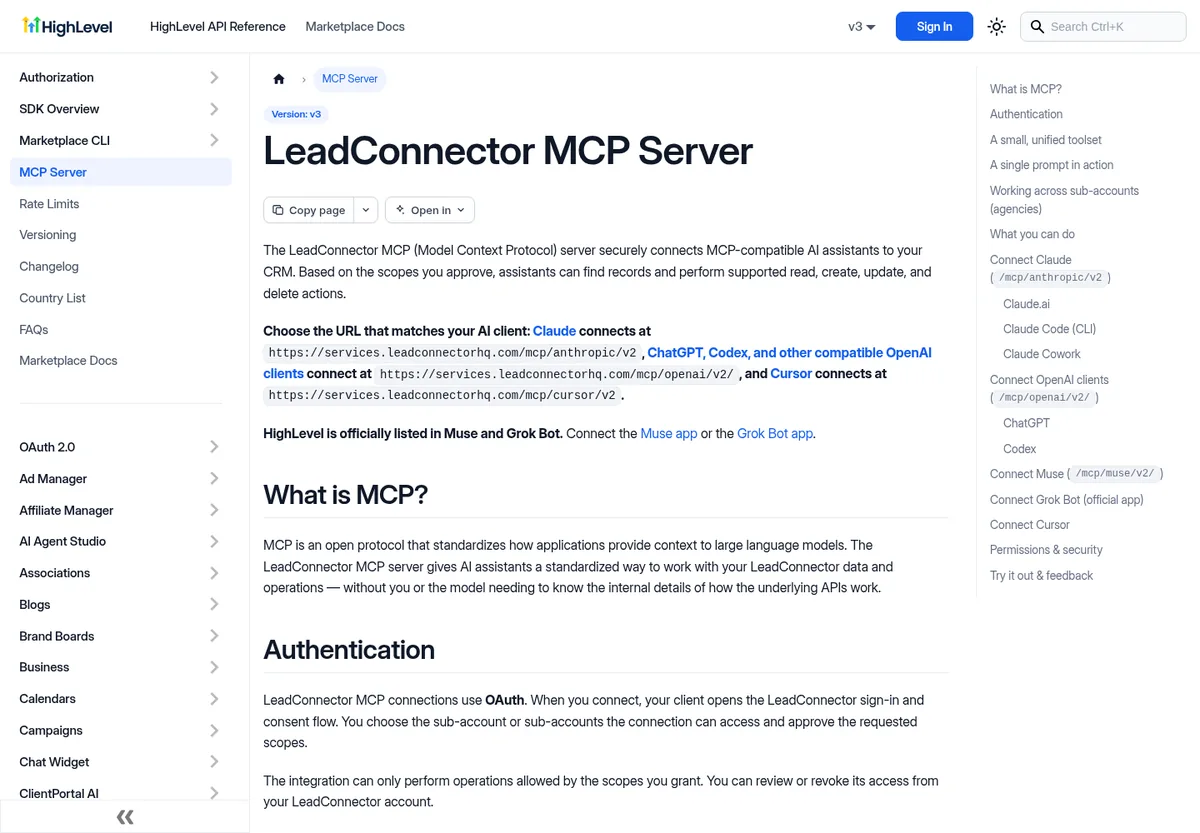
A few details from those docs are worth knowing:
- OAuth sign in. You sign in to HighLevel, choose the sub account, and approve scopes. No tokens to copy.
- Scopes limit everything. The connection can only do what the scopes you granted allow. You can review or revoke access from your account.
- One sub account per request. Every request targets a single sub account. Agencies can connect once and work across the sub accounts they pick. The docs say that agency option is still rolling out.
- Big coverage. The docs list more than 550 operations across contacts, conversations, opportunities, calendars, workflows, and more.
Connect HighLevel to Grok Bot
- In Grok Bot, open Connect apps and search for HighLevel. HighLevel's docs say to connect it from the Grok Bot app catalog.
- Sign in to HighLevel and pick one sub account to start.
- Approve only the scopes you need for your first jobs.
- Ask the Bot to find the last five contacts you added, to confirm it works. HighLevel's docs suggest a test like this.
If you do not see HighLevel in your list, check with your team admin. On a team, Grok Bot follows the team's connector policy. My guide to Grok Bot connectors covers the basics.
If you do not have HighLevel yet, here is my link for GoHighLevel (I earn a commission if you buy through this link).
Safe first jobs
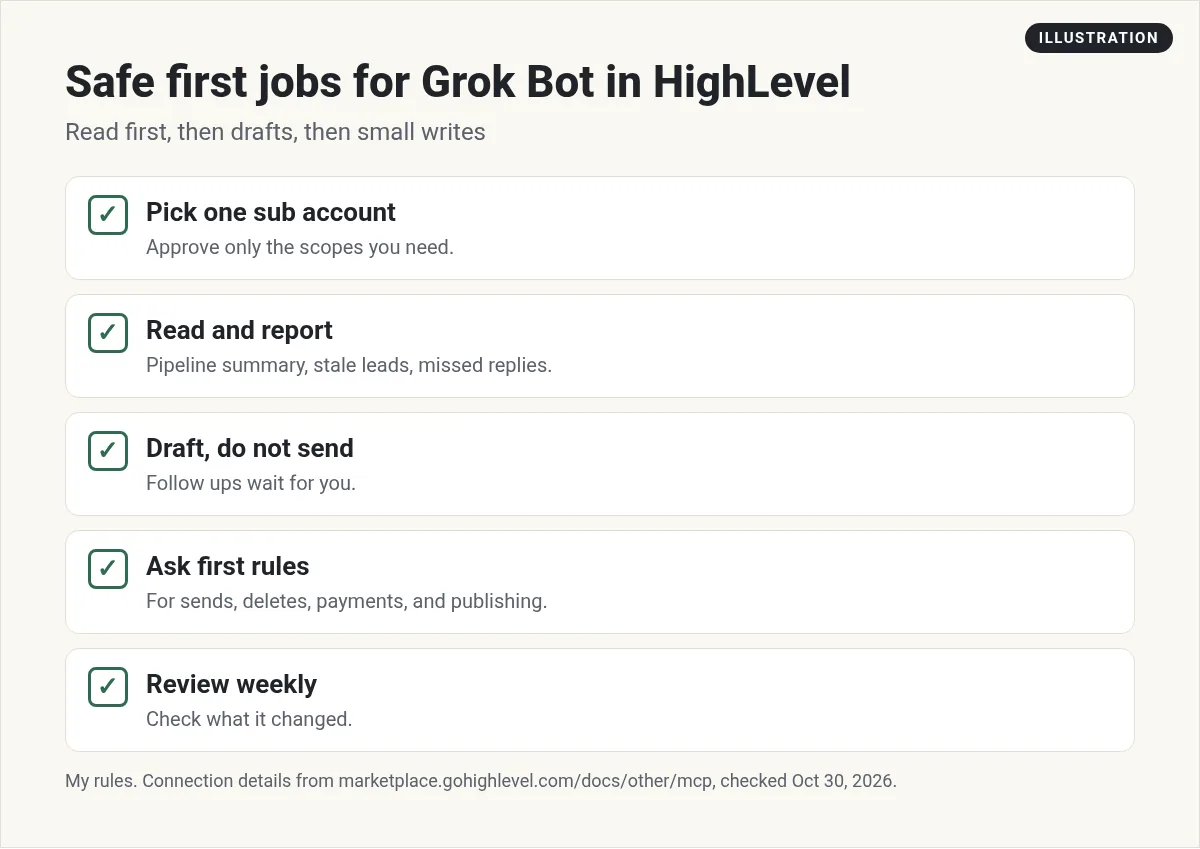
Start with jobs that read and report:
- Daily pipeline summary. New leads, deals that moved, and deals that are stuck.
- Missed follow ups. Leads who replied and never heard back.
- Calendar check. Tomorrow's appointments with a short note on each contact.
- Tag cleanup ideas. A list of messy tags you could merge. You make the change.
Turn the daily summary into a routine that runs each morning. See Grok Bot routines.
From the Matt Lamborne channel (not mine): Matt Lamborne sets up Grok Bot as a sales helper for GoHighLevel. Useful for ideas on lead follow up and pipeline work.
Then drafts
Once the reports look right, let the Bot draft. For example, a follow up text or email for every lead who went quiet, using your voice. The drafts wait for you. You read them, fix anything off, and send.
Here is the kind of rule I would give it:
You work in my HighLevel sub account. You may read contacts, conversations, and pipelines. You may add notes and tags. You never send a message, delete a record, change a workflow, or touch payments without asking me first.
Then add matching Ask first rules in Settings. My Grok Bot safety guide shows how.
What to be careful with
The HighLevel connection is powerful. The docs list operations for messages, workflows, payments, invoices, phone numbers, and even buying phone numbers. That is a lot of reach. So:
- Scopes. Grant the fewest scopes that do the job.
- Messages. Keep sends behind your approval. A bad text to your whole list is hard to take back.
- Workflows. Have the Bot suggest workflow changes, and make them yourself.
- Money. Keep payments, invoices, and purchases behind Ask first.
- Clients. If you run an agency, only include the client sub accounts you mean to.
For agencies
If you run an agency on HighLevel, the multi sub account option is a big deal once it reaches you. You can ask about one client, then another, in the same chat. The docs say the assistant uses the sub account you name, or asks which one when it is not clear.
A weekly client report Bot is a great start. It pulls new leads, booked calls, and pipeline changes for each client and drafts a short summary you send. See Grok Bot for agencies.
From the Altus AI channel (not mine): Altus AI uses Grok Bot with GoHighLevel and AI Studio to run client onboarding steps while talking with a prospect. Good inspiration for agency onboarding.
More ideas I like
- Score new leads from their form answers and add a tag.
- Summarize every call transcript into a contact note.
- Find contacts who booked but never showed, and draft a kind reschedule note.
- Check your blog posts and pages for broken links.
Mistakes to avoid
- Granting every scope on day one. Start small. You can add scopes later when a job needs them.
- Skipping the test. Ask for your last five contacts first. If that looks right, the rest will make sense.
- Vague asks. Say which pipeline, which stage, and what time range. Clear asks get clean answers.
- No review. Once a week, ask the Bot to list every change it made in HighLevel. Read the list.
- Mixing clients. Name the client sub account in every ask so nothing lands in the wrong place.
Small, careful steps are how you build trust with any new teammate. A Bot is no different.
For more on email, read Grok Bot email. For sales ideas, see Grok Bot for sales.
Get a team that knows what to do with your CRM
A connected CRM gives a Bot the data. You still need a plan: which leads to call, which offer to send, and what to fix in your funnel.
AIM Agent is an AI Chief of Staff for business owners. It comes with an AI C-suite (COO, CMO, CFO, CRO and CTO), a Business Bot Builder and 100+ business skills, and it runs on AIM OS, a private vault that holds your notes and memory. AIM Agent is a ready-made AI business team that works inside Grok Bot, so you skip the setup and get to work.
Here is what you get:
- An AI Chief of Staff that helps you plan and run your business
- An AI C-suite: COO, CMO, CFO, CRO and CTO
- A Business Bot for each business or project. Give it a real task and it brings the work back for you to review
- 100+ business skills for content, offers, research and more
- Step by step setup guides and email support
So your HighLevel data turns into clear weekly moves, and you approve every send.

Want an AI team to help run your business? Meet AIM Agent, an AI Chief of Staff for business owners. I am a co-founder of AIM Agent and have a financial interest in the product.
Turn your CRM data into next steps
AIM Agent gives you an AI Chief of Staff, an AI C-suite, and 100+ business skills, so your pipeline turns into a clear plan.
See AIM AgentFrequently asked questions
Does Grok Bot work with GoHighLevel?
Yes. It connects through HighLevel's official LeadConnector MCP server. HighLevel's docs say it is listed in the Grok Bot app catalog.
How do I connect HighLevel?
Open Connect apps in Grok Bot, find HighLevel, sign in, pick a sub account, and approve scopes.
What can the Bot do in HighLevel?
Whatever your scopes allow: find contacts, read pipelines, add notes and tags, draft messages, and more.
Can it work across many sub accounts?
HighLevel's docs say agencies can connect once and work across chosen sub accounts. That option is rolling out.
Is it safe to let it send texts?
Keep sends behind your approval with Ask first rules, at least at the start.
Do I need to know the HighLevel API?
No. You ask in plain words and the Bot finds the right operation.
Is there a faster way to get a Bot team for my business?
AIM Agent gives you an AI Chief of Staff, an AI C-suite, and 100+ business skills, so you start with a team built for business work.
Sources
Checked October 30, 2026. Plans, prices, and rules can change.
