
Grok Bot · Agencies
Grok Bot for agencies works best when you set it up like a real agency: one lead, a few specialists, and a place for each client. Here is a setup you can copy, and the work I would never hand off.
Grok Bot for agencies is a natural fit, because agency work is a lot of repeat jobs across a lot of clients. Reports, inbox sorting, content drafts, research. The problem is keeping it all straight when you have ten clients, not one.
I read the xAI guide on running multiple teams of Bots and the Grok Bot help pages on October 29, 2026, and watched two new creator setups. Here is a simple agency setup, plus the rules I would keep so nothing goes to a client without you.
TL;DR
For an agency, set up Grok Bot like a real team. Use one lead Bot as your front door, a few specialist Bots for email, reports, content, and research, and one group or channel per client with only the Bots that client needs. Keep every client facing message, ad spend change, and final approval with a person. Reuse Bots across clients before you make new ones, and watch usage, since every Bot reply counts. AIM Agent gives you a ready business team, so you start with the roles instead of building them.
Why agencies like Grok Bot
Grok Bot is an AI helper from xAI that works on its own computer, uses apps you connect, and runs jobs on a schedule. If you are new, start with my Grok Bot explained post.
An agency has the same jobs every week for every client. That is where a Bot shines. It does not get bored writing the fifth monthly report. But client work also carries risk. A wrong email or a bad ad change costs you a client. So the setup matters.
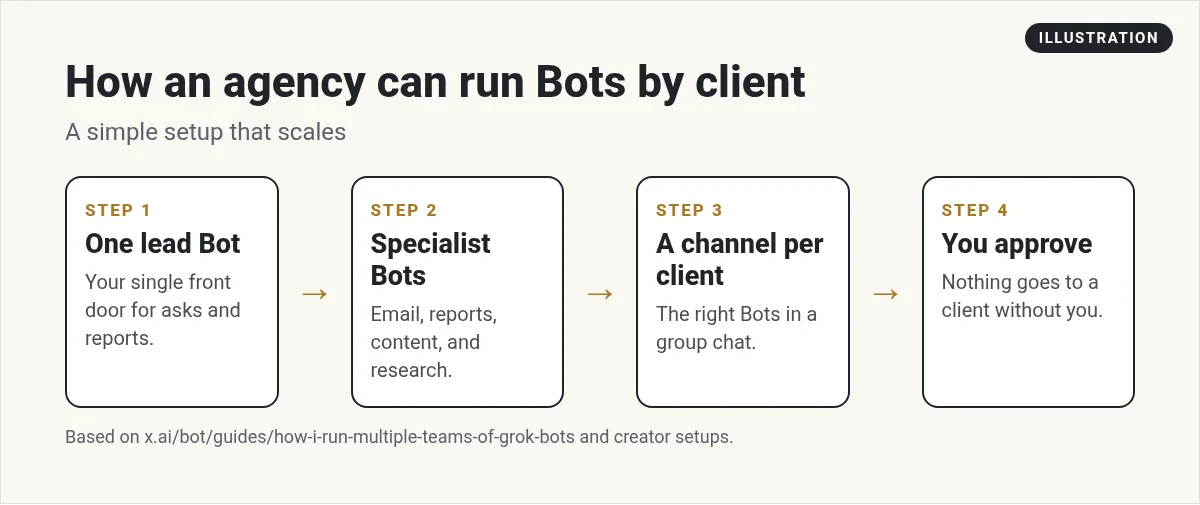
Step 1: One lead Bot
Give yourself one front door. This is the Bot you talk to most. It takes your asks, hands them to the right specialist, and reports back. Some people call it a chief of staff. My Grok Bot chief of staff guide shows how to set one up.
Blake Fontana shows this idea in his video. He calls his lead Bot a captain. It hands work to helper Bots for email, time, and other jobs. Each morning he gets an email report with suggestions, and drafts wait for his okay.
From the Blake Fontana channel (not mine): Blake Fontana shows a lead captain Bot that hands work to helper Bots, plus a morning email report he approves.
Step 2: A few specialist Bots
Do not make one Bot do everything. Give each Bot one job. For an agency, I would start with these:
- Reports Bot: pulls the numbers and drafts each client's monthly report.
- Inbox Bot: sorts client email and drafts replies. See my Grok Bot email guide.
- Content Bot: drafts posts, emails, and pages in each client's voice.
- Research Bot: audits, competitor checks, and keyword ideas. See my Grok Bot research guide.
Write each client's voice and rules into a doc the Bots can read. Then the same content Bot can write for many clients without mixing them up. My Grok Bot skills guide shows how to save a process as a skill the Bot can reuse. Built a Bot that works well? My Grok Bot templates post shows how to share it with your team.
Step 3: One place per client
This is the part that makes it work for an agency. Eric Zakariasson at xAI wrote a guide on how he runs multiple teams of Bots. Each project gets a channel, a roster of Bots, and a task board. In his words: One project equals one channel in the sidebar, and the channel has the team of bots (and me) in it.
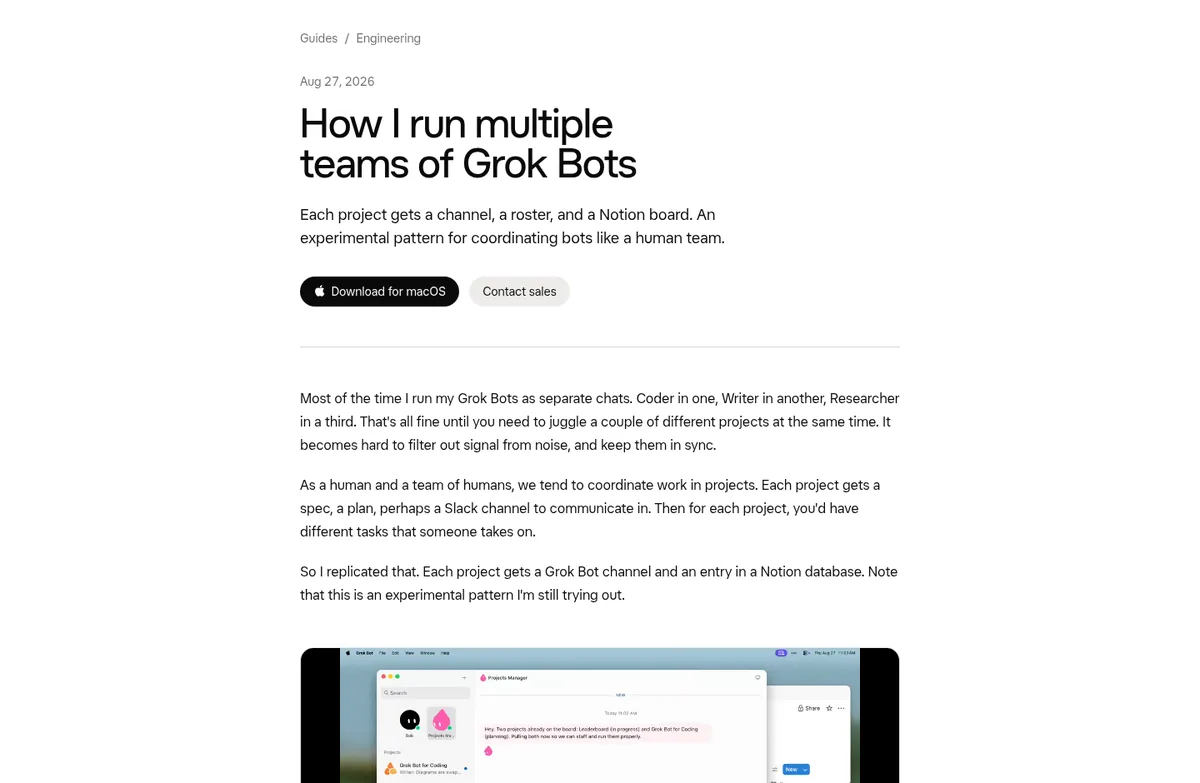
For an agency, a project is a client. Here are his staffing rules, which I think work well for agencies too:
Reuse existing bots first.
Your reports Bot can serve every client.- Keep each channel small. He caps his at six Bots.
- Make a new Bot only when nothing fits, and only after you say yes.
When a Bot gets stuck, it marks its task as blocked and pings him in the channel. He is honest that this is an experimental pattern I'm still trying out.
I like that. Try it with two clients before you move everyone over.
In Grok Bot, a group chat puts several of your Bots in one conversation. You can type @ and a Bot's name to send a request to one Bot.
Watch a multiple teams setup
This creator shows how he runs more than one team of Bots. He also sells his own programs, so take any results as his story, not a promise.
From the Moritz | AI Systems channel (not mine): A creator walks through running multiple Grok Bot teams, each with its own project and roster.
Any results mentioned in videos are not typical and are not a promise of income. Your results depend on your work and your market.
What to hand off and what to keep
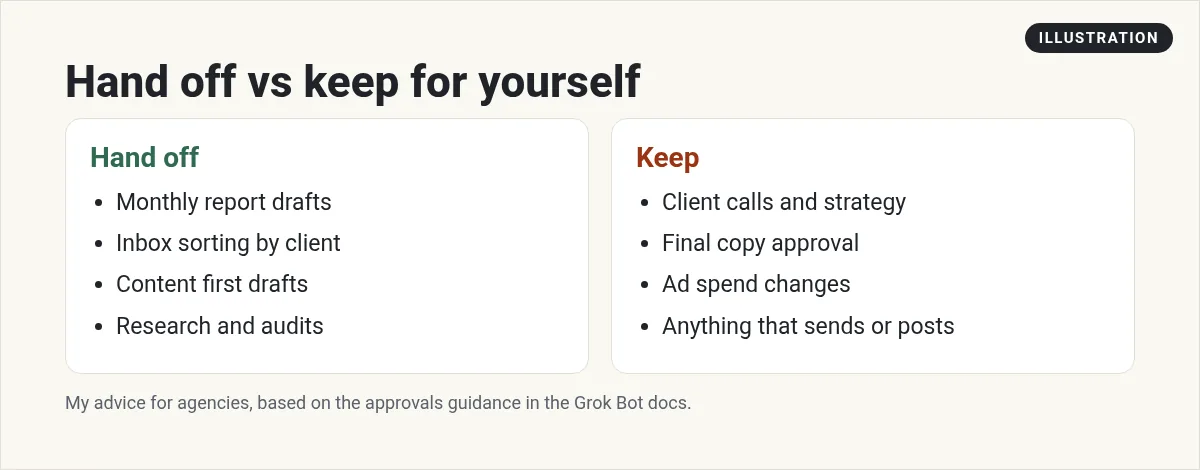
Here is my rule. Bots prepare. People decide. Anything a client sees, any money that moves, and any live account change goes through you or a teammate.
Grok Bot has a built in check called Auto-review. It runs before the Bot acts, and when an action needs your okay, you get an approval card. You can add your own Ask first rules for the actions you care about, like sending email or changing an ad. My Grok Bot safety guide has the details.
Client logins and access
Be careful here. The help center says a connected app is available to every Bot on that Grok Bot account. So if you connect a client's account, every Bot you have can use it.
- Connect only what you need, and remove access when a client leaves.
- Use rules in each Bot's instructions about which client it works on. Rules help, but they are not a lock.
- Check your client contract and their data rules before you connect anything.
Watch your usage
More Bots means more work, and more usage. The help center is clear: Every Bot reply counts toward your usage, including replies in a group and messages between Bots.
Fewer Bots in a channel means fewer replies.
Start your routines as daily or weekly batches, not on every new message. My Grok Bot routines guide explains schedules and triggers.
How I would start this week
- Make a lead Bot. Tell it your agency, your clients, and your rules.
- Add one reports Bot. Have it draft one client report. Compare it to yours.
- Set up one client channel with just those two Bots.
- Add a second client only when the first one runs smooth.
If your agency does marketing, read Grok Bot for marketing. If you also sell, see Grok Bot for sales. And if your team lives in Slack, see my Grok Bot Slack guide.
A ready team for your agency
An agency needs a lead, a planner, a writer, a numbers person, and someone to keep the work moving. Building each of those Bots from scratch, with good rules, takes weeks.
AIM Agent is an AI Chief of Staff for business owners. It comes with an AI C-suite (COO, CMO, CFO, CRO and CTO), a Business Bot Builder and 100+ business skills, and it runs on AIM OS, a private vault that holds your notes and memory. AIM Agent is a ready-made AI business team that works inside Grok Bot, so you skip the setup and get to work.
Here is what you get:
- An AI Chief of Staff that helps you plan and run your business
- An AI C-suite: COO, CMO, CFO, CRO and CTO
- A Business Bot for each business or project. Give it a real task and it brings the work back for you to review
- 100+ business skills for content, offers, research and more
- Step by step setup guides and email support
So instead of starting from blank Bots, you get an AI Chief of Staff and a business team with skills already made, and you plug in your clients.

Want an AI team to help run your business? Meet AIM Agent, an AI Chief of Staff for business owners. I am a co-founder of AIM Agent and have a financial interest in the product.
Get a ready AI team for your agency
AIM Agent gives you an AI Chief of Staff, an AI C-suite, and 100+ business skills, so your Bots have real jobs from day one.
See AIM AgentFrequently asked questions
Is Grok Bot good for agencies?
It can be. It handles repeat client work like reports, inbox sorting, content drafts, and research. Keep client facing sends and approvals with a person.
How do I keep client work separate?
Give each client its own group or channel with only the Bots it needs, and keep each client's voice and rules in its own doc.
Can one Bot work for many clients?
Yes. Reuse a Bot, like a reports Bot, across clients, with clear rules about which client it is working on.
Is it safe to connect client accounts?
Be careful. A connected app is available to every Bot on that account. Connect only what you need and remove it when a client leaves.
How many Bots should an agency start with?
Two. A lead Bot and one specialist. Add more once the first client runs smooth.
Do more Bots use more usage?
Yes. Every Bot reply counts, including replies in a group and messages between Bots.
Is there a faster way to get a business Bot team?
AIM Agent gives you an AI Chief of Staff, an AI C-suite, and 100+ business skills, so you start with a team built for business work.
Sources
Checked October 29, 2026. Plans, prices, and rules can change.
