
Grok Bot · Sales
Grok Bot for sales is not about letting a Bot email your prospects on its own. It is about walking into every call ready, and never dropping a follow up. Here is how real sales teams set it up.
Grok Bot for sales is getting a lot of attention, partly because xAI published how its own sales team uses it. They built shared Bots for prospecting, quoting, and deal review, and they wrote down where people still have to step in.
I read that post, the xAI guide for SDRs, and the official docs on October 29, 2026, and I watched two new sales workshops. Here is what the setup looks like, a simple sales loop you can copy, and the rules I would keep.
TL;DR
Grok Bot helps sales teams with account research, prospect lists, call prep briefs, CRM updates after calls, and follow up drafts. xAI's own sales team uses three shared Bots: one for prospecting and meeting prep, one for quotes, and one for deal review. They require human review on customer facing messages and on decisions without clear rules, and their Quote Bot shows a preview before it changes the CRM. Start with research and call prep, keep sends manual, and add more later. AIM Agent gives you a ready business team, so you skip building each role.
What Grok Bot does for sales
Grok Bot is an AI helper from xAI that works on its own computer and uses the apps you connect. New to it? Read my Grok Bot explained post first.
For sales, the big win is the busy work around selling. Research before a call. Notes after a call. The CRM update you meant to do. The follow up email you forgot. The Grok Bot docs describe a sales outbound Bot that Owns account research, contact prioritization, and review-ready outreach.
That phrase, review ready, is the key. The Bot gets it ready. You review it.
How xAI's own sales team uses it
In October 2026, xAI wrote about its sales team in a post called Your next sales teammate should be a Grok Bot. They say they built Shared Bots for prospecting, quoting, and deal review so every rep works from the same up-to-date expertise.
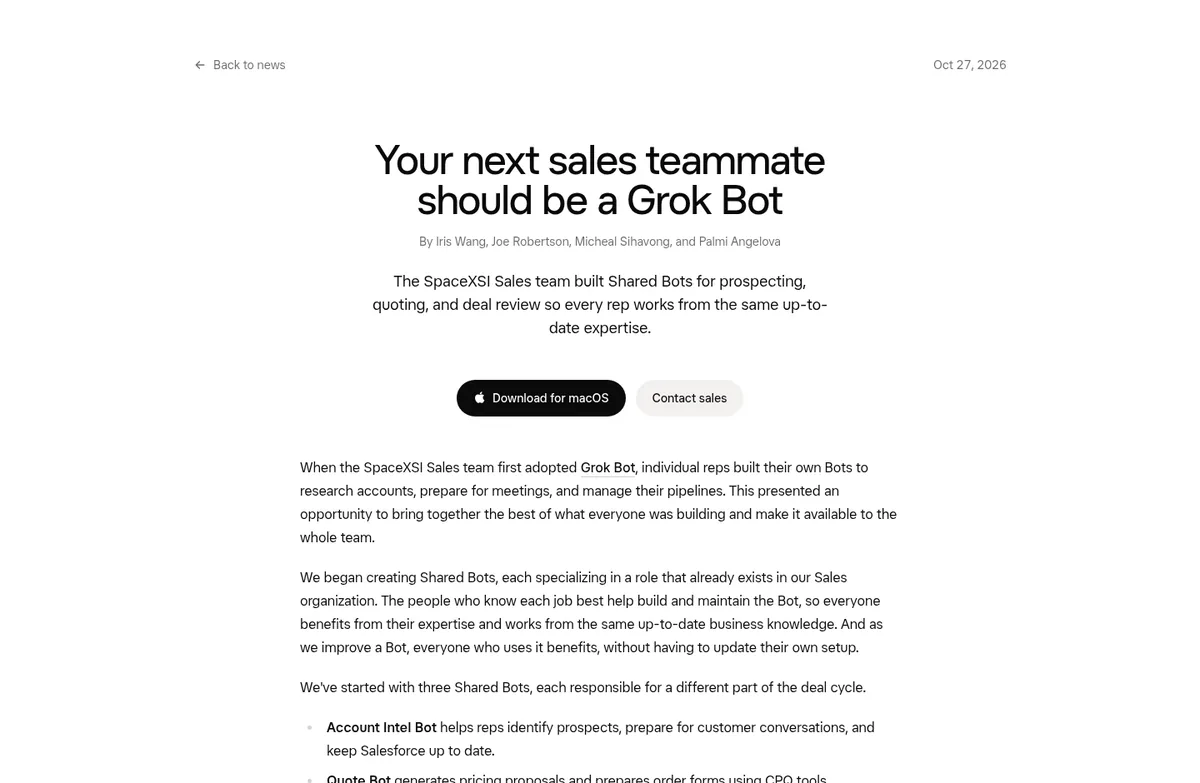
A shared Bot is one Bot the whole team can use. Each person talks to it with their own permissions. Here are their three Bots:
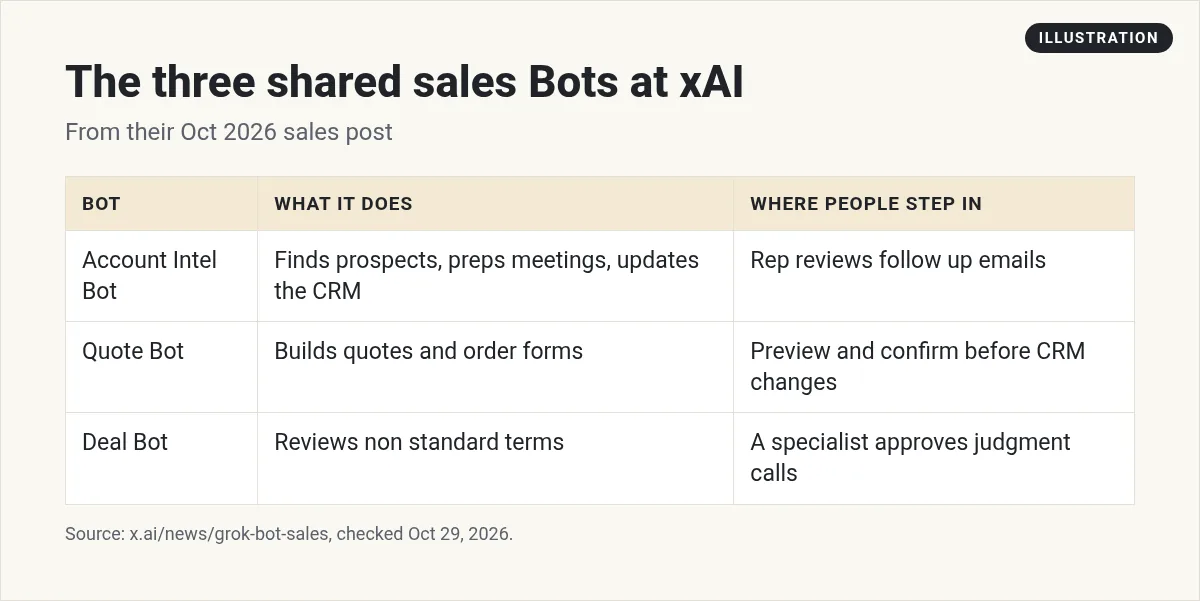
- Account Intel helps reps find prospects, prep for meetings, and keep the CRM up to date. After a call, it can read the call notes, update the CRM, and draft a follow up email for the rep.
- Quote Bot builds quotes and order forms. The post says
Before changing anything in Salesforce, it shows the rep a preview and asks for confirmation.
- Deal Bot reviews deals with special terms. For calls that need human judgment, it writes a recommendation and a specialist approves it.
They also set limits. A rep cannot use Quote Bot to approve their own discount. And they wrote this rule, which I think every team should copy: For now, we require human review whenever we can't clearly define the criteria for a decision, or when a shared Bot prepares customer-facing communications.
You probably do not have a Deal Desk. That is fine. The lesson still works for a team of one: let the Bot prepare, and keep the decisions and the sends with you.
The SDR setup: one Bot, one job
xAI also published a guide by one of its SDRs, the person who does first outreach. Their old workflow lived across six tabs. Now each Bot has one job. A chief of staff Bot runs the morning. Another keeps the prospect sheet. Another handles LinkedIn requests.
The smartest part is a simple sorting rule. Every contact lands in one of two buckets. CLEAR means safe to stage. FLAG means a person needs to decide. As the guide puts it: CLEAR contacts keep moving. FLAGS stop.
And the SDR is clear about sending: Nothing auto-sends.
That is a pattern you can use with any CRM. Ask your Bot to sort leads into clear and flag, and only stage the clear ones for you to review.
Watch real sales workflows
Krista Letz from the xAI sales team shows how she runs prospecting, call prep, slides, and customer research on Grok Bot. Each of her Bots has a persona and a job.
From the Cursor channel (not mine): Krista Letz shows how she uses Grok Bot for prospecting, call prep, slides, forecasting, and customer research.
This second workshop includes a sales company founder and talks about results from one company. Treat any numbers as their story, not a promise.
From the Grok channel (not mine): A sales workshop on giving real work to Grok Bot, from finding prospects to turning RFPs into drafts.
Any results mentioned in videos are not typical and are not a promise of income. Your results depend on your work and your market.
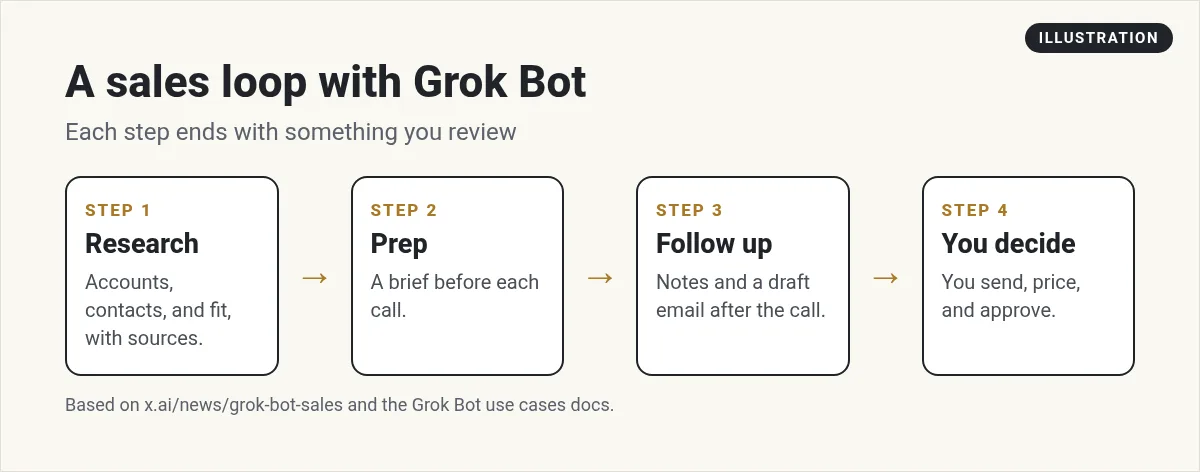
A simple sales loop you can copy
1. Research
Ask for an account brief before each call:
- Research this company. Tell me what they do, recent news, who I am meeting, and three smart questions to ask. Link your sources.
My Grok Bot research guide shows how to get answers with sources you can check.
2. Prep
Turn the brief into a one page call plan with a routine. For example, every morning at 7, look at today's calls on my calendar and make a brief for each one. My Grok Bot calendar guide covers the setup.
3. Follow up
After the call, give the Bot your notes or the transcript. Ask for a CRM update and a follow up email draft. Read both before anything is saved or sent.
4. You decide
Pricing, discounts, and anything that goes to the customer stay with you. That matches what xAI does with its own team.
Apps to connect
Connect only what the job needs. The help center lists apps like Gmail, Google Calendar, Google Sheets, Notion, and Slack. Check Connect apps in your account for your CRM. If you use email, my Grok Bot email guide explains the difference between your inbox and a Bot's own address.
One thing to know: a connected app is available to every Bot on that account. So if only your sales Bot should use your CRM, set that rule in each Bot's instructions, and keep risky actions on Ask first. For teams, my Grok Bot Slack guide shows how a shared Bot works in your team's channels.
Sales mistakes to avoid
- Auto sending cold email. One bad message can hurt your domain and your name. Keep drafts.
- Trusting facts without links. Ask for sources and check them before a call.
- One Bot for everything. Split research, follow up, and CRM work into separate jobs.
- Busy triggers. A routine that runs on every new lead can use a lot of usage. Start with a daily batch.
For more, read my Grok Bot mistakes post.
How I would start this week
- Make one research Bot. Ask for a brief on your next three calls.
- Add a morning routine for call briefs.
- After each call, ask for a follow up draft and a CRM note.
- Once that feels good, add a second Bot for lead sorting with clear and flag.
If you sell homes, see Grok Bot for real estate. If you run an agency, see Grok Bot for agencies.
A ready team behind your sales
A sales Bot works best when it is part of a bigger team: someone to plan, someone to write, someone to keep the numbers. Building all of that yourself takes a while.
AIM Agent is an AI Chief of Staff for business owners. It comes with an AI C-suite (COO, CMO, CFO, CRO and CTO), a Business Bot Builder and 100+ business skills, and it runs on AIM OS, a private vault that holds your notes and memory. AIM Agent is a ready-made AI business team that works inside Grok Bot, so you skip the setup and get to work.
Here is what you get:
- An AI Chief of Staff that helps you plan and run your business
- An AI C-suite: COO, CMO, CFO, CRO and CTO
- A Business Bot for each business or project. Give it a real task and it brings the work back for you to review
- 100+ business skills for content, offers, research and more
- Step by step setup guides and email support
So instead of building each role from a blank Bot, you start with an AI Chief of Staff and a business team with skills already made, and you add your sales process on top.

Want an AI team to help run your business? Meet AIM Agent, an AI Chief of Staff for business owners. I am a co-founder of AIM Agent and have a financial interest in the product.
Get a ready AI team for your business
AIM Agent gives you an AI Chief of Staff, an AI C-suite, and 100+ business skills, so your Bots have real jobs from day one.
See AIM AgentFrequently asked questions
Can Grok Bot help with sales?
Yes. It can research accounts, prep call briefs, update your CRM after calls, and draft follow up emails for you to review.
Does xAI use Grok Bot for its own sales team?
Yes. xAI wrote that its sales team built shared Bots for prospecting, quoting, and deal review.
Should Grok Bot send sales emails on its own?
I would not. xAI requires human review when a shared Bot prepares customer facing messages. Keep drafts.
What is a shared Bot?
One Bot the whole team can use. Each person uses it with their own permissions and usage.
Can Grok Bot update my CRM?
It can work with apps you connect. xAI's Quote Bot shows a preview and asks before changing their CRM. Check Connect apps for your CRM.
What should a sales team automate first?
Research and call prep. They save time and do not touch customers directly.
Is there a faster way to get a business Bot team?
AIM Agent gives you an AI Chief of Staff, an AI C-suite, and 100+ business skills, so you start with a team built for business work.
Sources
Checked October 29, 2026. Plans, prices, and rules can change.
