
Grok Bot · Teams
Once you have a few Bots, juggling several projects gets messy. Here is the simple system from xAI's own guide, and how I would start it.
Grok Bot multiple teams is what you need once you have more than a handful of Bots. At first, chatting with each Bot on its own is fine. But when you run two or three projects at once, it gets hard to keep everyone in sync.
On August 27, 2026, xAI published a guide called How I run multiple teams of Grok Bots, written by Eric Zakariasson. I read it and the Grok Bot group chat docs on November 4, 2026. Here is the system in plain words, plus my own tips, which I mark as mine.
TL;DR
The guide gives each project its own Grok Bot channel with a small roster of Bots and you. A manager Bot with a Project Ops skill creates the project, opens the channel, and staffs it. Projects and tasks live in two Notion databases. Staffing rules keep it lean: reuse existing Bots, at most five Bots plus the manager, and new Bots only after you say yes. Stuck Bots mark the task Blocked and ping you.
The problem it solves
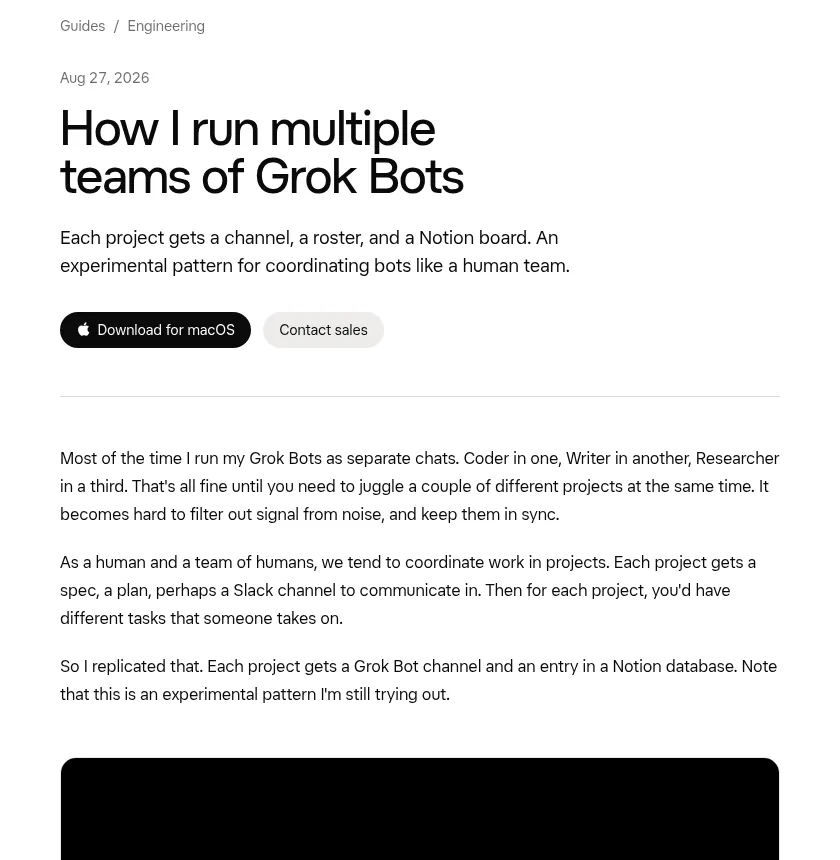
The author says he usually runs his Bots as separate chats. A Coder in one, a Writer in another, a Researcher in a third. That works until you juggle a few projects at once. Then it gets hard to tell signal from noise.
His fix was to copy how people already work. People coordinate in projects. Each project has a plan, a place to talk, and tasks that someone takes on. So he gave each project the same things. He is clear that this is an experimental pattern he is still trying out.
The setup
Here are the parts, in the order he built them:
- Two Notion databases. One called Projects and one called Tasks.
- A manager Bot. He calls it the projects Manager. It handles the higher level work of tracking projects and tasks.
- A Project Ops skill. The manager uses it to create a project, open a channel, and staff it with the right Bots.
- One channel per project. Each project shows up as a channel in the sidebar, with its team of Bots and him in it.
A skill is a saved set of steps a Bot can reuse. My Grok Bot skills post explains how to make one. My Grok Bot Notion post shows how to connect Notion.
The staffing rules
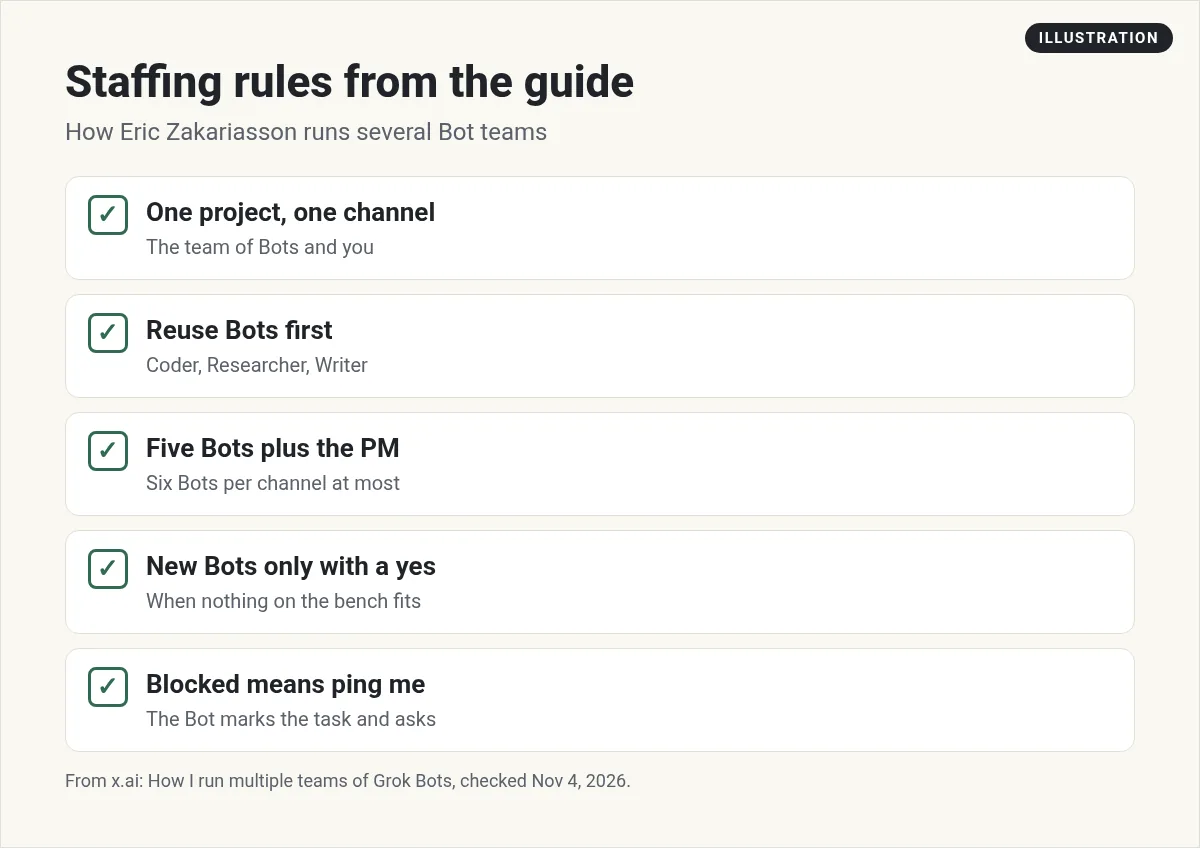
This is my favorite part of the guide. He gave the manager three rules:
- Reuse existing Bots first. A Coder, Researcher, Writer, or any Bot already defined.
- Propose at most five Bots besides the manager. So each channel has six Bots at most. He says six is just a number he picked.
- Create a new Bot only when nothing on the bench fits, and only after he says yes. It can be a specialist for future use, or a short term one just for this project.
These rules stop Bot sprawl. Without them, it is easy to end up with dozens of Bots that do almost the same job.
The six Bot number also lines up with the Grok Bot docs. The docs say a group chat holds two to six Bots.
How the work flows
Once a channel exists, he talks in it with the roster, and together they scope out the tasks. The manager sits in the channel too. Mostly it watches progress and keeps the databases up to date.
When a Bot gets stuck or needs input, it marks its task as Blocked and pings him in the channel. He says the Bots often get a lot done on their own, and he can just watch the cards move across the board.
He sums it up well: the system looks more and more like one built for humans. A board, a manager, specialists claiming tasks, a blocked column, a channel.
Why this works (my view)
This is my take, not the guide's. The system works because every Bot knows three things: which project it is on, which task it owns, and who to ask when stuck. Most Bot problems I see come from missing one of those three. A channel answers the first. The task board answers the second. The Blocked rule answers the third.
Group chat tips from the docs
A project channel works like a group chat, so these tips from the docs help:
- Type @ and pick a Bot when one teammate owns the request.
- Use @everyone only for group wide updates.
- Give one owner per stage in your kickoff message.
- Approval requests, secret and login requests, and email or Slack drafts do not show up in a group. Check each Bot's own chat for those.
- To keep replies in the group, tell each Bot to remember to reply in the group.
My Grok Bot group chats post covers the rest.
Two videos worth watching
Moritz shows how he runs several Bot teams in parallel with project channels, a reusable manager Bot, and shared Notion databases. He credits Eric's guide.
From the Moritz | AI Systems channel (not mine): The clearest walkthrough of this exact system. His description links to his own paid community.
Any results mentioned in videos are not typical and are not a promise of income. Your results depend on your work and your market.
Theo shows how to split a task into clear roles, define handoffs, and add a critic Bot that checks the work.
From the Theo, Dawnspire Academy channel (not mine): Great for writing better role descriptions before you build a team.
How I would start (my advice)
This part is my own opinion. I run about 25 Bots, and I learned the hard way that more Bots is not better. Better roles are better.
- Start with one project and three Bots, not six.
- Write each Bot's job in one sentence before you add it.
- Make the manager Bot the only one that edits the task board.
- Check the Blocked column every morning. That is where your time matters most.
Once one project runs smoothly for a week, copy the setup for the next one.
Start with a bench that is already built
The guide says to reuse existing Bots first. That only works if you have good Bots on the bench.
AIM Agent is an AI Chief of Staff for business owners. It comes with an AI C-suite (COO, CMO, CFO, CRO and CTO), a Business Bot Builder and 100+ business skills, and it runs on AIM OS, a private vault that holds your notes and memory. AIM Agent is a ready-made AI business team that works inside Grok Bot, so you skip the setup and get to work.
Here is what you get:
- An AI Chief of Staff that helps you plan and run your business
- An AI C-suite: COO, CMO, CFO, CRO and CTO
- A Business Bot for each business or project. Give it a real task and it brings the work back for you to review
- 100+ business skills for content, offers, research and more
- Step by step setup guides and email support
So you skip the setup and get to work.

Want an AI team to help run your business? Meet AIM Agent, an AI Chief of Staff for business owners. I am a co-founder of AIM Agent and have a financial interest in the product.
Get a ready made team inside Grok Bot
AIM Agent gives you an AI Chief of Staff, an AI C-suite, and 100+ business skills, so you skip the setup and get to work.
See AIM AgentFrequently asked questions
How do I run multiple teams of Grok Bots?
The xAI guide gives each project its own channel, a roster of Bots, and a Notion board, with a manager Bot that staffs and tracks it.
How many Bots should be in one project?
The guide uses at most five Bots plus the manager, so six per channel. The docs say a group chat holds two to six Bots.
Do I need Notion?
The guide uses two Notion databases, Projects and Tasks. You could use another board, but Notion is what the author uses.
What happens when a Bot gets stuck?
In the guide, it marks its task as Blocked and pings the person in the project channel.
Should I make new Bots for every project?
No. The guide says to reuse existing Bots first and create a new one only after you say yes.
Is this an official feature?
No. The author calls it an experimental pattern he is still trying out, built from normal Grok Bot features.
Is there a faster way to get a working team?
AIM Agent gives you an AI Chief of Staff, an AI C-suite, and 100+ business skills inside Grok Bot.
Sources
Checked November 4, 2026. Plans, prices, and rules can change.
