
Overskill · Selling
You built something useful. Now let people pay to use it. Here is how to set up subscriptions, one-time access, and paywalls in Overskill without breaking anything.
The fastest way to turn an app into a product is to charge for access. People pay, they get in. In Overskill (I earn a commission if you buy through this link), you can set that up by talking to the AI in plain words.
This guide covers the choices you need to make: how to charge, what to lock, what people see before they pay, and how to test it all for $0. Everything comes from Overskill's help center, checked on October 17, 2026. I will not tell you what you will earn. That depends on your idea and your buyers, not the tool.
Quick answer
In Overskill, you sell access by telling the builder your price, like "Let me charge $20 a month for access to this app." Pick monthly, yearly, or one-time. Decide if the whole app is paid or only some features. Finish your payment details, publish, run a $0 test purchase on your live link, then track who has paid in Dashboard, then Monetize.
Three ways to charge in Overskill
Overskill's help article "Selling your app" lists three ways to charge:
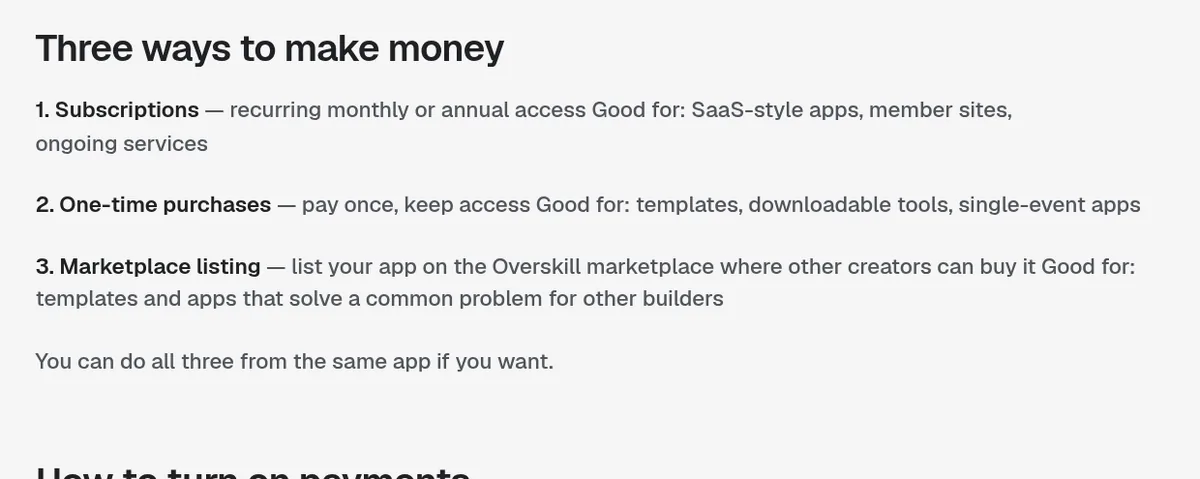
| Option | How it works | Overskill says it is good for |
|---|---|---|
| Subscription | Monthly or yearly access | SaaS-style apps, member sites, ongoing services |
| One-time purchase | Pay once, keep access | Templates, downloadable tools, single-event apps |
| Marketplace listing | Other creators buy a copy of your app as a template | Apps that solve a common problem for other builders |
From Overskill's help article "Selling your app," checked October 17, 2026.
You can do all three from the same app. But I would start with one. One price is easier to explain, easier to test, and easier for a buyer to say yes to.
Overskill also lists more pricing models in its "Setting prices and subscriptions" article: tiers like Free, Pro, and Team, per-user pricing, and pay-per-use. Those are great later. For your first buyers, keep it simple.
How to pick the right model
Here is how I think about it. Ask one question: does my app keep doing work for the buyer every month?
- Yes, it keeps working for them. A tracker, a portal, a booking tool, a tool with AI inside. Charge monthly or yearly.
- No, they use it once or own the result. A calculator, a planner, a one-time report. Charge once.
- Other builders would want to start from it. List it as a template on the marketplace.
Two of my own products, Freedom Threads and TrueVest, are paid memberships. Neither one was built in Overskill, so I won't pretend they were. But the lesson carries over. When a tool keeps giving people value every week, a monthly plan feels fair to them.
If your app has AI features, there is one more thing to plan for. Overskill says AI your visitors use spends your credits. Its buyer credits feature lets each plan include an AI allowance at a markup you set, so heavy users top up or upgrade instead of costing you.
Decide what is paid
Next, decide what to lock. Overskill's help article "Restricting access to paid users" describes two common patterns:
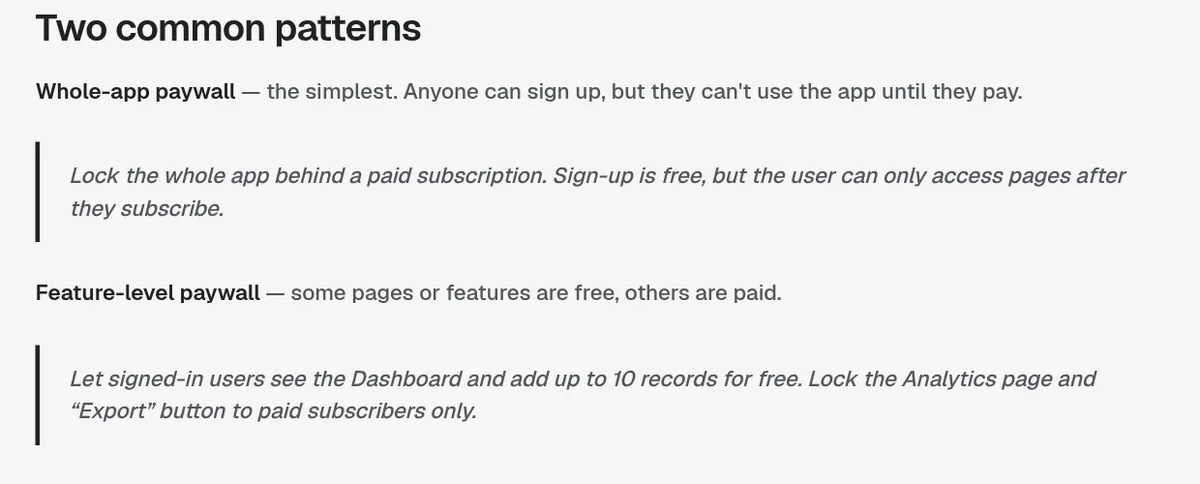
- Whole-app paywall. Anyone can sign up, but they cannot use the app until they pay. This is the simplest.
- Feature-level paywall. Some pages or features are free, others are paid. For example, free users can add up to 10 records, but the Analytics page and the Export button are for paid subscribers.
Overskill's example prompts make this easy. You can say, "Lock the whole app behind a paid subscription. Sign-up is free, but the user can only access pages after they subscribe."
What unpaid users see
Overskill gives you three choices for the moment a free user hits a paid page:
- A locked screen with a "Subscribe to continue" button.
- A teaser preview, like a blurred chart, with a subscribe prompt on top.
- A redirect straight to checkout.
My advice: use the teaser for feature-level paywalls. People buy what they can almost see. Use the locked screen for whole-app paywalls, with one clear line about what they get.
Free trials
Overskill says you can add a trial in plain words, like "Give new users 14 days of free Pro access." The AI handles the timing and the upgrade prompts.
Set it up in six steps
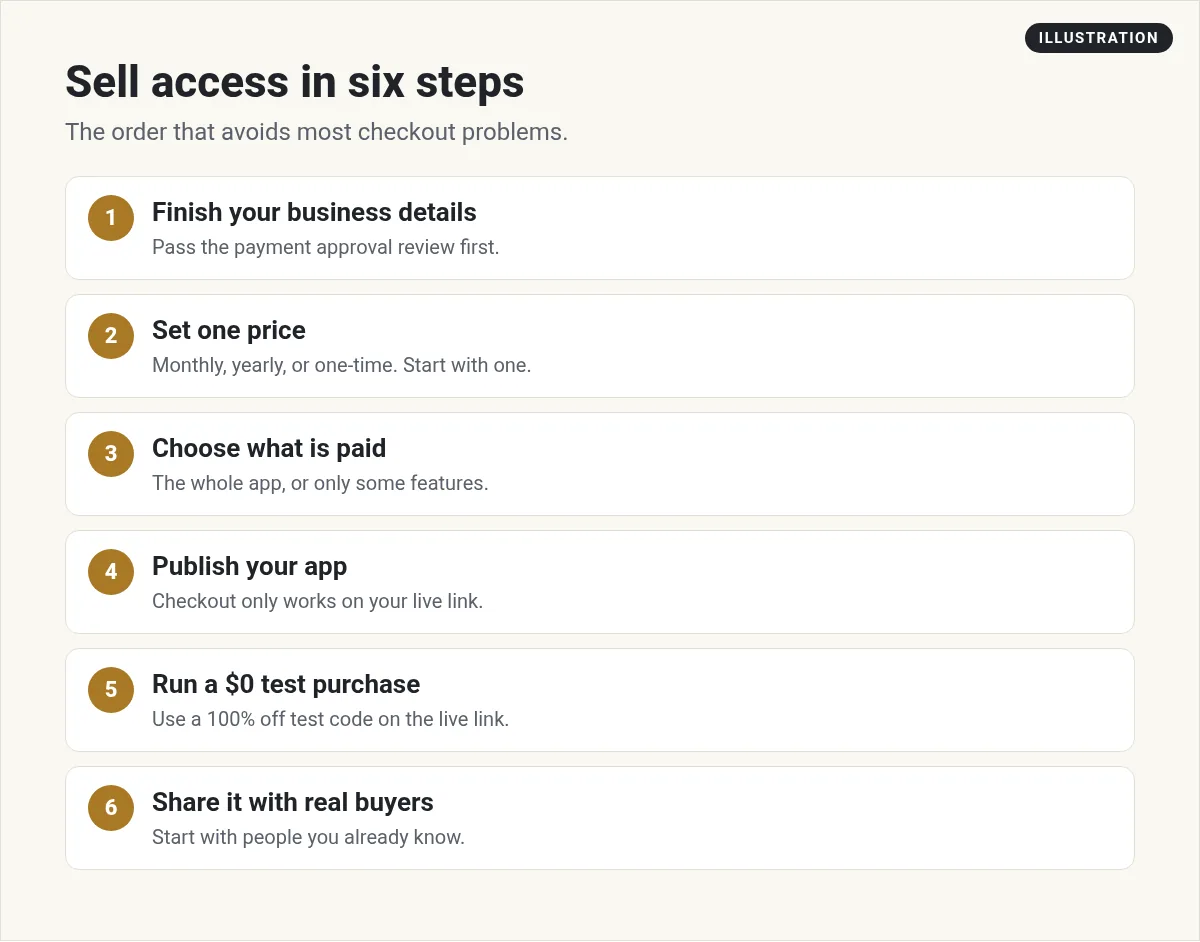
- Finish your business details. Overskill says that before your app can accept payments, you fill in your business details in the payment verification panel and pass an approval review. Cashing out to your bank also needs a one-time identity check.
- Set one price. In the builder chat, say something like "Let me charge $20 a month for access to this app." The AI asks about the price, the billing period, what is paid, and what the signup page says.
- Choose what is paid. Whole app or certain features, as above.
- Publish. Overskill says checkout only works on your live app link, not in the editor preview.
- Run a $0 test purchase. Ask the AI to "Create a test checkout for my app." Use the 100% off code on your live link. You should end up signed in with the paid parts unlocked. Cancel the test subscription after, or it renews at full price.
- Share it. Start with people you already know who have the problem your app solves.
Want to know what plans cost on your side before you charge others? See my Overskill pricing guide.
After you launch
See who has paid
In the editor, click the Dashboard tab, then Monetize in the left sidebar. Overskill says the recent activity list shows each subscription and its status, such as Active, Trialing, Past due, or Canceled. You can also ask the builder for an admin-only revenue dashboard inside your app. Only you and admins you appoint can see it.
Cancellations and refunds
Customers can cancel on their own with the Manage subscription button on your app's settings page. Overskill says they keep access until the end of the period they paid for, then drop back to free access. You can refund a one-time purchase from your payments dashboard.
Changing your price later
Overskill says existing customers keep their original price by default. New customers see the new price. If you want everyone on the new price, you can tell the AI to do that with notice by email. Overskill notes that built-in price split tests are only available on ClickFunnels AI funnels, as a beta, so for most apps you will test prices by hand.
Let affiliates sell for you
This surprised me. Overskill's help center says apps sold through Overskill Payments already have an affiliate program built in, run by Whop. The rate starts at 20% of the sale and you can change it. Affiliates do not need an Overskill account, only a free Whop account. Buyers who purchase within 30 days of clicking an affiliate's Whop referral link are credited to that affiliate.
Before you charge, make sure people want it
Setting up checkout takes minutes. Getting people to pay takes a real problem and the right buyer. I made this video about why most AI-built apps never get customers, and what the few that do get right.
My video: why most AI-built apps fail, and the steps that come before building: knowing what to build, checking demand, and having a plan to get customers. I made it about Lovable, but the lessons apply to any builder.
New to Overskill? Start with my Overskill tutorial for beginners. Still picking an idea? My AI app ideas list is a good place to start.
For finding your first buyers, read how to sell an AI app you built with Overskill. If your app has AI features, see how Overskill buyer credits work.
Sell access checklist
Nothing you check here is sent or saved. Download it if you want to keep it.
Meet AIM Agent
AIM Agent is an AI Chief of Staff for business owners. You give it a real task, and it brings the work back for you to review. You stay the one who approves.
Meet AIM AgentI am a co-founder of AIM Agent and have a financial interest in the product.
Need Overskill first? Start with Overskill (I earn a commission if you buy through this link.)
Frequently asked questions
How do I charge for my Overskill app?
Tell the builder your price in chat, for example "Let me charge $20 a month for access to this app." Overskill sets up a fixed-price plan and a hosted checkout. You then finish your business details, publish, and test.
Can I charge monthly and one-time in the same Overskill app?
Yes. Overskill's help center says you can use subscriptions, one-time purchases, and a marketplace listing from the same app. Starting with one is simpler.
Can I make only part of my Overskill app paid?
Yes. Overskill supports a feature-level paywall, where some pages or features are free and others are only for paying users.
Can I offer a free trial in Overskill?
Yes. You can ask the builder for a trial, such as 14 days of free Pro access. Overskill says the AI handles the timing and upgrade prompts.
How do I see who paid for my Overskill app?
In the editor, open the Dashboard tab, then Monetize. The recent activity list shows each subscription's status, such as Active, Trialing, Past due, or Canceled.
Can affiliates sell my Overskill app?
Yes. Overskill says apps sold through Overskill Payments have a built-in affiliate program run by Whop. The rate starts at 20% and you can change it.
Sources
Checked October 17, 2026. Plans, prices, and rules can change. Links to overskill.com carry my referral code. I earn a commission if you buy through those links.
- Overskill help: Selling your app
- Overskill help: Setting prices and subscriptions
- Overskill help: Restricting access to paid users
- Overskill help: Selling access vs selling products
- Overskill help: Checkout only works on your live app link
- Overskill help: Test your checkout without paying
- Overskill help: How your app's users sign up
- Overskill help: Monetize AI usage with buyer credits
- Overskill help: Paying affiliates to promote your app
