
GoHighLevel for coaches is a good fit if you want to manage leads, book discovery calls, and follow up in one place. You can also take payments, send invoices, and give clients access to courses or a group. If you only need a booking link, the plan fee and setup may be more than you need. Start with one offer and see what happens from the first inquiry to the welcome email.

Disclosure: I earn a commission if you buy HighLevel through my links, at no extra cost to you. I am not HighLevel and do not speak for it.
Key takeaways
- Start with a form, a booking calendar and a short follow-up plan.
- Use a payment link for a package or an invoice when a client needs a bill.
- Add Courses or Communities when they serve a clear part of the program.
- Starter is $97 a month. Check usage charges before you buy.
When GoHighLevel for coaches makes sense
Look at what happens after someone asks about your service. Can you see who needs a call, who missed one, and who is waiting for a proposal? If those steps are hard to track, a form, a calendar and a sales pipeline give you a place to start. A pipeline is a list of stages that shows where each lead stands.
The fit also depends on what you sell. A solo coach might use a short form and a free discovery call. A consultant might take payment at booking for a paid audit, then send an invoice for a separate project. A group coach might need a course and a place for clients to ask questions. Each practice can pick the parts that match its offer.
My take is to write down the steps you want a client to take before you pick a plan. If your current setup already gets people from booking to kickoff with few gaps, look for a specific job HighLevel would help you do. The small business guide can help you judge the fit beyond coaching.
Match each coaching job to a HighLevel tool
HighLevel's coaching and consulting playbook covers the path from lead capture and booking to payment and client care. Use that path as a starting point. Here is how the tools can fit a single offer.
| Coaching job | Tool and first step |
|---|---|
| Capture a lead | Forms or surveys. Ask what the person needs help with. |
| Book a discovery call | Personal Booking Calendar. Set call times for one team member per calendar. |
| Send reminders | Calendar and workflows. Set a reminder and a note for missed calls. |
| Track follow-up | CRM and pipeline. Mark who booked and who needs a reply. |
| Collect payment | Payment Links or invoices. Pick how the client will pay. |
| Share lessons | Courses and Client Portal. Publish an offer. Test buyer enrollment or use a workflow to grant access. |
| Run a client group | Communities. Decide who can join and how to welcome them. |
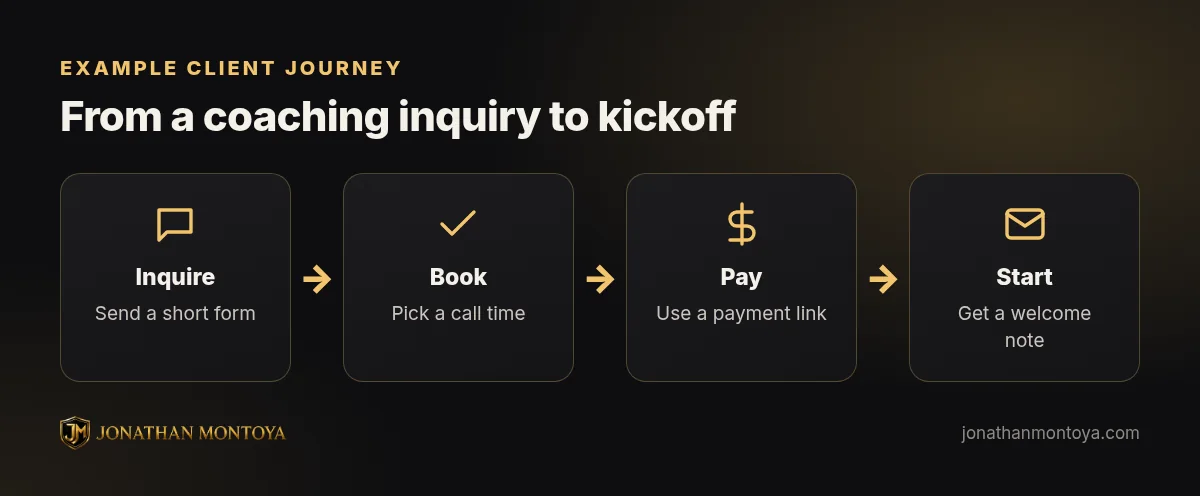
Capture leads, book discovery calls and follow up
Ask for the details you will act on
Use a short form for a simple inquiry. Ask for a name, an email address and one line about what the person wants help with. For an offer that needs a review first, the playbook suggests a survey or an application. Ask only for the details you need to choose the next step. Tell people whether they can book now or should look for a reply.
Put the inquiry in your contact list so you can find it later. The GoHighLevel CRM guide explains the contact side. If a referral comes in outside the form, decide who will add it and check if that person already has a record.
Give booked calls and missed appointments their own next step
A Personal Booking Calendar handles one team member per calendar. If several coaches take calls, plan who will take each type of call before you share a booking link. Set the call length and the times you can take it. Then check the booking note and reminder. Put the time and join details where a client can find them. Try moving or canceling a test call, and read the messages that go out.
For a missed appointment, send a short note that offers a new time. For a call that took place, follow up with the step you agreed on. Give each lead a stage you can read at a glance, such as New Inquiry, Call Booked or Proposal Sent. Use the pipelines guide if you need help setting up those stages.
Start with messages you can check yourself. If you get many of the same booking questions, look at Conversation AI. Suggestive mode drafts replies for you to review and send. Test what it does with a question it cannot answer before you consider automatic replies. Keep questions about what service a person should buy with the coach.
Want to try the booking path? Set up one call type and see what a test contact gets when they book.
Start HighLevelPick a payment path and set up kickoff
If the call itself is the paid service, the playbook points to Calendar Payments. If you agree on a package after the call, use a payment link or checkout. For a consulting job where the client needs a formal bill, send an invoice. Connect a supported payment provider before you use any of these paths.
HighLevel supports one-time and recurring invoices. Match your choice to what the client agreed to pay and when. Pay close attention if you plan to send invoice reminders. HighLevel says those reminders apply when automatic payment is off and there is no payment schedule. Check those settings before you tell a client what to expect.
Give new clients a clear first task. That might be filling out an intake form or booking a kickoff call. In the welcome note, say what to do first and where to ask for help. If you add course or group access, test the welcome note as a new client so you can catch a bad link or a missing invite.
Use courses, memberships and groups where they fit
Courses for lessons clients can return to
Use Courses for material clients need between calls. For example, a group coach might put a short prep lesson before each live session. Build the lessons and package them in a course offer. That offer sets what people can open and whether access is free, paid once or billed on a set cycle. The Client Portal is where clients can open the course.
Publish the offer before you share it. A buyer can enroll through the offer. You can also grant access with a workflow. For a paid course, check that your payment provider is connected. If you plan to grant access with a workflow, check the rule that starts it and the offer it grants. Try the flow with a new contact. Make sure they can open the lesson you want them to start with. If course delivery is the main reason you are shopping, see the GoHighLevel vs Kajabi guide.
Communities for group work
Add a community if clients need a place to ask questions, share their work or join group events. HighLevel can start a workflow when someone gets group access or signs up for a group event. A welcome note can show them where to post. An event reminder can tell those who signed up what to bring.
Decide who will reply to posts and what belongs in a private coaching call. For a practice built around private sessions, a kickoff link and a few shared lessons may cover what clients need. You can add a group when you have a clear reason for clients to use it.
What does GoHighLevel cost for a coach?
HighLevel lists Starter at $97 a month with three sub-accounts. A sub-account is a separate workspace for a business. Its core tools include forms, calendars, workflows, payments, invoices, courses and communities. If you run a solo practice, start by looking at Starter for one workspace. See the Starter plan guide for a closer look.
Budget for usage as well as the plan fee. HighLevel's billing guide says services such as phone, email and AI can draw from a prepaid wallet. When the balance falls below your set minimum, HighLevel automatically charges the agency card on file to refill it. Keep your first test small and check which charges show up. See the usage fees guide before you set up messages or AI.
Before you buy, decide what would make the test a pass. Can you find each new lead? Does the right reminder go out? Can someone who pays get to the first lesson or call? Those checks tell you more about the fit than the length of the feature list.
Launch checklist for one coaching offer
Pick one offer and ask someone to walk through it as a new client. Ask them to point out the first place they have to stop and ask what to do. Fix that step and try the path again before you share it with clients.
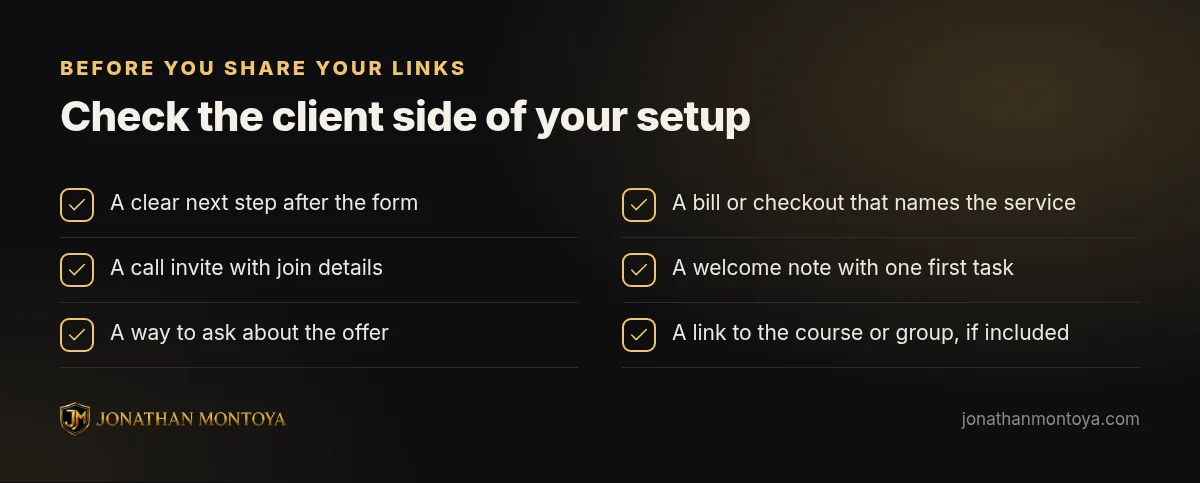
- Send an inquiry. Use a test contact. Check that the form collects enough detail for you to decide what to do next.
- Book and move a call. Read the confirmation and reminder. Move the call. Check the new time in the booking and in any reschedule message you set up.
- Test a missed appointment. Mark the test call as a no-show. Check that the follow-up goes out, the rebooking link works and the lead lands in the right stage.
- Check your payment path. Review the service name, amount due and next step from the client side. Check that payment is recorded before the welcome note goes out or course access opens.
- Check client access. Read the welcome note and open the kickoff link. If you sell group or course access, check what a new client can open.
Try HighLevel with one coaching offer
Use a test contact to go from inquiry to kickoff. See if the setup fits how you sell and serve clients before you move a live offer.
You can copy my GHL Clone in about 5 minutes.
Start HighLevelSee the GHL CloneMy HighLevel link shows a 30-day free trial on HighLevel's own offer page (checked Nov 19, 2026). HighLevel's standard pricing page lists 14 days. The offer is for new HighLevel customers. Usage fees can apply during a trial. Disclosure: I earn a commission if you buy HighLevel through my link, at no extra cost to you. The GHL Clone is my own system, and I earn a commission if you later pay for HighLevel. What anyone earns depends on their own work, and no one can promise a result.
FAQ
Is GoHighLevel worth it for a solo coach?
It can be if you need a place to track leads, book calls and follow up. If you only want a link to share your open times, weigh the monthly fee and setup work against that one job.
How much does GoHighLevel cost for coaches?
HighLevel lists Starter at $97 a month with three sub-accounts. Usage charges can add to the plan fee. Check the cost of the email, text, phone and AI tools you plan to use.
Can clients book and pay for a coaching call in GoHighLevel?
Yes. Use a Personal Booking Calendar for a one-on-one call. The coaching playbook points to Calendar Payments for a paid session. Connect a supported payment provider before you collect a fee.
Can I send recurring invoices for coaching?
Yes. HighLevel supports recurring invoices. Pick the billing schedule that matches your agreement. If you want invoice reminders, check how they work with automatic payment and payment schedules.
Can I sell an online course or membership with GoHighLevel?
Yes. Build the lessons in Courses and publish an offer for one or more courses. Offers can be free, paid once or billed on a set cycle. A buyer can enroll through the offer, or you can grant access with a workflow. Check their access in the Client Portal.
Can I run a coaching community in GoHighLevel?
Yes. You can give clients group access and use a workflow to welcome them. A group event sign-up can also start a workflow, such as a reminder for people who signed up.
Do I need Conversation AI to book discovery calls?
No. Start with a booking link and let people pick a time. If you later want help with routine questions, try Suggestive mode first. Your team can review each draft and send it by hand.
Sources, checked Nov 19, 2026
- HighLevel plans and core features
- HighLevel offer page for my link
- HighLevel pricing, billing and usage charges
- Coaching and Consulting Industry Playbook
- Courses, offers and Client Portal access
- How to launch a course
- Personal Booking Calendar for one-on-one calls
- Community workflow triggers
- Invoices, recurring billing and reminders
- Conversation AI setup and reply modes
Affiliate disclosure: I earn a commission if you buy HighLevel through my links, at no extra cost to you. Freedom Launch Accelerator and the GHL Clone are my own programs. HighLevel is a trademark of HighLevel, Inc. This site is not run by or affiliated with HighLevel.
