
Grok Bot · Claude Code
Your Grok Bot has its own computer with a terminal. That means it can install Claude Code, hand it a coding job, and check the result for you. Here is how I would set it up.
Grok Bot can run Claude Code for you. Your Bot has its own cloud computer, so it can install the coding tool, give it a job, watch it work, and tell you when the result is ready. You stay the boss. The Bot is the manager. Claude Code does the typing.
I read the Grok Bot docs and the Claude Code docs on November 2, 2026, and watched two creators try this setup. Below is the plain version: why you would do it, how to set it up, what to ask, and where it goes wrong.
TL;DR
Ask your Grok Bot to install Claude Code on its computer. Claude Code installs with one terminal command from its docs, and it needs a Claude subscription or an Anthropic Console account, so the Bot will ask you to finish the sign in. Then give the Bot a clear coding goal and say what proof you want, like screenshots or passing tests. The Bot runs Claude Code in the project folder, checks the work, and reports back. Reinstall Claude Code after a computer reset, since installed tools are not saved.
Why run Claude Code inside Grok Bot
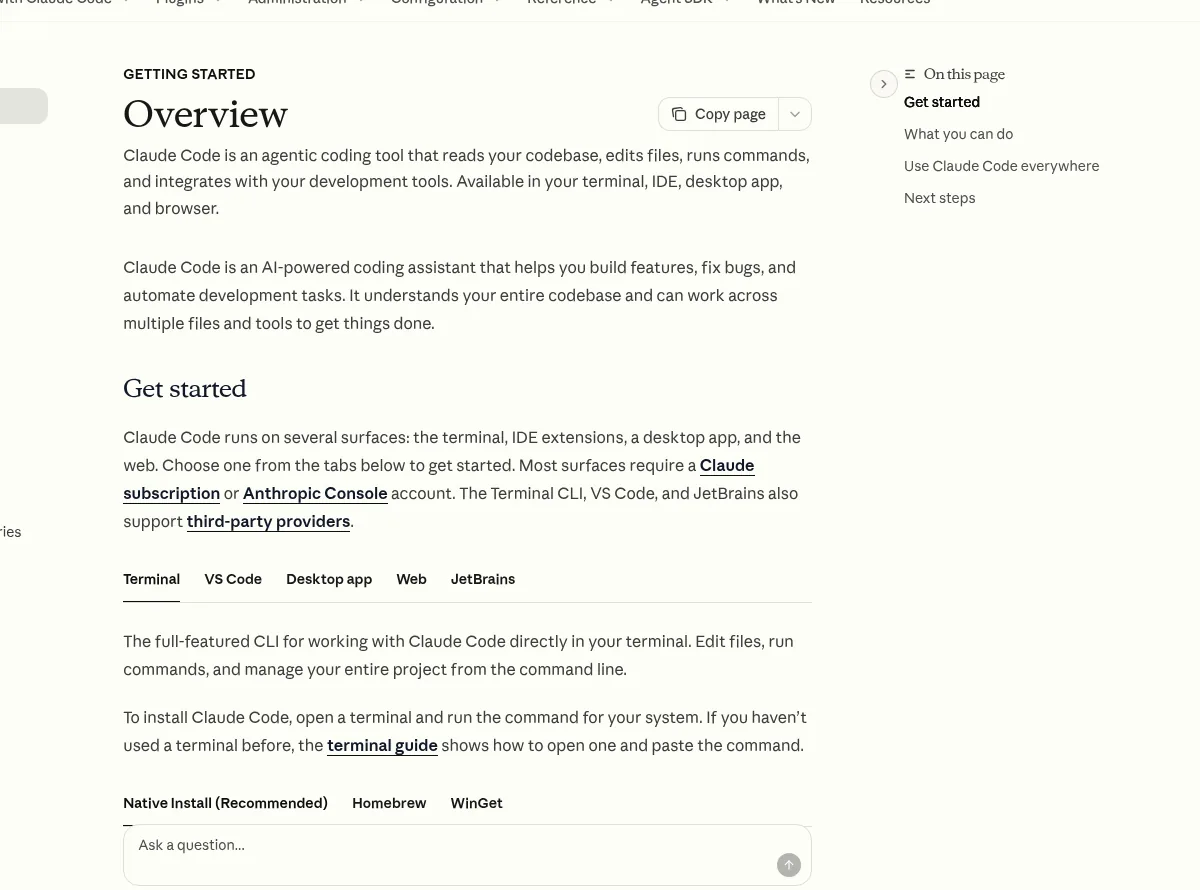
Claude Code is a coding tool from Anthropic. Its docs call it an agentic coding tool that reads your codebase, edits files, runs commands, and works with your tools. It runs in a terminal, in code editors, in a desktop app, and on the web.
Grok Bot is different. It is a team of AI teammates, and each Bot has its own computer in the cloud. The docs say the Bot can run code, use a browser, and keep files in a shared workspace. That computer has a terminal, so a Bot can install tools on it, just like you would on a new laptop.
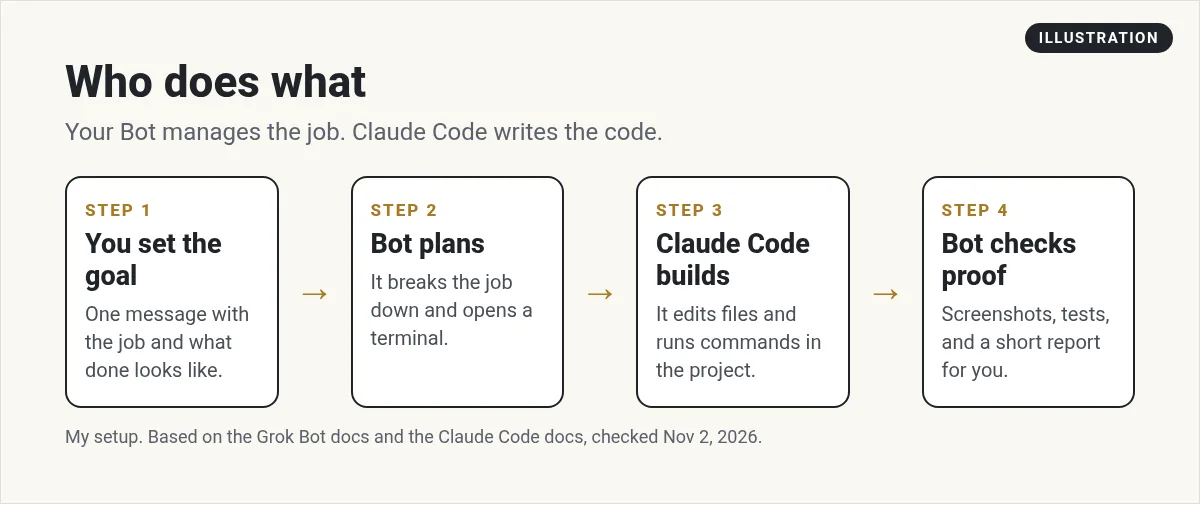
Put the two together and you get a nice split:
- Claude Code is the hands. It writes and edits the code.
- Your Bot is the manager. It plans the job, starts the coder, checks the proof, and talks to you.
- You set the goal and approve what matters.
This is the same idea the Grok Bot engineering guide describes. There, the writer has Bots start coding agents, read what they did, check screenshots, and send follow ups until the job is done. You do not need to be an engineer to use the pattern. You just need a clear goal.
Who this is for (and who should skip it)
This setup is for you if you want small tools built without learning to code. A landing page. A simple calculator for your site. A script that cleans up a spreadsheet. A fix to an old project.
You can skip it if your Bot already does the job well on its own. A Bot can write and run code without Claude Code. If you are happy with that, adding a second tool just adds steps. My Grok Bot for coding guide covers what the Bot can do alone.
Some people add Claude Code because they already pay for a Claude plan and like how it codes. That is a fair reason. Others want to keep their Grok Bot usage for planning and checking, and let the coder do the heavy lifting.
From the Rico Parnaste channel (not mine): Rico Parnaste shows Claude Code working inside Grok Bot, from the first setup to building and deploying a site from one chat. A good first look at the flow.
How to set it up in five steps
You do this in chat. You do not need to open a terminal yourself.
- Ask for the install. Say something like: Install Claude Code on your computer using the official install command from the Claude Code docs. Tell me when it is ready.
- Finish the sign in. Claude Code needs a Claude subscription or an Anthropic Console account. When it asks to sign in, your Bot will give you a link. Open it and sign in yourself. Do not paste your password into chat.
- Pick a project folder. Tell the Bot where the work lives. The docs say the shared workspace at /workspace is the place for files you want to keep.
- Run a tiny test. Ask the Bot to have Claude Code make a one page site that says hello. Ask for a screenshot.
- Save the steps as a skill. Once it works, ask the Bot to save the steps as a skill, so it can do it the same way next time. See my Grok Bot skills guide.
One thing to know. The Grok Bot docs say manually installed packages are replaceable. After a computer update, a Recover, or a Reset, you may need to install Claude Code again. Your files in /workspace stay. That is why step five matters. A saved skill makes the reinstall one sentence.
What to ask for: a good coding brief
The best results come from a clear brief. I use the same four parts every time:
- The goal. What should exist when the job is done? One or two sentences.
- The rules. What should it not touch? Which files, accounts, or live sites are off limits?
- The proof. What will show it worked? A screenshot, a test that passes, or a link you can open.
- The stop point. When should it stop and ask you? For example, before it deploys or before it spends money.
Here is a sample message:
Use Claude Code to build a one page price calculator in the calc folder. Do not touch any other folder. When it is done, open it in your browser, take a screenshot, and test three numbers. Stop and ask me before you put it online.
The Bot turns that into a job for Claude Code, then reads the result. If the screenshot does not match, it sends Claude Code back to fix it. That loop is the whole point. You do not have to babysit the coder.
Run it from your phone
Because the Bot's computer lives in the cloud, the work keeps going when your laptop is closed. You can send the brief from the Grok Bot phone app and check the screenshot later. The Grok Bot mobile app guide shows how chats and files look on the phone.
This is my favorite part. I can think of a small fix while I am out, send one message, and see a finished page when I sit down.
From the Kacper Rutkiewicz | AI Made Simple channel (not mine): Kacper Rutkiewicz puts Claude Code, Codex, and Grok Build on the Bot's computer, signs in with plans he already has, and has the Bot manage them to build a full site. Long, but it covers the install for each tool.
Who pays for what
There are two meters here, and it helps to keep them apart.
- Claude Code uses your Claude plan or your Anthropic Console account. Anthropic bills that.
- Grok Bot uses your Grok Bot usage for the Bot's own thinking and checking.
In the video above, the creator says his Grok Bot usage barely moved while the coder did the heavy work. Your mileage will vary. A Bot that reads long logs or takes many screenshots will still use its own usage. Check your usage in Grok Bot settings after the first few jobs.
Keep it safe
A coding tool can change a lot of files fast. A few habits keep that safe:
- Work on a copy. Ask the Bot to make a copy of the project, or a new branch, before big changes.
- Keep live sites behind approval. Tell the Bot to ask you before it deploys anything.
- Keep secrets out of chat. Use the Grok Bot Vault for logins and keys.
- Read the report. Ask the Bot for a short list of every file that changed.
The Grok Bot docs also describe approvals and Auto review for risky actions. My Grok Bot safety guide explains how they work in plain words.
Common problems and fixes
- The command is not found. The computer was likely reset. Ask the Bot to run your saved install skill again.
- Sign in keeps failing. Ask the Bot to show the sign in link again and finish it in your own browser.
- The coder goes in circles. Make the goal smaller. One page, one feature, one fix.
- The result looks wrong. Ask for a screenshot every time. Words can say done when the page is not.
If the Bot itself is stuck, see my Grok Bot not working fixes.
Claude Code in Grok Bot vs on your own laptop
You can run Claude Code on your own laptop too. That is great if you like to watch every line. Running it through Grok Bot is better when you want to hand off the job and do something else. The Bot works in the cloud, keeps going when you close the lid, and reports back in chat.
If you are comparing the two products head to head, read Grok Bot vs Claude and Grok Bot vs Codex.
Give your coder a business team to work for
Claude Code can build what you ask. The hard part is knowing what to ask for. A business needs offers, pages, emails, and follow ups that fit together.
AIM Agent is an AI Chief of Staff for business owners. It comes with an AI C-suite (COO, CMO, CFO, CRO and CTO), a Business Bot Builder and 100+ business skills, and it runs on AIM OS, a private vault that holds your notes and memory. AIM Agent is a ready-made AI business team that works inside Grok Bot, so you skip the setup and get to work.
Here is what you get:
- An AI Chief of Staff that helps you plan and run your business
- An AI C-suite: COO, CMO, CFO, CRO and CTO
- A Business Bot for each business or project. Give it a real task and it brings the work back for you to review
- 100+ business skills for content, offers, research and more
- Step by step setup guides and email support
So your Bot knows what your business needs next, and the coder has a clear job every time.

Want an AI team to help run your business? Meet AIM Agent, an AI Chief of Staff for business owners. I am a co-founder of AIM Agent and have a financial interest in the product.
Put a business team behind your builds
AIM Agent gives you an AI Chief of Staff, an AI C-suite, and 100+ business skills, so your Bots know what to build and why.
See AIM AgentFrequently asked questions
Can Grok Bot run Claude Code?
Yes. Each Bot has its own cloud computer with a terminal, so it can install Claude Code and run it in a project folder for you.
Do I need a Claude plan?
Yes. The Claude Code docs say most ways to use it need a Claude subscription or an Anthropic Console account.
Do I have to use the terminal myself?
No. You ask the Bot in chat. You only step in to finish the sign in in your own browser.
Why did Claude Code disappear?
The Grok Bot docs say manually installed packages can be removed by a computer update, Recover, or Reset. Ask the Bot to install it again. Files in /workspace stay.
Does this use my Grok Bot usage?
Yes, for the Bot's own planning and checking. Claude Code uses your Claude plan or Console account.
Can a Bot code without Claude Code?
Yes. A Bot can write and run code by itself. Claude Code is optional.
Is there a faster way to get a Bot team for my business?
AIM Agent gives you an AI Chief of Staff, an AI C-suite, and 100+ business skills, so you start with a team built for business work.
Sources
Checked November 2, 2026. Plans, prices, and rules can change.
