
Grok Bot · Tesla
I spend a lot of time driving between events. Being able to hand a task to one of my Bots from the car, without touching a phone, is a real change. Here is how it works.
Grok Bot in Tesla lets you ask Grok in your car to hand off real work, like booking a reservation or handling a task in your inbox, all hands free. If you have built Bots, you can even ask Grok to send a task to a Bot by name.
Tesla's support page blocked my research computer, so the details below come from the text of that official page as shown in search, checked October 30, 2026. Always check the page yourself, because Tesla says requirements can change.
TL;DR
Make sure your Tesla has an AMD processor, recent software, and Premium Connectivity or Wi Fi. Sign in to your car with the same Grok account you use for Grok Bot, with the subscription Tesla lists. Add Connectors from your computer for apps like Gmail and Google Calendar. Then start Grok and ask, for example, to hand a task to your inbox Bot by name.
What Grok Bot in Tesla does
Tesla describes two pieces that work together in the car:
- Connectors link Grok to apps like Gmail, Google Calendar, Outlook, and Google Drive. You can ask, "Anything new in my inbox?" or "Do I have anything on my calendar Saturday afternoon?"
- Grok Bot handles bigger tasks with many steps, like placing a coffee order, booking a reservation, or setting an appointment.
Tesla says Grok Bot works through the same Grok experience in the car, so you do not need another app on the screen.
What you need
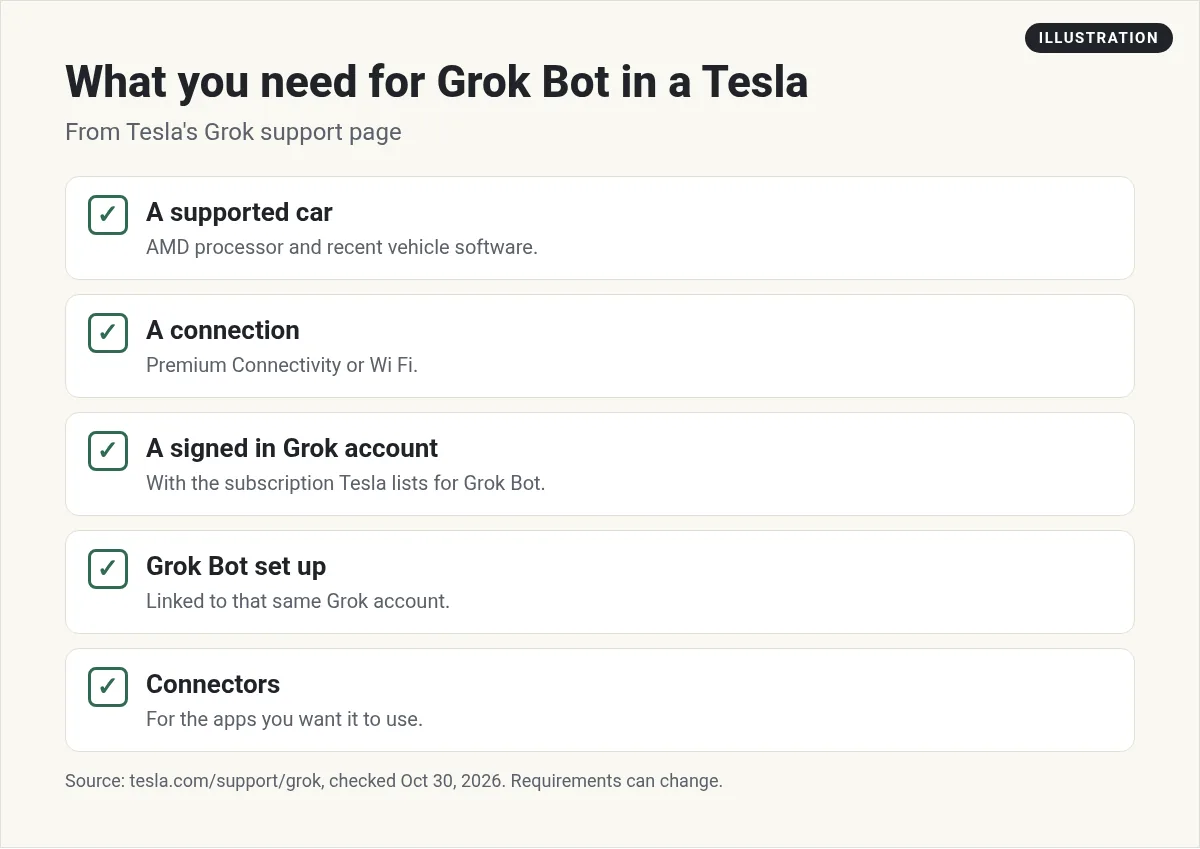
Based on Tesla's support page:
- The car. An AMD processor. You can check your setup on the touchscreen.
- Software. Connectors and Grok Bot need a recent vehicle software version. Tesla lists the exact version.
- A connection. Premium Connectivity or Wi Fi. Tesla says Grok will not work without one.
- Your account. A signed in Grok account in the car, with the paid subscription Tesla names for Grok Bot.
- Grok Bot set up. Linked to that same Grok account.
- Connectors. For each app you want Grok Bot to use, like your email or calendar.
Tesla says you add Connectors from your computer. Once they are added, Grok uses them in the car when it is signed in with the same account. If you are new to this, start with my Grok Bot setup guide and my guide to Grok Bot connectors.
How a handoff works
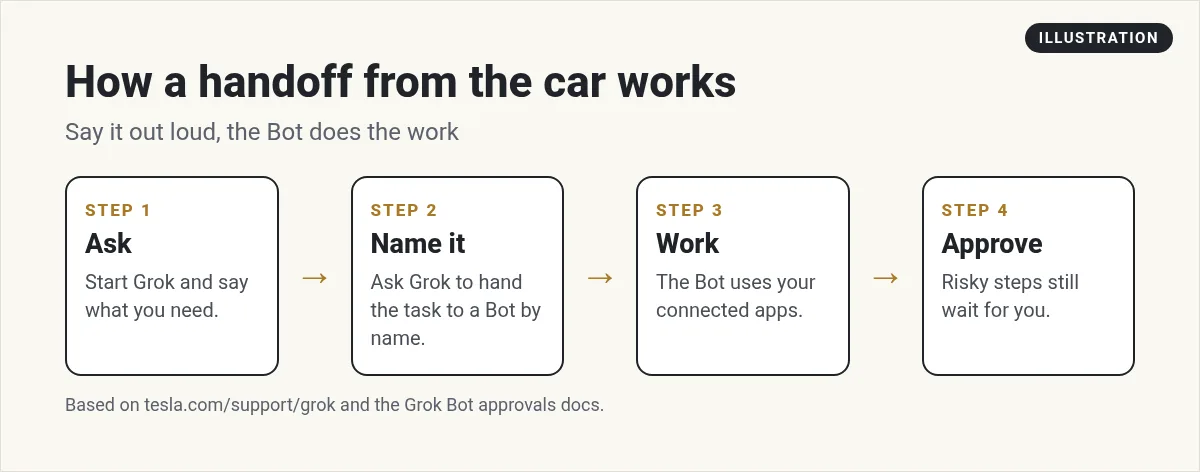
Start Grok the way you normally do. Then ask for what you need. Tesla's example is, "Hey Grok, order my usual coffee for pickup."
The part I like most: if you have created Bots in Grok Bot, you can ask Grok to hand a task to a Bot by name. So you could ask for things like these:
- Ask your Inbox Bot to draft replies to anything urgent from today.
- Have your Research Bot find three dinner spots near your hotel tonight.
- Tell your Content Bot to turn an idea into a short post draft.
The Bot does the work on its own cloud computer. When you get where you are going, the results are waiting. To start from a ready Bot, see Grok Bot templates. To talk with a Bot out loud anywhere, see Grok Bot voice chat.
From the ChrisBTech channel (not mine): ChrisBTech shows Grok Bot running from a Tesla. Note: the video description has affiliate links.
Keep it safe on the road
Driving comes first. A few rules I follow:
- Short asks. One clear task per handoff. Save long planning for when you are parked.
- Drafts, not sends. Ask for drafts of emails and messages. Review them later.
- Ask first rules. Keep payments, purchases, and sends behind your approval. See Grok Bot safety.
- Remove what you do not need. Tesla says you can manage or remove Connectors at any time.
If an approval is needed, it will wait. The Grok Bot FAQ says approvals expire after about 30 minutes if nobody answers, so you may need to ask again once you park.
Good tasks to hand off from the car
- Check tomorrow's calendar for anything double booked.
- Draft a reply to your accountant saying you will call Monday.
- Book a table for four near the venue at 7 PM. Keep the booking behind approval.
- Summarize what your team posted in Slack today.
- Add a reminder to follow up with someone you met today.
These are the same jobs I would give a human assistant on the phone. The difference is the Bot can start right away. For more ideas, see Grok Bot use cases and Grok Bot calendar.
From the Brandon Charleson (AI Powered Junkie) channel (not mine): Brandon Charleson gives a first look at Grok Bot in a Tesla. He runs an AI agency and links his services in the description.
Limits to know
- Not every Tesla. You need a car with an AMD processor.
- No signal, no Grok. It needs Premium Connectivity or Wi Fi.
- Same account. The car, Grok Bot, and your Connectors must all use the same Grok account.
- Things change. Tesla says availability and account rules can change at any time.
- Sites can block it. The Grok Bot FAQ says some websites block automated cloud computers, so some bookings may not work.
My setup tips
Before your first drive with it, sit at your computer for ten minutes and get ready:
- Name your Bots with short, clear names that are easy to say, like Inbox, Research, or Calendar.
- Give each Bot one clear job and a short rule about what it may do alone.
- Add your Connectors and test each Bot once from your computer.
- Then try a simple handoff from the car while parked.
Here is a starter rule you can give an Inbox Bot before your first drive: you may read my email and draft replies. You never send, delete, or unsubscribe without asking me first. Keep each summary short enough to hear in under a minute.
That last line matters in the car. Long answers are hard to follow while you drive. Short ones are easy.
Easy names matter more than you think. If two Bots sound alike, Grok may not know which one you mean.
Have a ready team to hand tasks to
A handoff from the car works best when the Bot on the other end already knows your business, your voice, and your rules.
AIM Agent is an AI Chief of Staff for business owners. It comes with an AI C-suite (COO, CMO, CFO, CRO and CTO), a Business Bot Builder and 100+ business skills, and it runs on AIM OS, a private vault that holds your notes and memory. AIM Agent is a ready-made AI business team that works inside Grok Bot, so you skip the setup and get to work.
Here is what you get:
- An AI Chief of Staff that helps you plan and run your business
- An AI C-suite: COO, CMO, CFO, CRO and CTO
- A Business Bot for each business or project. Give it a real task and it brings the work back for you to review
- 100+ business skills for content, offers, research and more
- Step by step setup guides and email support
So when you say a name from the driver's seat, a teammate who knows your business picks it up.

Want an AI team to help run your business? Meet AIM Agent, an AI Chief of Staff for business owners. I am a co-founder of AIM Agent and have a financial interest in the product.
Give your voice handoffs a real team
AIM Agent gives you an AI Chief of Staff, an AI C-suite, and 100+ business skills, ready to take tasks you hand off.
See AIM AgentFrequently asked questions
Can I use Grok Bot in my Tesla?
Yes, if your car meets Tesla's requirements: an AMD processor, recent software, a connection, and a signed in Grok account with the subscription Tesla lists.
Do I need an extra app in the car?
No. Tesla says Grok Bot works through the same Grok experience in the vehicle.
Can I send a task to a specific Bot?
Yes. Tesla says you can ask Grok to hand off a task to a Bot by name.
Where do I add Connectors?
From your computer. Grok uses them in the car when it is signed in with the same account.
Does it work without Wi Fi or Premium Connectivity?
No. Tesla says Grok needs one of them.
What if a task needs my approval?
It waits. The Grok Bot FAQ says approvals expire after about 30 minutes, so you may need to ask again.
Is there a faster way to get a Bot team for my business?
AIM Agent gives you an AI Chief of Staff, an AI C-suite, and 100+ business skills, so you start with a team built for business work.
Sources
Checked October 30, 2026. Plans, prices, and rules can change.
