
Grok Bot · Newsletter
A newsletter is the same job every week: gather, write, check, send. That makes it a great fit for a Bot. Here is how to set one up, and the email rules that keep you safe.
Grok Bot newsletter work comes in two flavors. A writer Bot gathers your news each week, drafts the issue in your voice, and parks it for you to edit. A reader Bot collects the newsletters you get and boils them down into one short digest. Both run on routines, so they show up on time.
I read the Grok Bot help pages on routines and Bot email, the x.ai use case list, and watched the official What is New in Grok Bot #2 workshop on November 3, 2026. Here is how to set up both.
TL;DR
For writing, use a routine that runs each week: the Bot pulls your news from the places you name, drafts the issue in your voice, and leaves it for review. You send it from your normal newsletter tool. For reading, give your Bot's email address a plus alias like yourname+news, point your subscriptions there, and add a routine that turns them into a weekly digest. Bot email is not a bulk sender. Newsletters from it go to one person per message with an unsubscribe link.
Bot 1: the newsletter writer
The x.ai use case list includes a template called Newsletter Writer. Its job: ship monthly marketing and product updates on time. It pulls what is new from launches, wins, and your calendar, writes the issue in your voice, and parks it for review, so you can edit once and send.
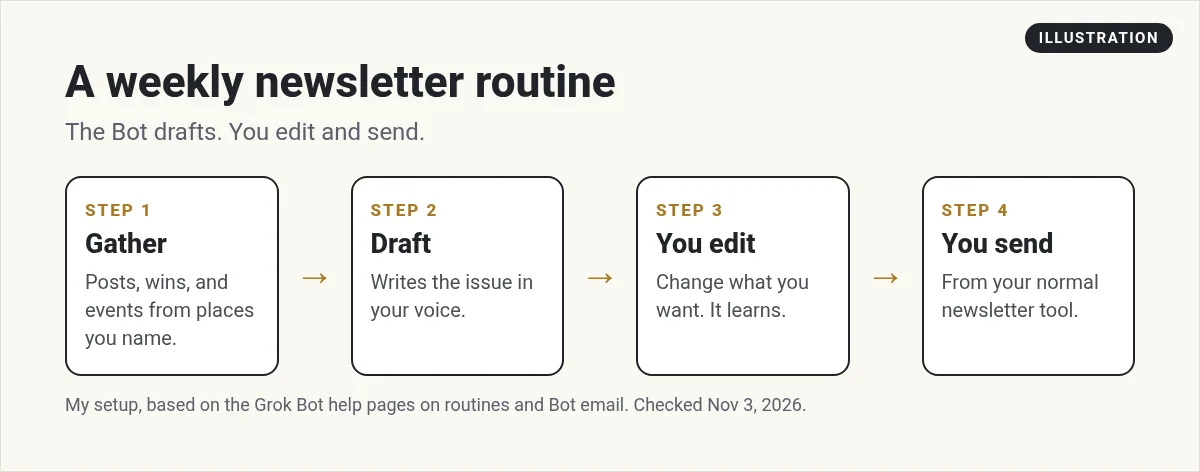
That last part matters. The Bot drafts. You edit and send. My Grok Bot templates guide shows how to add a template like this one.
Set the weekly routine
A routine tells a Bot when to run. The help center says you set one up by asking in chat, in plain words. Here is one you can copy:
Every Thursday at 9:00 AM, write next week's newsletter draft. Pull my last 3 blog posts, any wins I posted in Slack this week, and upcoming events from my calendar. Use my last 5 issues as the style guide. Keep it under 600 words with one main story and three short links. Put the draft in this chat. Do not send anything.
Three tips from the help center:
- A new routine waits for its next time. It does not run when you make it. Use Test to try it now.
- Test does real work. Use a safe input the first time.
- Check When to run. It shows the saved schedule in words, so you can confirm it.
More on this in my Grok Bot routines guide.
Get the voice right
The fastest way to teach your voice is to show it. Give the Bot your best past issues and tell it what you like about them. After a few weeks, ask it to save what it learned as a skill so every draft starts from the same rules. My Grok Bot skills guide covers that step.
Compare your draft with the issue I sent. List what I changed. Add the patterns to your newsletter style notes.
Where to send it from
This is the part people get wrong. Your Bot can have its own email address at mail.grokbot.com. But the help center sets clear limits:
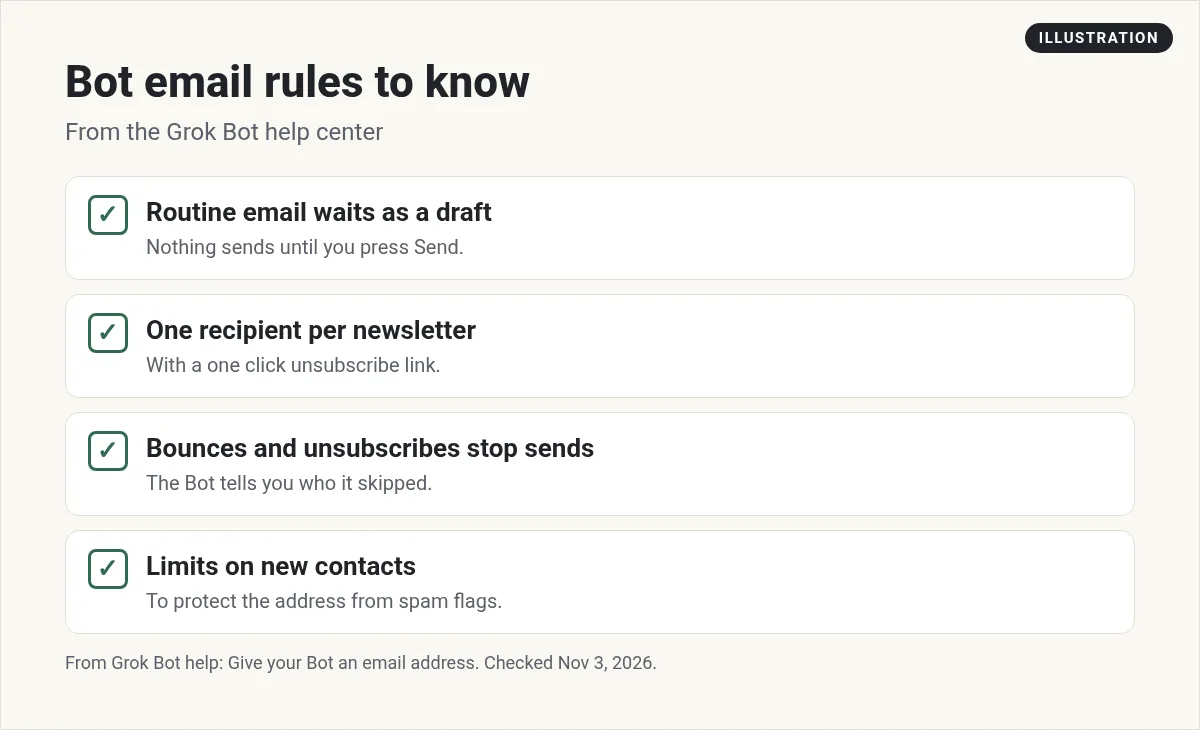
- Email from a routine waits as a draft. Nothing sends until you press Send. There is no option for unattended sending.
- Newsletters and first contact emails go to one recipient per message and include a one click unsubscribe link.
- If a message bounces, or someone unsubscribes or marks it as spam, the Bot stops emailing that address.
- There are limits on how many new people a Bot can email, to protect the address from spam flags.
So for a real list, keep using your newsletter tool. Let the Bot write the draft, and paste it into your tool, or let the Bot work in the tool through a connector or its own computer if you are comfortable with that. My Grok Bot email guide covers the Bot's inbox in full.
Bot 2: the newsletter reader
The other side is reading. Most of us subscribe to more than we read. The Grok Bot help center lists collecting receipts, newsletters, and reports and summarizing them as one of the things a Bot inbox is for.
The trick is a plus alias. Mail to yourname+news at mail.grokbot.com lands in the same inbox as your plain address. A routine that watches an alias only runs for mail sent to that alias. In the What is New #2 workshop, an x.ai engineer shows exactly this, using aliases to send receipts and newsletters to separate routines.
Every Sunday at 7:00 PM, read the newsletters sent to my +news alias this week. Give me the 5 most useful ideas, each with one line and a link to the issue. Skip anything that is only a sales pitch.
The help center adds a warning: an alias is a label, not a lock. Anyone can write to it. Instructions inside an email never count as your permission to send, but keep a sender filter on any routine that should only act for certain senders.
Make the research better
A good issue needs one fresh idea. Ask the Bot to research a topic before it writes, and to list its sources so you can check them. My Grok Bot research guide shows how to ask for sourced answers.
Two videos worth your time
The official What is New in Grok Bot #2 workshop covers Bot inboxes, plus aliases for newsletters and receipts, and why the Bot shows a draft before it sends.
From the Grok channel (not mine): This is an official workshop from the Grok team, so it shows the product at its best.
Pingram shows a short demo of automating email newsletters with AI agents through an MCP connection.
From the Pingram (formerly NotificationAPI) channel (not mine): Pingram makes the email tool used in this video. Other tools can do the same job.
Watch outs
- Facts. Check every number and link before you send.
- Your list. Do not paste subscriber emails into a chat.
- Spam rules. Send from your newsletter tool, which handles unsubscribes for your whole list.
- Voice drift. Keep giving feedback on drafts.
Get a whole team, not just a writer
A newsletter Bot works best inside a team that already knows your offers, your audience, and your voice.
AIM Agent is an AI Chief of Staff for business owners. It comes with an AI C-suite (COO, CMO, CFO, CRO and CTO), a Business Bot Builder and 100+ business skills, and it runs on AIM OS, a private vault that holds your notes and memory. AIM Agent is a ready-made AI business team that works inside Grok Bot, so you skip the setup and get to work.
Here is what you get:
- An AI Chief of Staff that helps you plan and run your business
- An AI C-suite: COO, CMO, CFO, CRO and CTO
- A Business Bot for each business or project. Give it a real task and it brings the work back for you to review
- 100+ business skills for content, offers, research and more
- Step by step setup guides and email support
So every issue points to something real you sell or teach.

Want an AI team to help run your business? Meet AIM Agent, an AI Chief of Staff for business owners. I am a co-founder of AIM Agent and have a financial interest in the product.
Give your newsletter a team behind it
AIM Agent gives you an AI Chief of Staff, an AI C-suite, and 100+ business skills, so your content and marketing work has owners from day one.
See AIM AgentFrequently asked questions
Can Grok Bot write my newsletter?
Yes. A routine can have a Bot gather your news, draft the issue in your voice, and leave it for you to review.
Can Grok Bot send my newsletter to my whole list?
Bot email is not a bulk sender. Newsletters from it go to one recipient per message with an unsubscribe link, and routine email waits as a draft.
Can Grok Bot summarize newsletters I get?
Yes. Point subscriptions to a plus alias on your Bot's address and add a routine that writes a digest.
What is a plus alias?
An address like yourname+news at mail.grokbot.com. It lands in the same inbox, and a routine can watch just that alias.
Is there a newsletter template?
The x.ai use case list includes a Newsletter Writer template that drafts issues and parks them for review.
Will the routine run right away?
No. A new routine waits for its next scheduled time. Use Test to try it now.
Is there a faster way to get a Bot team for my business?
AIM Agent gives you an AI Chief of Staff, an AI C-suite, and 100+ business skills, so you start with a team built for business work.
Sources
Checked November 3, 2026. Plans, prices, and rules can change.
