
Grok Bot · Content Creators
Grok Bot can do the research, the planning, and the first drafts behind your content, so you spend more time on the part only you can do. Here is the workflow I use and the features that help most.
Grok Bot for content creators is not about letting AI make your content. It is about getting the slow work done before you sit down to create: the research, the outline, the repurposing, and the tracking.
I make YouTube videos, posts, a newsletter, and this blog, and I have Bots helping on all of it. I read the official Grok Bot help pages on October 28, 2026, and watched the newest creator videos about it. Here is what actually helps.
TL;DR
Grok Bot gives creators Bots that work on their own cloud computer. Use one Bot to find ideas with sources, one to draft outlines and posts in your voice, and one to repurpose a long video into short pieces. Pages lets a Bot build reports, trackers and dashboards you can share by link. Bots can also create images and short clips from 1 to 15 seconds. Keep posting behind your approval. AIM Agent gives you a ready-made team, including a CMO, so you skip most of the setup.
The rule: your voice stays yours
People follow creators because of the person, not the posting schedule. So I never let a Bot be the creator. I let it be the team around the creator.
That means the Bot finds, sorts, drafts, and tracks. I decide the angle, I record, and I approve anything that goes out. The Grok Bot docs back this up. They say to keep "sending, publishing, purchasing, and production changes behind approval."
The best first step is to teach a Bot how you write. Nat Eliason shows this in his Founders School tutorial. He asks his Bot to "create a skill to write like me" and to learn from his emails. It comes back with a short set of writing rules it uses every time it drafts. I explain how skills work in Grok Bot skills.
A simple repurposing loop
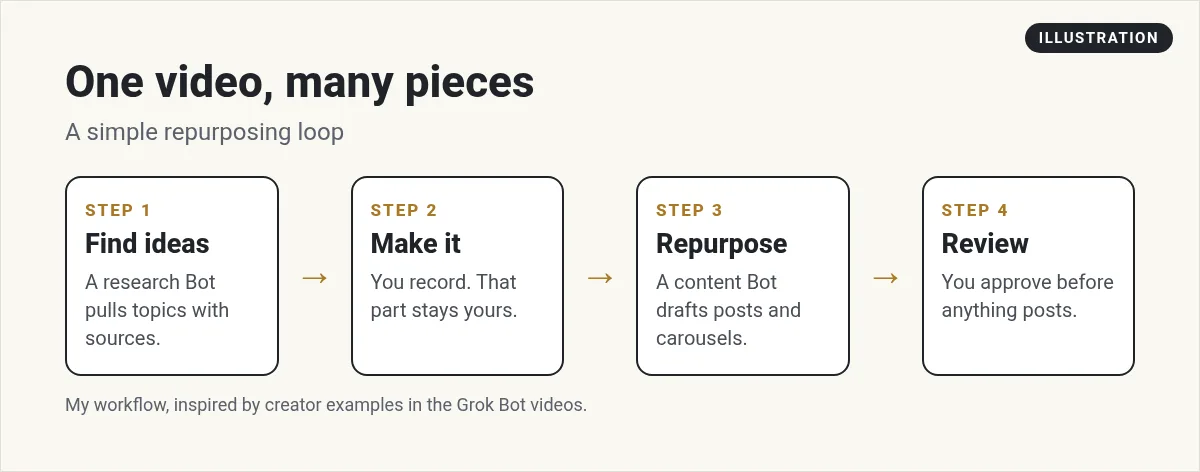
- Find ideas. A research Bot looks at what your audience is asking about this week, with links.
- Make it. You record the video or write the long post. This is the part only you can do.
- Repurpose. A content Bot turns it into short posts, an email, a carousel outline, and a blog draft.
- Review. You read it all, fix what sounds off, and approve.
In his full course video, Brock Mesarich shows a content agent that he just texts from his phone, like "make a reel about this" or "generate an Instagram carousel." He connects it to an outside AI creative tool for the visuals. You do not need the same tools to start. A Bot that drafts the text is plenty for week one.
Step by step: an idea Bot
- Create the Bot. Choose the + button, then Create a Bot, and name it Idea Scout.
- Tell it about your channel. Your niche, your audience, the topics you cover, and the ones you never touch.
- Run the job by hand once. Use the prompt below.
- Correct it. Tell it which ideas were good and why. Ask it to remember the lasting rules.
- Save it as a skill, then a routine. Once you like the list, schedule it every Monday morning.
Find 10 questions people in my niche asked this week on YouTube, Reddit, and X. Link each one. Group them into 3 video ideas with a working title and a one line hook for each. Do not post anything.
Routines run in the cloud, so the list is waiting for you even if your laptop was closed. See Grok Bot routines for the setup.
Pages: reports and dashboards you can share
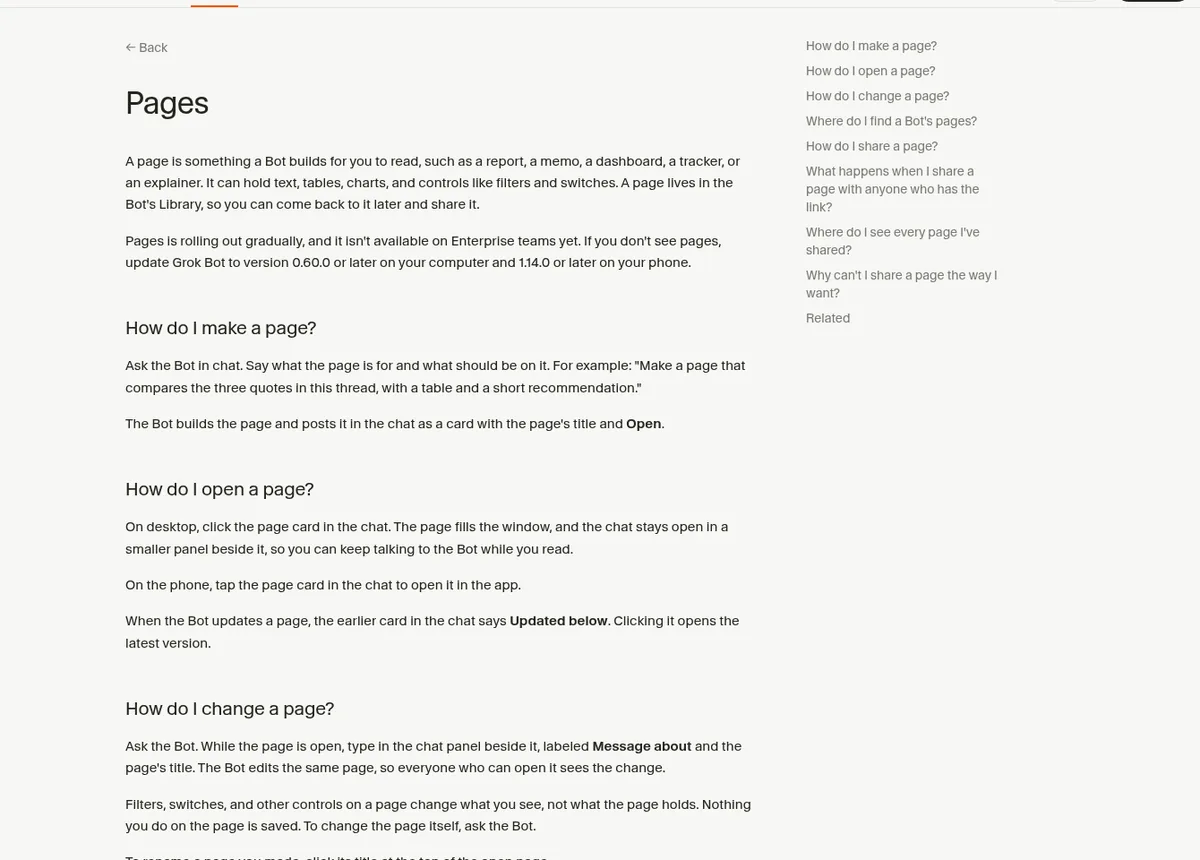
This is one of the newest features, and Jack Roberts calls it level one in his video on the latest updates. The help center says: "A page is something a Bot builds for you to read, such as a report, a memo, a dashboard, a tracker, or an explainer." Pages can hold text, tables, charts, and controls like filters.
For creators, that opens up a lot:
- A content calendar page with what is planned, drafted, and live.
- A weekly performance page from your stats.
- A sponsor one pager you can send to brands.
- A research page that compares tools for a review video.
To make one, just ask in chat. To change it, ask again. The Bot edits the same page. A new page is private to you until you share it. You can share it with people you invite, your team, or anyone with the link. A public link gets its own address on pages.grok.bot, so the help center warns to share that way "only when the page holds nothing private."
One note: Pages is rolling out over time, so you may need to update the app. The help page lists the versions.
Images and short clips
Your Bot can also create images and short videos when you ask. The help page lists the details:
| Type | What the help center says |
|---|---|
| Images | Made from a description or from images you share. Sizes 1:1, 4:3, 3:4, 16:9, or 9:16. |
| Videos | 1 to 15 seconds, 6 by default. 480p unless you ask for 720p. |
| Video from images | Use one image as the first frame, or two for start and end. |
| Where they go | They arrive in the chat and in the Bot's Library. |
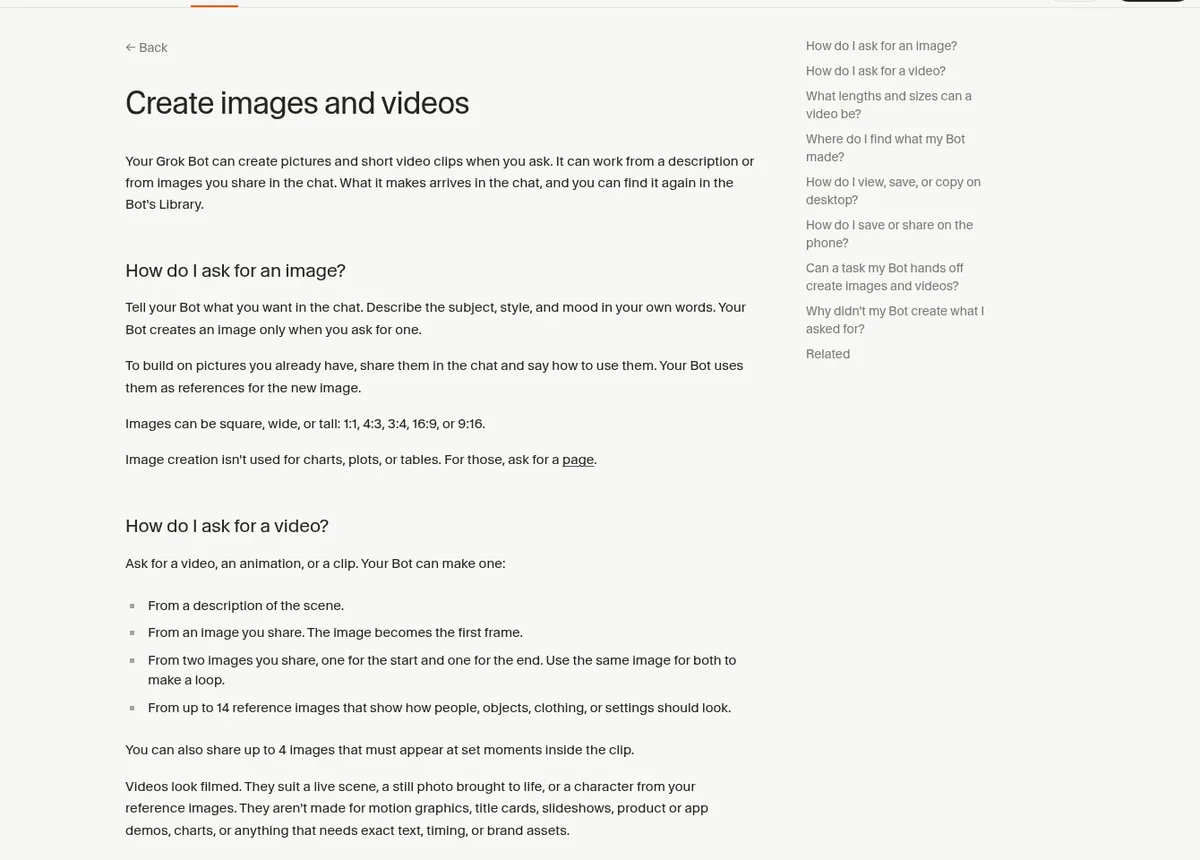
Know the limits. The help center says the clips "look filmed." They are not made for motion graphics, title cards, slideshows, app demos, charts, "or anything that needs exact text." So use them for B roll style scenes, not for your thumbnail text. For charts, ask for a page instead.
Create from your phone
A lot of content ideas show up when you are away from your desk. The Grok Bot phone app connects to the same Bots, so you can send an idea to your Idea Scout while you are out.
Jack Roberts shows a neat trick: set the iPhone Action Button to start a voice chat with your Bot, so one press and you are talking an idea through. Grok Bot supports Siri Shortcuts like Start Voice Chat, so this works with the iPhone's own shortcut settings. More in my Grok Bot mobile app guide.
From the Jack Roberts channel (not mine): Jack Roberts walks through seven recent Grok Bot updates, including Pages and dashboards, the iPhone Action Button, voice memory, and email aliases.
Any results mentioned in videos are not typical and are not a promise of income. Your results depend on your work and your market.
The creator Bot team I would build
| Bot | Its one job | Where it stops |
|---|---|---|
| Idea Scout | Weekly ideas with sources | Returns a list |
| Writer | Outlines and drafts in my voice | Returns a draft |
| Repurposer | Short posts and email from a long piece | Returns drafts |
| Tracker | A Page with my content calendar | Updates the Page |
| Inbox Helper | Sorts brand and fan email | Drafts replies, never sends |
A Bot can even get its own email address, so brand pitches or newsletters you subscribe to land in its inbox and it sums them up for you. Start with one Bot, then add the next when it is reliable.
Mistakes creators make with AI
- Posting drafts as is. Your audience can tell. Rewrite in your words.
- No voice skill. Without one, every draft sounds generic.
- Auto posting. One wrong post can cost more than a week of saved time.
- Using video clips for text. They are not built for exact text or brand assets.
- Vague asks. See my Grok Bot prompts for better ones.
A content team that already knows the job
Setting up an idea Bot, a writer, a repurposer, and a tracker is a lot of work. Each one needs good skills, clear stop points, and your voice. Most creators quit halfway through because they would rather be creating.
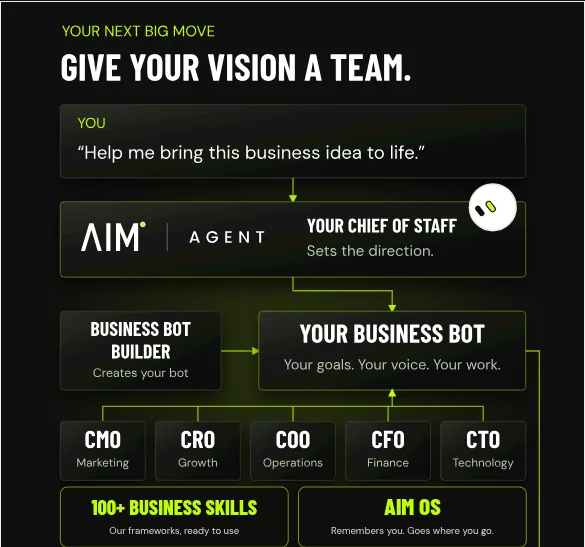
AIM Agent is an AI Chief of Staff for business owners. It comes with an AI C-suite (COO, CMO, CFO, CRO and CTO), a Business Bot Builder and 100+ business skills, and it runs on AIM OS, a private vault that holds your notes and memory. AIM Agent is a ready-made AI business team that works inside Grok Bot, so you skip the setup and get to work.
Here is what you get:
- An AI Chief of Staff that helps you plan and run your business
- An AI C-suite: COO, CMO, CFO, CRO and CTO
- A Business Bot for each business or project. Give it a real task and it brings the work back for you to review
- 100+ business skills for content, offers, research and more
- A step by step setup guide, with email support until your first bot finishes a real task
AIM Agent gives you an AI Chief of Staff and an AI C-suite, including a CMO, plus a Business Bot Builder and 100+ business skills, so you can hand off the planning and drafting sooner and get back to making things.
Where to go next
If you earn from links in your content, read Grok Bot for affiliate marketing. If you are brand new, start with the beginner tutorial. I also show real AI content workflows in my free MakerAI workshop.
Get a content team in Grok Bot
AIM Agent gives you an AI Chief of Staff, an AI C-suite, a Business Bot Builder, and 100+ business skills, so the work around your content gets done.
See AIM AgentFrequently asked questions
Can Grok Bot help with content creation?
Yes. It can find ideas with sources, draft outlines and posts in your voice, repurpose long content, build Pages like a content calendar, and create images and short clips.
What are Grok Bot Pages?
A page is something a Bot builds for you to read, like a report, dashboard, tracker, or explainer. You can keep it private or share it by link.
Can Grok Bot make videos?
It can make short clips from 1 to 15 seconds that look filmed. They are not made for title cards, motion graphics, or exact text.
How do I make Grok Bot write like me?
Ask it to create a skill to write like you and give it examples of your writing. It saves the rules and uses them for future drafts.
Should Grok Bot post for me?
I keep posting behind my approval. Let it draft and schedule ideas, and you decide what goes live.
Can I use Grok Bot from my phone?
Yes. The phone app connects to the same Bots, so you can send ideas, talk with voice chat, and review drafts on the go.
Is there a faster way to get a content team?
AIM Agent gives you an AI Chief of Staff, an AI C-suite, a Business Bot Builder, and 100+ business skills that work inside Grok Bot.
Sources
Checked October 28, 2026. Plans, prices, and rules can change.
- Grok Bot help: Pages
- Grok Bot help: Create images and videos
- Grok Bot help: Give your Bot an email address
- Grok Bot docs: Mobile
- Jack Roberts: GrokBot Just got a HUGE Update (YouTube)
- Brock Mesarich: How to Use Grok Bot Better Than 99% of People (YouTube)
- Founders School: The ONLY Grok Bot Tutorial You Need (YouTube)
- AIM Agent
