
Grok Bot · Review
I run about 25 Bots across my businesses, from content to finance to support. That gives me a pretty clear view of what Grok Bot does well and where it still trips. Here is my honest take.
Grok Bot review, short version: it is the first AI tool that feels like a real teammate instead of a chat box. It also makes mistakes, hits blocked websites, and takes real thought to set up well.
This is my own view after daily use. I checked every product fact against the Grok Bot docs and FAQ on October 30, 2026. I also watched two creators, one who loves it and one who says to skip it, so you get both sides.
TL;DR
Grok Bot is worth it if you have repeat work across many tools, like email, calendar, CRM, research, and reports, and you are willing to spend time teaching your Bots. It may not be worth it yet if you only need quick answers, need the same result every time, or want to pick your AI model. Start with one Bot and one real job before you build a team.
My verdict in one table
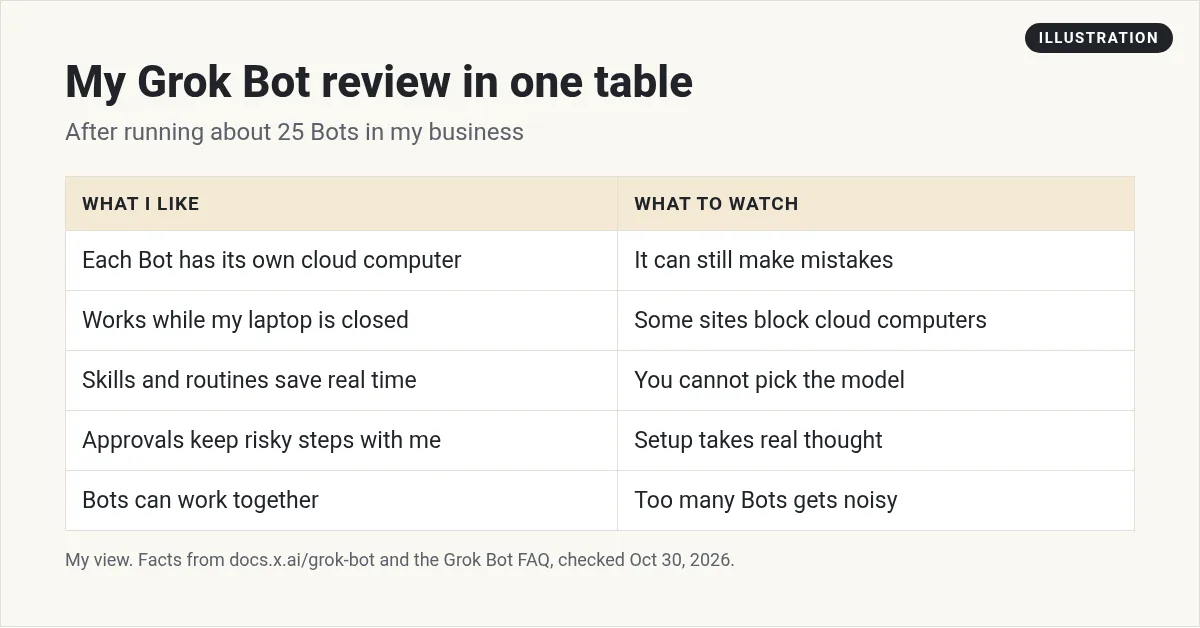
Grok Bot gives you Bots with names, jobs, and memory. Each works on a cloud computer with a browser, files, and a terminal. For me, that changed AI from something I ask questions to something I hand work to.
What works well
- Work keeps going. The FAQ says Bot work runs on the cloud computer, and closing your laptop or phone does not stop it. I wake up to finished reports.
- Memory that carries over. A named Bot keeps its notes, files, browser sessions, and preferences. I do not explain my business from scratch every day.
- Setup is a message. I describe the job in chat. No flowchart builder.
- Skills and routines. I show a Bot a task once, it saves the steps, and a routine can run it on a schedule. See Grok Bot skills.
- Bots work together. My content Bot can hand a draft to my quality Bot without me in the middle.
- Approvals. Risky steps wait for me. See Grok Bot safety.
- Everywhere I am. Desktop, phone, and Slack.
From the Less Bitter channel (not mine): Less Bitter went in ready to hate Grok Bot and came out running a team of assistants. A fun, fair first person review.
What does not work as well
- It still makes mistakes. Like any AI, it can get facts or steps wrong. I check important work.
- Some sites block it. The FAQ says some websites block traffic from cloud computers, or ask for a CAPTCHA or new login. The Bot hands those steps to you.
- No model picker. The FAQ says Grok Bot picks the model for each task, and you cannot choose.
- Approvals expire. If a Bot asks another Bot for approval and nobody answers, it expires after about 30 minutes.
- Shared computer. All your Bots share one computer, with the same files and logins. The FAQ says not to treat separate Bots as a security wall.
- Setup takes thought. A vague Bot gives vague work. Good rules and clear jobs make the difference.
- Too many Bots gets noisy. I learned to give each Bot one clear owner job.
The skeptic's view
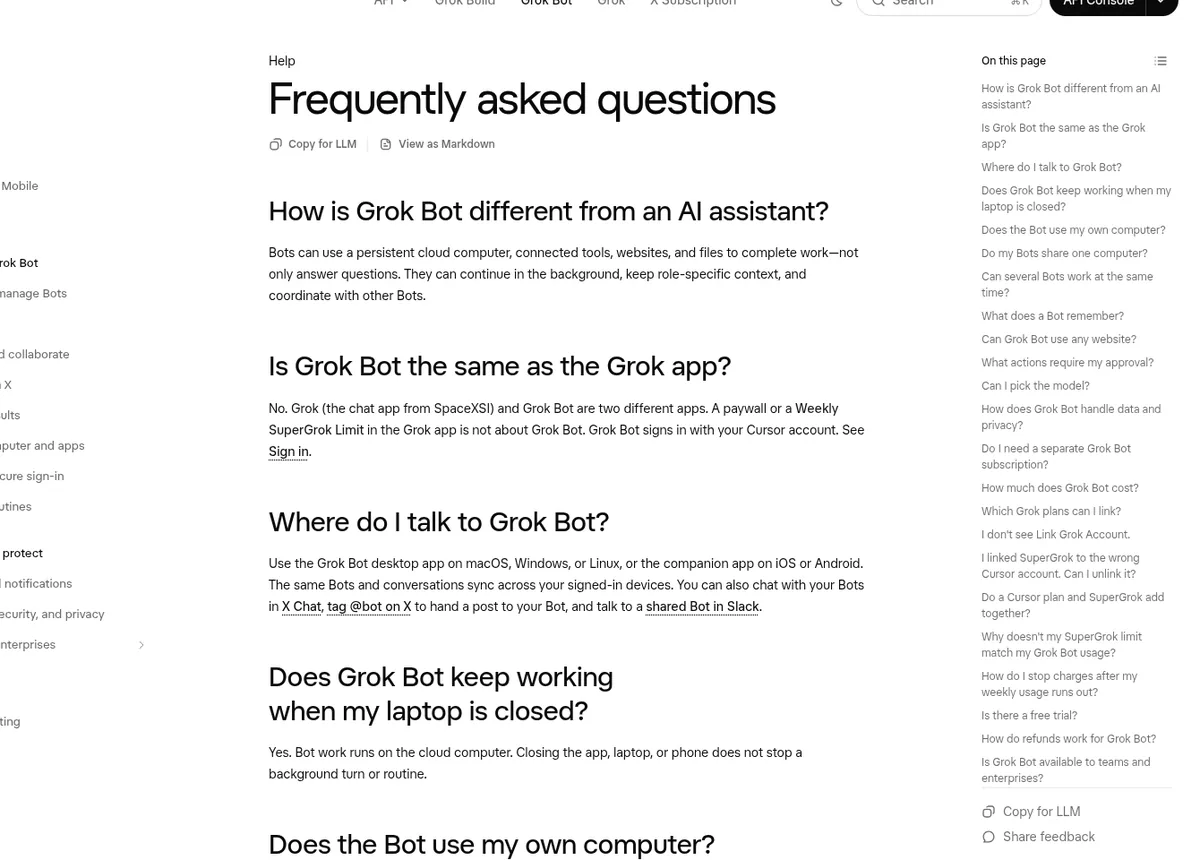
Not everyone agrees with me, and that is healthy. In the video below, a consultant who uses Grok Bot every day still says many people should skip it. Watch it before you decide. His points are a good reality check, especially if you just want quick answers.
From the Ryan Doser channel (not mine): Ryan Doser interviews a consultant who uses Grok Bot daily and still says skip it. Ryan links his own guides and paid community in the description.
My take: he is right that it is not for everyone. If you do not have repeat work, a regular chat app may be all you need.
Who it is for
A great fit:
- Business owners with lots of repeat work across many tools.
- Agencies that do the same reports and tasks for many clients.
- Small teams that want shared Bots in Slack.
- Creators who want help with research, drafts, and posting plans.
Maybe wait if:
- You mostly ask quick questions. A chat app may be enough.
- You need the exact same result every time. A fixed workflow tool may fit better. See Grok Bot vs Zapier.
- You must choose a specific AI model for each job.
Questions to ask yourself first
- Do I do the same kind of work every week across two or more tools?
- Am I willing to spend a few hours teaching a Bot and fixing its early mistakes?
- Do I have a clear owner job in mind for my first Bot?
- Am I okay checking important work before it goes out?
If you answered yes to most of these, Grok Bot is likely a good fit. If not, wait until the work and the time line up.
How I would start
- Pick one job you do every week that touches two or three tools.
- Create one Bot for that job and describe it clearly.
- Connect only the apps it needs.
- Run it by hand three times and fix what it gets wrong.
- Save it as a skill, then turn it into a routine.
Only add a second Bot once the first one runs well. My Grok Bot tutorial for beginners walks through it, and Grok Bot mistakes covers what to avoid.
What my team looks like
I run about 25 Bots. A Chief of Staff Bot keeps track of my week. A content Bot drafts posts. A quality Bot checks the work before it goes live. Others handle research, finance notes, and support drafts. Each has one owner job and clear rules about what needs my approval.
It did not start that way. It started with one Bot doing one boring weekly task. Every Bot after that earned its spot by saving real time.
Final word
Grok Bot is the most useful AI tool I use today. It is not magic, and it is not set and forget. Treat it like hiring a new teammate: give clear jobs, check the work, and grow trust over time. Do that, and it pays you back in hours every week.
For side by side looks at other tools, read Grok Bot vs ChatGPT and Grok Bot vs Claude.
Skip the slow setup
The biggest cost in my review is setup time. Writing good rules and jobs for each Bot takes weeks of trial and error.
AIM Agent is an AI Chief of Staff for business owners. It comes with an AI C-suite (COO, CMO, CFO, CRO and CTO), a Business Bot Builder and 100+ business skills, and it runs on AIM OS, a private vault that holds your notes and memory. AIM Agent is a ready-made AI business team that works inside Grok Bot, so you skip the setup and get to work.
Here is what you get:
- An AI Chief of Staff that helps you plan and run your business
- An AI C-suite: COO, CMO, CFO, CRO and CTO
- A Business Bot for each business or project. Give it a real task and it brings the work back for you to review
- 100+ business skills for content, offers, research and more
- Step by step setup guides and email support
So you start with a working team and spend your time on the business, not the setup.

Want an AI team to help run your business? Meet AIM Agent, an AI Chief of Staff for business owners. I am a co-founder of AIM Agent and have a financial interest in the product.
Start with a team that already works
AIM Agent gives you an AI Chief of Staff, an AI C-suite, and 100+ business skills, so you skip the slow setup.
See AIM AgentFrequently asked questions
Is Grok Bot worth it?
It is worth it if you have repeat work across many tools and will spend time teaching your Bots. It may not be if you only need quick answers.
What is the best thing about Grok Bot?
Bots keep working on a cloud computer with memory, so you hand off real work, not just questions.
What is the biggest downside?
It still makes mistakes, and some websites block cloud computers. You need to check important work.
Can I pick the AI model?
No. The FAQ says Grok Bot picks the model for each task.
Does it keep working when my laptop is closed?
Yes. The FAQ says work runs on the cloud computer and keeps going.
How should I start?
One Bot, one real weekly job, a few test runs, then a skill and a routine.
Is there a faster way to get a Bot team for my business?
AIM Agent gives you an AI Chief of Staff, an AI C-suite, and 100+ business skills, so you start with a team built for business work.
Sources
Checked October 30, 2026. Plans, prices, and rules can change.
