
Grok Bot · Comparison
ChatGPT now has its own always on agent called dots. So the real question is not chat vs agent anymore. It is a team of Bots vs one dot. Here is a fair look from the official pages.
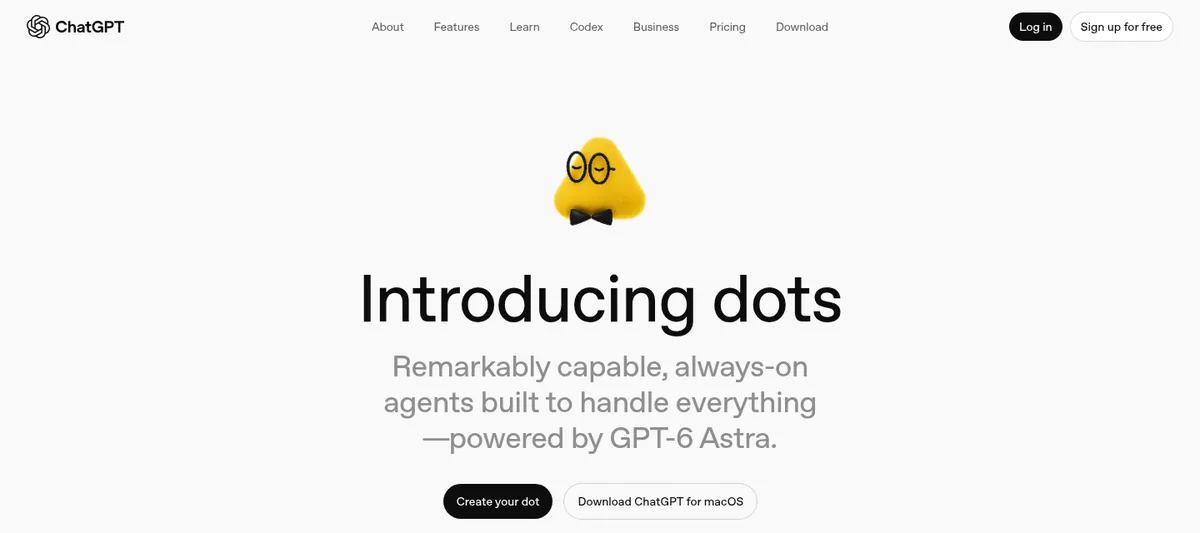
Grok Bot vs ChatGPT is the question I get most from business owners right now. A month ago the answer was simple. ChatGPT was a chat you talk to, and Grok Bot was an assistant with its own computer. Then on September 29, 2026, OpenAI introduced dots, an always on agent inside ChatGPT with its own cloud computer too.
So I went back to the official pages for both on October 28, 2026, and watched the newest side by side tests. I use Grok Bot every day to run my business, so I will tell you where I lean. But I will also tell you where ChatGPT is the better pick, because for some people it is.
TL;DR
Grok Bot gives you a team of Bots, each with its own job, memory, skills, and routines, working on a shared cloud computer you can watch and take over. ChatGPT is a chat app that now also has dots, an always on agent with its own cloud computer that starts from your ChatGPT memory and works in ChatGPT, Slack, and Teams. Dots is rolling out to Pro users outside the EEA, Switzerland, and the UK, and to Business Premium users in supported regions. Pick Grok Bot if you want many Bots for different jobs. Pick ChatGPT and dots if you already live in ChatGPT and want one agent that knows you.
The short answer
Both are good. They are built around different ideas.
- Grok Bot is built around a team. You make many Bots, give each one a job, and they share one cloud computer. One can write, one can research, one can run your inbox, and a Chief of Staff Bot can hand work between them.
- ChatGPT is built around a chat. With dots, it adds one always on agent that knows you from ChatGPT and keeps working in the background. OpenAI says "In the future, you'll be able to add more dots," so for now you start with one.
If you only remember one thing, remember that. Team of Bots, or one dot.
What ChatGPT dots actually is
Here is what OpenAI's own pages say, in plain words:
- Dots is an always on agent in ChatGPT with its own cloud computer, so it can keep working while you are away.
- It works across your apps through plugins. OpenAI says plugins connect to over 4,000 apps.
- You can reach it in ChatGPT, Slack, and Teams. OpenAI lists texting as coming soon.
- It starts with context from your ChatGPT memory, so it already knows a lot about you.
- You create it in the ChatGPT mobile app, the desktop app, or on desktop web, and you can open its cloud computer and take over when needed.
- It is rolling out to Pro users outside the EEA, Switzerland, and the UK, and to Business Premium users in supported regions. Enterprise is a beta that admins turn on.
For control, dots has Custom Rules, Auto-review, and an Activity View, per OpenAI's dots announcement. You can also review its work in the desktop app under In progress, Scheduled, and Completed. OpenAI says some steps, such as changing a password, must be done by you, and you can set rules for what your dot can share, purchase, or access.
One honest limit from the OpenAI help center: to delete your dot's own saved memories, you need to delete your dot. Reset deletes its conversations, saved memories, and scheduled tasks.
What Grok Bot is, in one paragraph
Grok Bot gives you as many Bots as you want. Each Bot has its own name, job, memory, skills, and routines. They all work on one shared cloud computer with a browser, and you can watch that computer live and take over for a password or a code. You talk to your Bots in the desktop app, the phone app, or a Slack DM, and you can put several in a group chat. If you are new, my Grok Bot explained post covers the basics.
Grok Bot vs ChatGPT dots, side by side
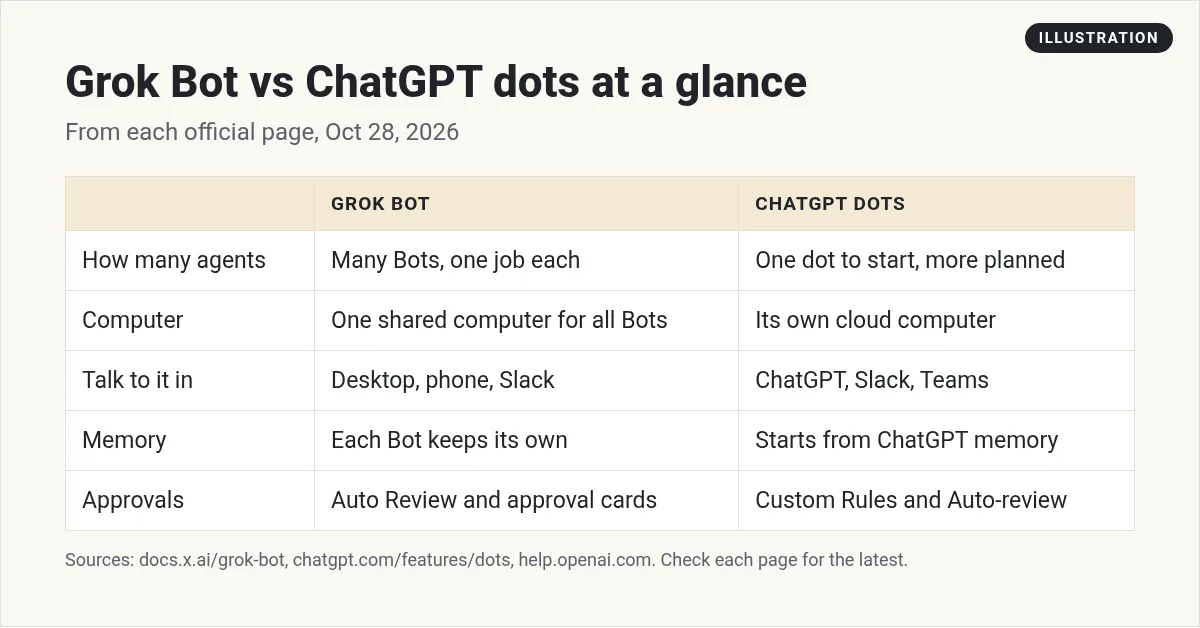
| Feature | Grok Bot | ChatGPT dots |
|---|---|---|
| Number of agents | Many Bots, one job each | Start with one dot, more planned |
| Computer | One shared cloud computer for all your Bots | Its own cloud computer, with take over |
| Where you talk to it | Desktop app, phone app, Slack | ChatGPT, Slack, Teams |
| Memory | Each Bot keeps its own | Starts from your ChatGPT memory |
| Repeat work | Skills and routines per Bot | Reminders and recurring tasks, and keeps working in the background |
| Safety | Auto Review, approval cards, Ask first rules, Vault | Custom Rules, Auto-review, Activity View (OpenAI) |
| Pick the model | No, it picks per task | Runs on GPT-6 Astra |
I left prices out on purpose. Plans change fast, so check each company's own pricing page. If you want the ChatGPT side of that, I wrote up ChatGPT pricing separately.
The 5 differences that matter most
1. A team vs one agent
This is the big one. In Grok Bot, I have a Bot for content, one for sales follow up, one for quality checks, and a Chief of Staff that runs them. Each one stays in its lane. In his test, Christian Peverelli put it simply: Grok Bot is the style where "you train each individual, then you can put them in a chat." He also said one agent that does everything "is pretty practical sometimes." Both are true.
2. One shared computer for the whole team
Both give the agent a cloud computer you can open and take over. The difference is who uses it. In Grok Bot, every Bot works on the same shared computer, so files and sign ins carry from one Bot to the next. That makes handoffs smooth, and it also means you should be careful what you leave signed in. See Grok Bot computer use for how that works.
3. Memory you start with
Dots has a head start if you have used ChatGPT for years, because it starts from that memory. Grok Bot starts fresh, and you build each Bot's memory as you work. Simon Scrapes said it well in his review: Grok Bot is "faster to start, but slower to probably get right with your context." My fix is a short brief for each Bot on day one. My Grok Bot memory post shows how.
4. Where you work
If your team lives in Microsoft Teams, dots fits that today. Grok Bot works in its own apps and Slack.
5. Skills and routines
In Grok Bot, you can teach a Bot a task once and save it as a skill, then put it on a schedule as a routine. That is how I keep my weekly work running. See Grok Bot skills and Grok Bot routines.
What the side by side tests found
I trust real tests more than feature lists. Here is what two creators found when they gave all the agents the same jobs:
- Pat Simmons gave Grok Bot, dots, and Meta's Muse the same jobs, including running a fake online coffee company's day to day work in Notion, HubSpot, and Asana. He picked Grok Bot for work and said "Dots has still a long way to go." He also gave dots credit for having a frontier model behind it and said OpenAI will ship fast.
- Christian Peverelli ran a research test. Dots read the real menus to get the answer, and it refused to give an unverified top 3. Grok Bot built a clean Page report, but some sites blocked it as a bot. His view: "Dots only really makes sense if you already work all the time inside of ChatGPT."
So the tests lean Grok Bot for business work, with real wins for dots on careful answers. That matches my own use.
From the Meet Brandon channel (not mine): Meet Brandon walks through five plain differences between Grok Bot and ChatGPT, and is fair about where ChatGPT fits best.
How to pick in 3 questions
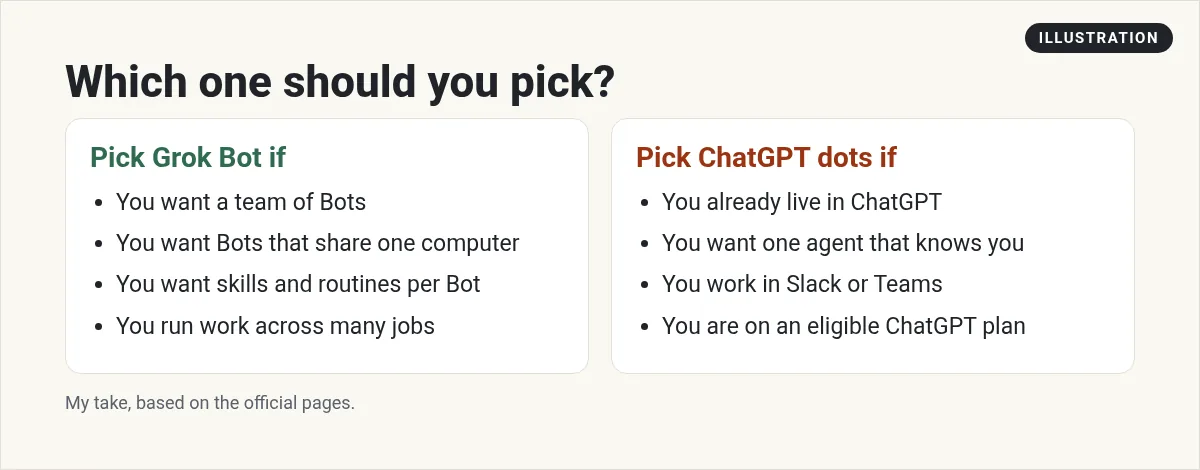
- Do you need more than one helper? If you want separate Bots for content, sales, and admin, go Grok Bot.
- Is ChatGPT already your home base? If years of your chats and memory live there and you are on an eligible plan, dots will feel natural.
- Where is your team? Teams users lean dots today. Slack works with both.
And you do not have to pick just one. Brandon said it best in his video: "Plenty of people use both." I still use ChatGPT for quick questions. I use Grok Bot for work that keeps going after I walk away.
How I would test both this week
- Pick one real job you do every week, like a Monday report.
- Give both the same short prompt with the outcome and a stop point. My Grok Bot prompts post has ones you can copy.
- Ask each to stop before sending anything, so you can review.
- Compare the result, how many times you had to step in, and how it felt.
- Keep the winner for that job. Try the next job next week.
Why I build my team in Grok Bot
The biggest reason I pick Grok Bot is the team. But a team takes work to set up. You have to decide the roles, write the skills, and set the stop points before it feels like a real staff.
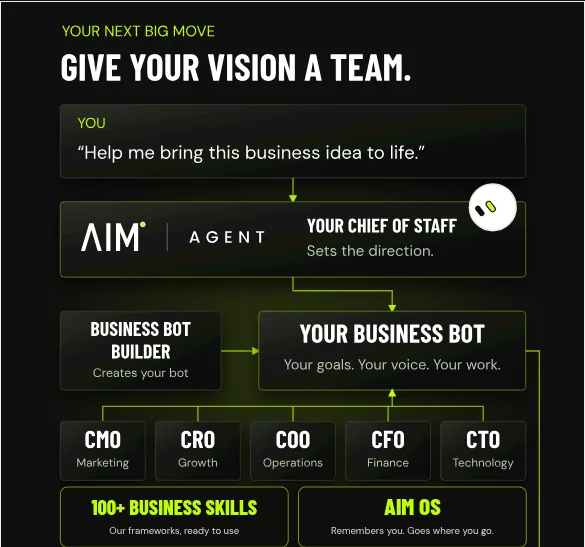
AIM Agent is an AI Chief of Staff for business owners. It comes with an AI C-suite (COO, CMO, CFO, CRO and CTO), a Business Bot Builder and 100+ business skills, and it runs on AIM OS, a private vault that holds your notes and memory. AIM Agent is a ready-made AI business team that works inside Grok Bot, so you skip the setup and get to work.
Here is what you get:
- An AI Chief of Staff that helps you plan and run your business
- An AI C-suite: COO, CMO, CFO, CRO and CTO
- A Business Bot for each business or project. Give it a real task and it brings the work back for you to review
- 100+ business skills for content, offers, research and more
- A step by step setup guide, with email support until your first bot finishes a real task
AIM Agent gives you that team ready to go: an AI Chief of Staff, an AI C-suite, a Business Bot for each business, and 100+ business skills.
Where to go next
Comparing other agents too? Read Grok Bot vs Claude and Grok Bot vs Muse, Dots, OpenClaw and Hermes. If you choose Grok Bot, start with Grok Bot setup. I also show real AI workflows in my free MakerAI workshop.
Get the team, not just the tool
AIM Agent gives you an AI Chief of Staff, an AI C-suite, a Business Bot Builder, and 100+ business skills that work inside Grok Bot.
See AIM AgentFrequently asked questions
Is Grok Bot better than ChatGPT?
It depends on the job. Grok Bot is better if you want a team of Bots with their own jobs on one shared computer. ChatGPT and dots fit best if ChatGPT is already your home base.
What is ChatGPT dots?
Dots is an always on agent in ChatGPT with its own cloud computer. OpenAI introduced it on September 29, 2026. It starts from your ChatGPT memory and works in ChatGPT, Slack, and Teams.
Who can use ChatGPT dots?
OpenAI says it is rolling out to Pro users outside the EEA, Switzerland, and the UK, and to Business Premium users in supported regions.
Can I have more than one dot?
OpenAI says that in the future you will be able to add more dots. Grok Bot lets you create many Bots today.
Can I watch Grok Bot work?
Yes. You can open the computer view to watch the browser and take over for a password or a code. OpenAI says you can also take over your dot's computer.
Can I choose the model in Grok Bot?
No. Grok Bot picks the model for each task, and there is no model picker. OpenAI says dots runs on GPT-6 Astra.
Can I use both?
Yes. Many people use ChatGPT for quick questions and Grok Bot for ongoing work.
Is there a ready-made Grok Bot team for business?
Yes. AIM Agent gives you an AI Chief of Staff, an AI C-suite, a Business Bot Builder, and 100+ business skills that work inside Grok Bot.
Sources
Checked October 28, 2026. Plans, prices, and rules can change.
