
App Building · Guide
You do not need to be a coder to build an app now. But you do need a plan. Here is the simple path from idea to a live app, with real costs for each step.
Building an app used to mean hiring a developer or learning to code for months. Today, AI app builders let you describe what you want in plain words, then change it by chatting. That makes it far easier to get started.
I have used Lovable, Claude, and Overskill to build apps. One real example is a course companion app for my Freedom Launch Accelerator program, built with Next.js, Supabase, and Claude. Here is the simple 8-step plan I would give a friend, with costs I checked on October 27, 2026.
Quick answer
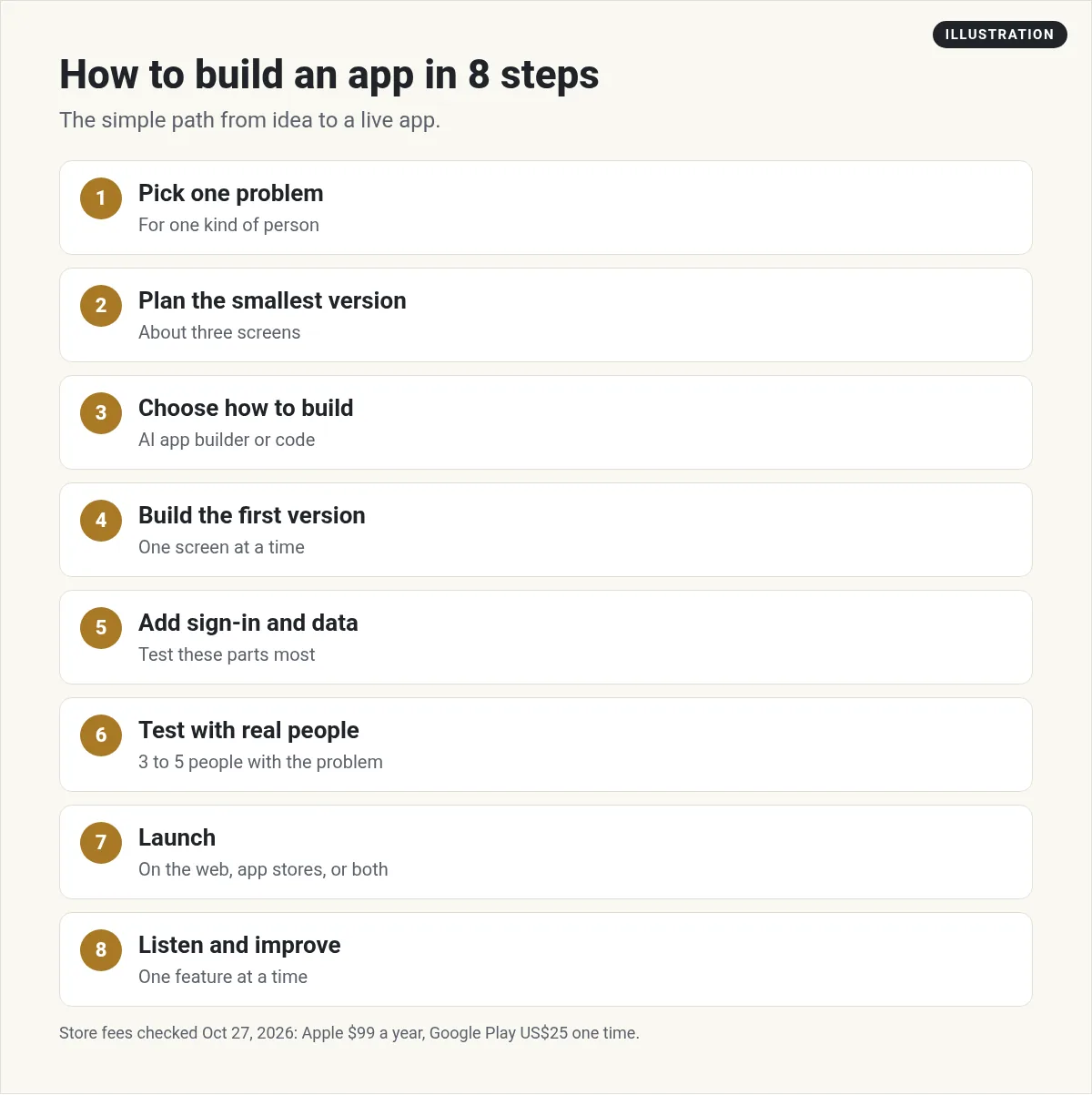
To build an app, pick one problem to solve, plan the smallest version, choose how to build it (an AI app builder or code), build the first screen, add sign-in and data, test it with real people, then launch on the web or in the app stores. On October 27, 2026, Overskill plans started at $25 a month, Apple's developer program was $99 a year, and Google Play had a US$25 one-time registration fee.
Step 1: Pick one problem to solve
Good apps start small. Do not try to build the next big social network. Pick one problem, for one kind of person.
Write it in one sentence: This app helps [who] do [what]. For example: This app helps dog walkers track their walks and bill clients. If you cannot say it in one sentence, the idea is too big for a first version.
Need ideas? See my list of AI app ideas.
Step 2: Plan the smallest version
List every feature you want. Then cross out everything that is not needed on day one. What is left is your first version.
Aim for about three screens: a home screen, a screen to add or do the main thing, and a screen to see results. Draw them on paper. It does not take long, and it makes the next steps much easier.
Step 3: Choose how to build it
You have two main paths:
- An AI app builder. You describe the app in plain words, and the tool builds it. You make changes by chatting. In my view, this is the easiest way to start if you do not code.
- Code, with AI help. You or a developer write the code, often with an AI coding assistant. This gives you the most control, but it takes more skill.
If you are new, start with an AI app builder. You can always move to code later. Overskill's FAQ says "On any plan, use Export ZIP in the Publish dialog to download your app's code, database structure and data." That means you are not locked in.
To compare tools, see my guide to the AI app builder options and their prices.
Step 4: Build the first version
Open your builder and describe your app. Be clear. Say who it is for, what the screens are, and what each button does. Paste in your one-sentence goal from Step 1.
Then build one screen at a time. Ask for one change per message. Small asks are easier to check, and they use fewer credits.
What it costs on Overskill
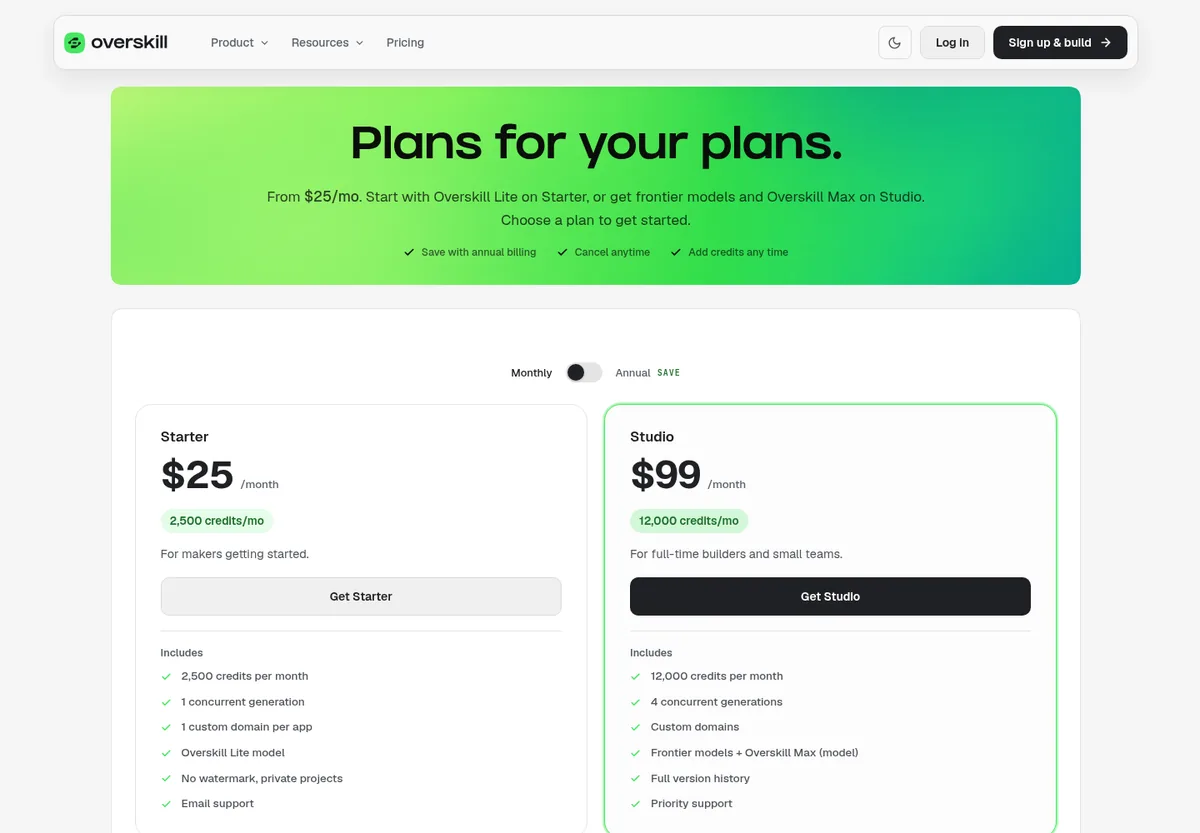
Overskill is one of the builders I have used. Its pricing page, with the Monthly setting selected, showed two plans on October 27, 2026:
- Starter: $25 a month with 2,500 credits a month and 1 custom domain per app.
- Studio: $99 a month with 12,000 credits a month, plus frontier models and Overskill Max.
There is no free plan, but the FAQ says "Every new account starts with 500 credits so you can build something real before choosing a plan." The FAQ says a typical change uses 400 to 1,500 credits, "and most land around 700." A fresh build from a description usually uses 2,000 to 8,000 credits.
My math: on Starter, 2,500 credits covers one small fresh build at the low end of Overskill's 2,000 to 8,000 range, or about 3 typical changes at 700 credits each. A bigger build can use more than a month of Starter credits. So plan your changes before you spend them.
Step 5: Add sign-in and data
Most apps need two things behind the scenes. Users need to sign in, and the app needs to save their data. This part is called the backend.
Your builder may handle this for you, or you can connect a service like Supabase or Firebase. If you want to know how those two differ, read my Supabase pricing guide.
Be careful here. Overskill's FAQ says features like sign-in, payments, and email "need the right permissions, configuration and testing for your app." So test these parts more than anything else.
Step 6: Test it with real people
Before you launch, give your app to three to five people who have the problem you are solving. Watch them use it. Do not explain anything. Where they get stuck is what you fix next.
For iPhone apps, Apple has TestFlight. Apple's page says "you can invite up to 10,000 external users to try out your beta builds using just their email address or by sharing a public link."
Step 7: Launch your app
You can launch in two places:
- The web. Your app lives at a web address, and anyone with a browser can use it. In my view, this is the simplest way to launch.
- The app stores. This takes more steps and has fees.
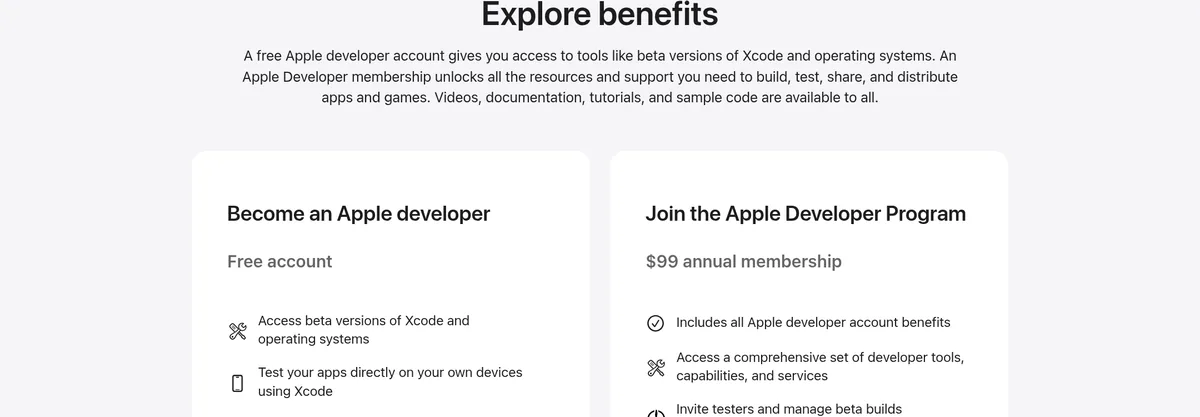
Here are the store fees I found on October 27, 2026:
- Apple: A free Apple developer account gives you tools like beta versions of Xcode. To publish on the App Store, the Apple Developer Program is a "$99 annual membership."
- Google Play: Google's help page says "There is a US$25 one-time registration fee." It also says personal accounts must meet testing requirements before apps go live on Google Play.
My math: in the first year, putting an app in both stores costs $124 in store fees, before any app builder costs. For a full step-by-step, see my guide on how to publish an app.
Step 8: Listen and improve
Launching is the start, not the end. Ask users what they like and what is missing. Fix bugs first. Then add one feature at a time.
Keep a simple list of costs, too. Overskill's FAQ says to "Budget for additional credits if you need them, plus any connected-service charges and payment processing fees." For a full breakdown, read how much it costs to build an app.
Mistakes to avoid
- Building too much at once. Every extra feature adds more to test and more credits to spend. Ship the small version first.
- Vague prompts. A prompt like make it better gives the AI nothing to work with. Say exactly what to change, where it is, and how it should look when it is done.
- Skipping tests. Click every button yourself before anyone else sees it. Then test sign-in and payments again.
- Not saving your work. If your builder offers an export, use it now and then so you have a copy.
- Forgetting running costs. Add up your builder plan, any store fees, and any services your app connects to. Check that total each month.
Your first app checklist
Nothing you check here is sent or saved. Download it if you want to keep it.
Ready to build your first app?
Overskill gives every new account 500 credits to start, and plans begin at $25 a month. Start with one small app and see how far your credits go.
Try OverskillI earn a commission if you buy through this link. Plans and credits can change, so check the live pricing page before you buy.
Want to see the whole process first? Join my free AI workshop.
Frequently asked questions
How do I build an app with no coding?
Use an AI app builder. You describe your app in plain words, and the tool builds it. Then you make changes by chatting, one screen at a time.
How much does it cost to build an app?
It depends on how you build it. On October 27, 2026, Overskill plans started at $25 a month. Apple's developer program was $99 a year, and Google Play had a US$25 one-time fee.
How long does it take to build an app?
A simple first version can come together quickly with an AI app builder, but testing with real people and fixing what they find takes longer. Start small to launch sooner.
Do I need to publish my app in the app stores?
No. You can launch on the web, where anyone with a browser can use it. App stores take more steps and have fees.
Can I get my code out of an AI app builder?
Some let you. Overskill's FAQ says that on any plan you can use Export ZIP to download your app's code, database structure, and data.
Is there a free way to try building an app?
Overskill has no free plan, but every new account starts with 500 credits so you can build something before choosing a plan.
Sources
Checked October 27, 2026. Plans, prices, and rules can change.
- Overskill: Pricing and FAQ (Monthly setting shown)
- Apple Developer: Programs
- Google Play Console Help: Get started with Play Console
