
Grok Bot · Social media
Your Bot can study your past posts, draft new ones, and sort your comments and DMs. The trick is setting it up so nothing goes public until you say so. Here is how I would do it.
Grok Bot for social media means a Bot that learns your voice, drafts your posts, and sorts your comments and DMs, while you keep the publish button. It is one of the jobs on the official Grok Bot use cases list.
I read the use cases page, the approvals docs, and the latest changelog on October 30, 2026, and watched two creators set it up. Here is a simple setup that saves hours without letting a Bot post something you would regret.
TL;DR
Create a Bot just for social media and give it your best past posts so it learns your voice. Sign it in to your social tools, either with a connector or by taking over its computer for the login. Have it draft posts, replies, and DM answers into a queue, and tell it in plain words that it must not publish. Then add an Ask first rule for publishing, so every post needs your OK. Start with one platform, read every draft for two weeks, and only then think about letting it do more.
What a social media Bot can do
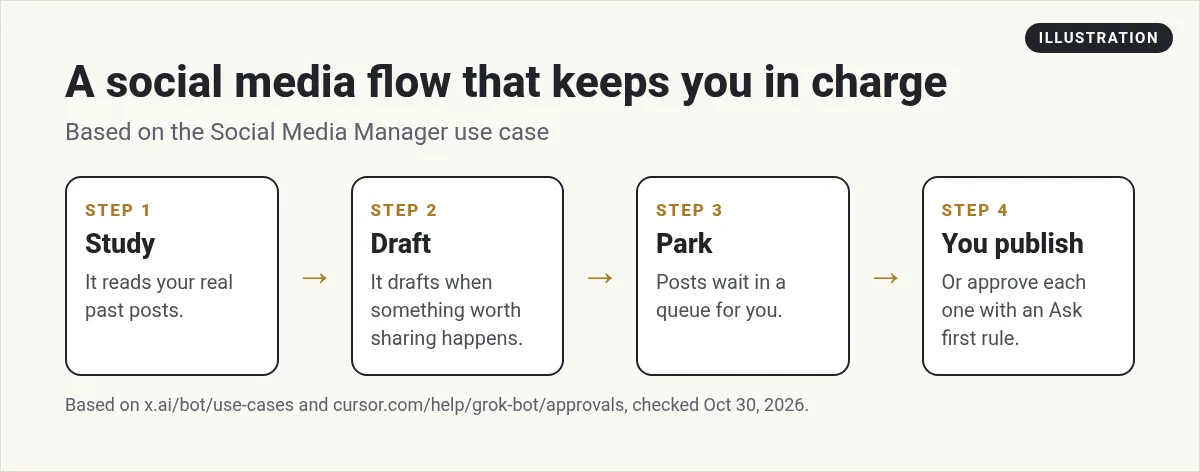
The official use cases page has a job called Social Media Manager. It says the Bot studies your real post history, drafts when something worth sharing happens, parks posts for you to publish, and keeps the queue moving.
I like that wording. Parks posts for you to publish. That is the right setup for most people. The Bot does the writing and sorting. You do the final click.
Other social jobs on that page include a Community Operations Manager that sorts DMs across channels, and a Compelling Events Monitor that watches posts from leaders you follow and sends you a short list worth commenting on.
Step 1: make one Bot just for social
Give social media its own Bot. Name it something clear, like Social Admin, and tell it what it covers. One sentence is enough:
You help me run my Instagram and Facebook. You draft posts, replies, and DM answers in my voice. You never publish or send anything without my OK.
Then feed it your voice. Paste or attach 10 to 20 of your best posts, and say why they worked. The Bot can also remember notes about your style. See my guide to Grok Bot memory.
Step 2: sign it in to your social tools
There are two ways in.
- A connector. The October 27, 2026 changelog says that on YouTube, Google Ads, Meta Ads, and TikTok for Business sign in pages, the Bot offers that connector. A connector is the cleaner way when it exists. See Grok Bot connectors.
- Take over the computer. For a site with no connector, the Bot opens the login page on its own computer and hands it to you. You sign in, then hand it back.
In the video below, Silvia does exactly that with Meta Business Suite. The Bot opens it, she takes over to log in, and then it finds her DMs and comments and offers to draft replies for her to approve.
From the Automate with Silvia channel (not mine): Automate with Silvia sets up a social media Bot from scratch as a beginner: making the Bot, signing in to Meta Business Suite, and having it draft replies to DMs and comments for her approval.
Step 3: lock the publish button
This is the most important step. The approvals docs say to set clear limits in your request, and publishing content is one of the actions they list for that. So say it plainly: draft only, do not publish.
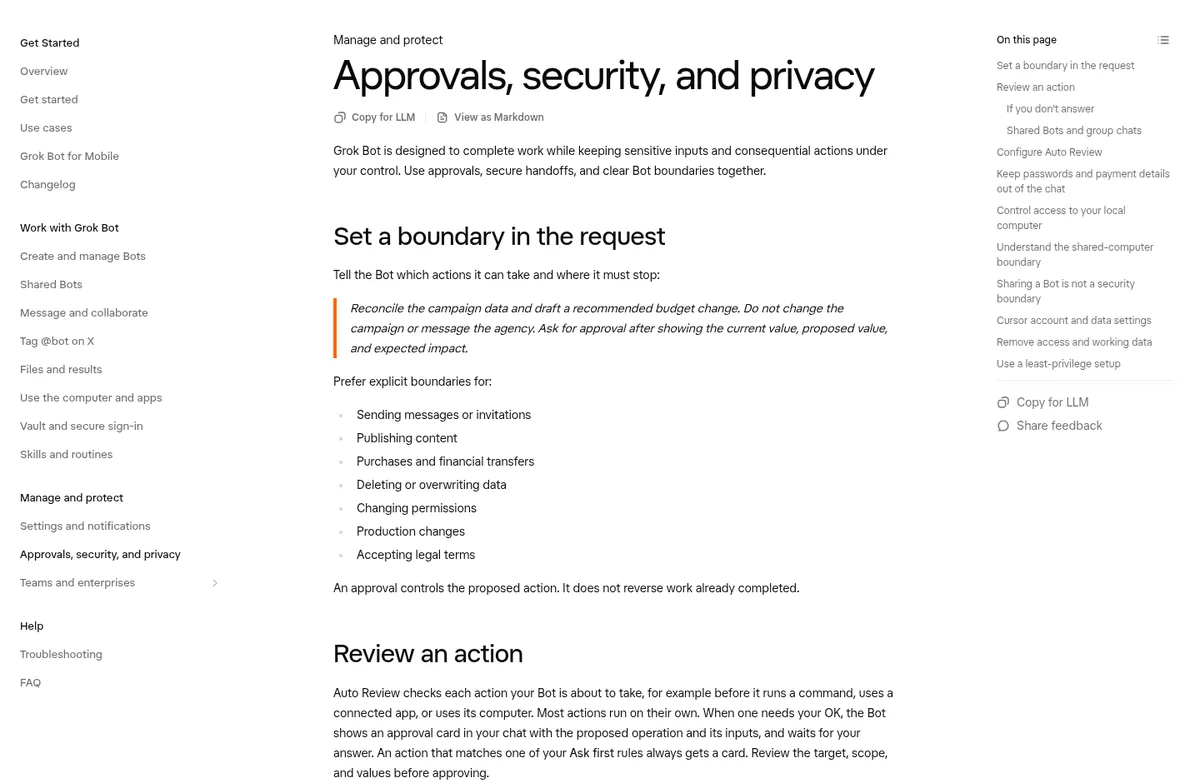
Then back it up with a rule. Grok Bot has Auto-review, a check that runs before the Bot acts. You can add your own Custom Rules in Settings. Write one in plain words, like publish a post or send a DM, and set it to Ask first. Now every post gets an approval card. If two rules conflict, Ask first wins.
One more safety point from the help page: text that comes from somewhere else, like a comment or a web page, does not count as your request. So a sneaky comment cannot tell your Bot to post something.
Step 4: a weekly rhythm that works
- Monday: the Bot drafts five post ideas from what happened last week in your business.
- Daily: it sorts new comments and DMs into questions, praise, leads, and spam, and drafts replies.
- You: spend 15 minutes approving, editing, or deleting drafts.
- Friday: it sends a short report of what got the most replies.
You can turn the daily and weekly parts into routines. My guide to Grok Bot routines shows how.
From the AI with Janek channel (not mine): AI with Janek shows Grok Bot handling his posting across platforms without a separate automation tool for each one. Watch how he gives it access and what he still checks himself.
Images for your posts
Your Bot can make pictures and short clips too. Tall 9:16 works for Reels and Stories. But the help page says it is not made for exact text or brand assets. So use it for backgrounds and scenes, and add your own words and logo after. More in my post on Grok Bot images and videos.
What about X?
X works a bit differently, since you can tag a Bot right on X. I covered that in Grok Bot on X. The same rule applies: keep posting behind your OK until you trust it.
Mistakes I see people make
- Letting it post on day one. Read two weeks of drafts first.
- No voice samples. Without your real posts, it sounds like every other AI account.
- Too many platforms at once. Start with the one that brings you the most leads.
- Fake engagement. Never ask it to make fake comments or likes. It hurts trust and breaks platform rules.
- Busy triggers. A routine that runs on every new comment can spend a lot of usage. A few checks a day is plenty.
Get a team that knows what to post, not just how
A Bot can write a post in seconds. But a post only helps if it fits a plan: the right offer, the right message for the week, and a clear next step for the reader.
AIM Agent is an AI Chief of Staff for business owners. It comes with an AI C-suite (COO, CMO, CFO, CRO and CTO), a Business Bot Builder and 100+ business skills, and it runs on AIM OS, a private vault that holds your notes and memory. AIM Agent is a ready-made AI business team that works inside Grok Bot, so you skip the setup and get to work.
Here is what you get:
- An AI Chief of Staff that helps you plan and run your business
- An AI C-suite: COO, CMO, CFO, CRO and CTO
- A Business Bot for each business or project. Give it a real task and it brings the work back for you to review
- 100+ business skills for content, offers, research and more
- Step by step setup guides and email support
So your social Bot is not guessing. It works with a team that thinks about the business behind every post, and you still approve what goes live.

For the bigger marketing picture, read Grok Bot for marketing and Grok Bot for content creators. Want an AI team to help run your business? Meet AIM Agent, an AI Chief of Staff for business owners. I am a co-founder of AIM Agent and have a financial interest in the product.
Give your social media a business brain
AIM Agent gives you an AI Chief of Staff, an AI C-suite, and 100+ business skills, so your posts tie back to real offers and goals.
See AIM AgentFrequently asked questions
Can Grok Bot post on social media for me?
It can draft and post, but I recommend it parks posts for you to publish. Add an Ask first rule for publishing.
How does Grok Bot sign in to Instagram or Facebook?
With a connector when one exists, or you take over its computer to log in, then hand it back.
Can it answer comments and DMs?
Yes. Have it draft replies for your approval first.
How do I stop it from posting without me?
Say draft only in your request, and add a Custom Rule set to Ask first for publishing.
Can it make images for posts?
Yes, pictures and short clips. Add your own text and logo after, since it is not made for exact text.
How do I make posts sound like me?
Give it 10 to 20 of your best posts and say why they worked.
Is there a faster way to get a Bot team for my business?
AIM Agent gives you an AI Chief of Staff, an AI C-suite, and 100+ business skills, so you start with a team built for business work.
Sources
Checked October 30, 2026. Plans, prices, and rules can change.
