
Grok Bot · YouTube
A Bot will not make you a YouTuber. But it can take the busywork off every video: research, outlines, descriptions, chapters, and even the upload form. Here is a setup that keeps your voice in charge.
Grok Bot for YouTube is about handing your Bot the slow parts of making a video: topic research, outlines, titles, descriptions, chapters, and upload prep. You keep the parts that make the channel yours.
I read the Grok Bot docs on the computer, approvals, and images on October 30, 2026, and watched creators who use it on their channels. Here is how I would split the work, step by step.
TL;DR
Make one Bot for your channel and give it your best videos, your audience, and your style. Use it to research topics, sum up what is already ranking, draft outlines and hooks, and write titles, descriptions, and chapters for you to edit. It can make background images for thumbnails, but not exact text, so add your own words. For uploads, it can fill in the YouTube form through a connector or a computer, and you press publish. Keep publishing behind an Ask first rule.
Who does what on a video
Here is the simple split I use. The Bot does the research and the first drafts. You make the choices.
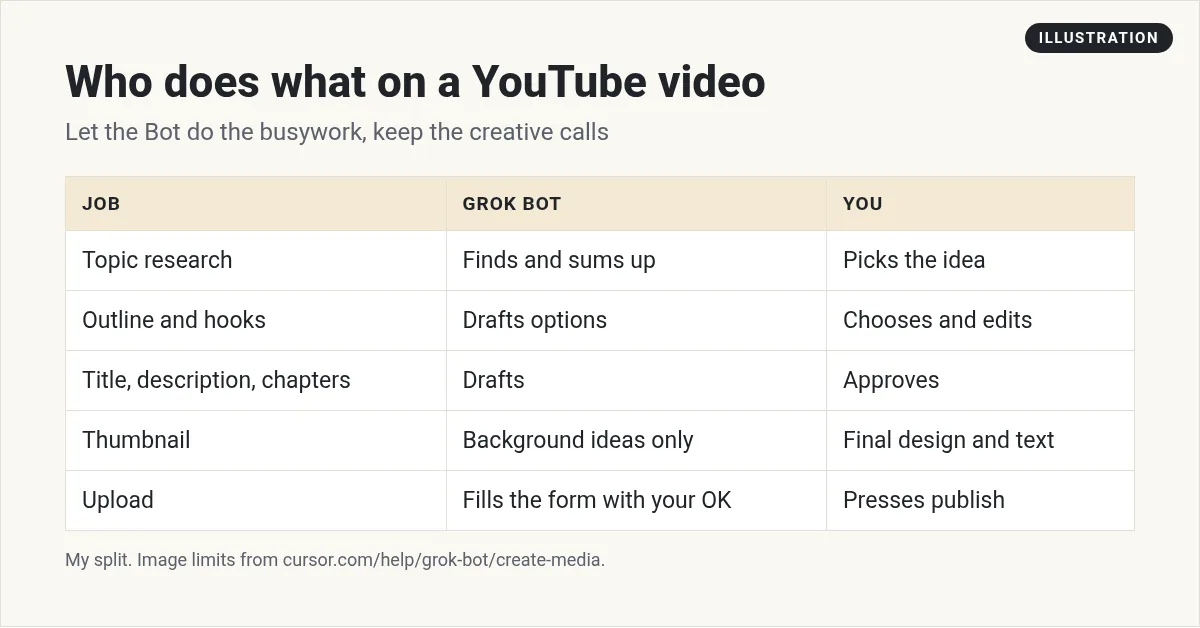
This matters because viewers can feel when a video has no real person behind it. Let the Bot save you time, not replace your point of view.
Set up a channel Bot
Give your channel its own Bot. Tell it who your viewers are, what your channel is about, and what you never do. Then attach a few transcripts of your best videos so it learns how you talk. My guide to Grok Bot files covers what you can attach.
You help me run my YouTube channel about simple AI tools for small business owners. You research topics, draft outlines, and write titles and descriptions in my voice. You never publish anything.
Topic research
Research is where a Bot shines. It works on its own cloud computer with a browser, so it can look at search results and video pages for you. Ask it things like:
- Find the 10 most watched videos on this topic from the last 90 days, and sum up what each one covers.
- List the questions people ask in the comments that no one answered well.
- Give me five angles on this topic that are different from what is already out there.
Always ask for links, so you can check its work. See my guide to Grok Bot research for more.
Outlines and hooks, not full scripts
I ask for an outline, three hook options, and the key points. Then I record in my own words. A full script read word for word usually sounds flat. If you like scripts, have the Bot draft one, then rewrite the first 30 seconds yourself. That is where viewers decide to stay.
Titles, descriptions, and chapters
This is the easiest win. Give the Bot your final transcript and ask for:
- Five title options under 60 characters.
- A description with the main points and your links.
- Chapters with times, from the transcript.
Read the chapters against the video. A Bot can get times a little off.
Thumbnails: what the Bot can and cannot do
Your Bot can create images, including wide 16:9 ones. But the help page says image and video creation is not made for exact text or brand assets. It also will not create real people. To show a real person, place, or product, it finds a real image instead.
So use it for background scenes and mood ideas. Then add your face and your words in your own design tool. More in my post on Grok Bot images and videos.
Uploads with your OK
There are two ways a Bot can help with uploads.
- The YouTube connector. The October 27, 2026 changelog says the Bot offers the YouTube connector on YouTube sign in pages.
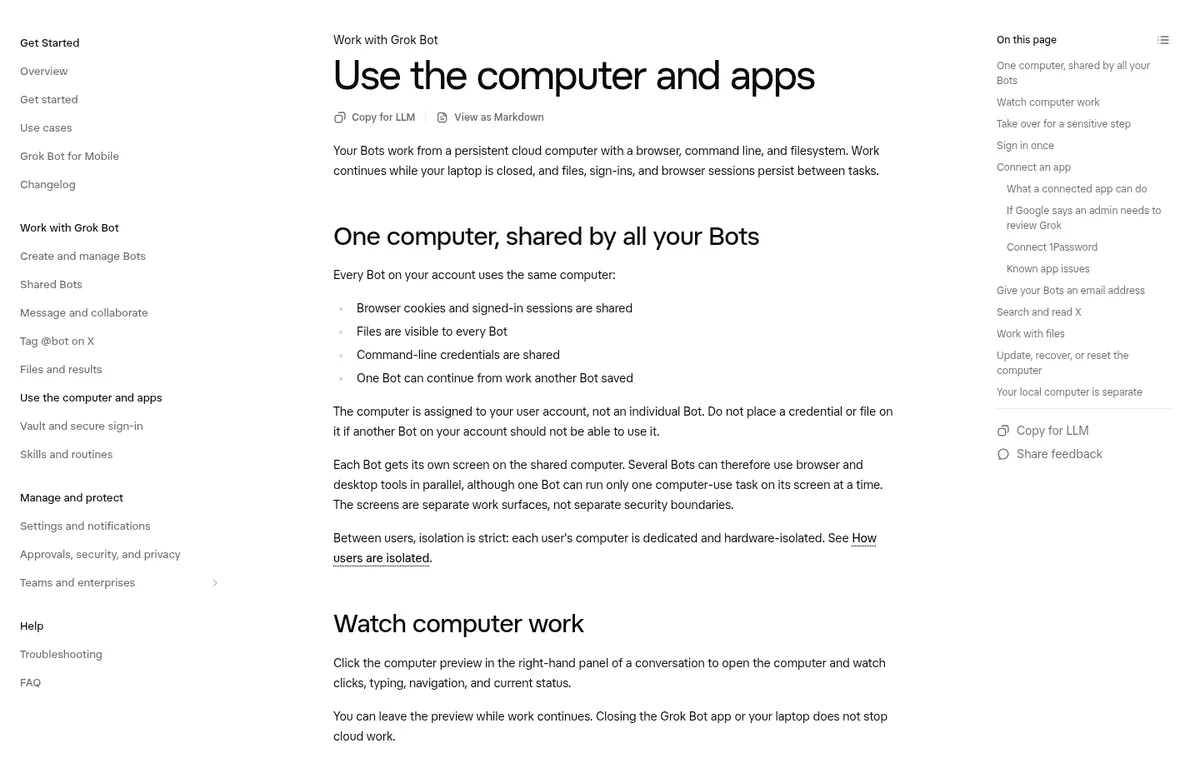
- A computer. The Bot can fill in forms in a browser. It can even work on your own Mac or Windows computer, but only if you turn that on. The docs say the default is Ask every time, and they suggest Never allow unless a Bot has a real reason to work on your local files.
Debbie shows the second way in the video below. She lets Grok Bot use her own computer to upload her videos.
From the Debbie O'Brien channel (not mine): Debbie O'Brien walks through letting Grok Bot use her own computer to upload her YouTube videos, step by step for beginners.
Whichever way you use, keep the publish step behind an Ask first rule. A video going public is hard to undo.
A word on faceless channels
You will see a lot of videos about faceless channels run by AI. Some are useful for ideas. But be careful with any promise of easy money. Results depend on your topic, your effort, and luck, and YouTube has rules about repetitive content. I would use a Bot to make good videos faster, not to flood the site.
From the Blake Ryan channel (not mine): Blake Ryan shows how he uses Grok Bot in a faceless YouTube workflow. Good for ideas on research and production steps.
Any results mentioned in videos are not typical and are not a promise of income. Your results depend on your work and your market.
Reading your comments for ideas
Your comments are a gold mine. People tell you what they want next, what confused them, and what they loved. Most of us never read them all.
Ask your Bot to read the comments on your last ten videos and group them. You want three lists: questions people asked, topics they asked for, and parts they found confusing. Each of those can become a video. The confusing parts tell you what to explain better next time.
Keep replies as drafts. Your audience wants to hear from you, not from a Bot.
A weekly YouTube routine
- Monday: the Bot sends five topic ideas with links and why each could work.
- You: pick one and record.
- After recording: it drafts titles, a description, and chapters.
- Friday: it sums up comments from the week and flags questions to answer.
Set the Monday and Friday parts as routines. See Grok Bot routines.
Turn your videos into a business, not just views
A channel helps your business when every video points somewhere: an offer, an email list, a next step. Planning that takes more than a script writer.
AIM Agent is an AI Chief of Staff for business owners. It comes with an AI C-suite (COO, CMO, CFO, CRO and CTO), a Business Bot Builder and 100+ business skills, and it runs on AIM OS, a private vault that holds your notes and memory. AIM Agent is a ready-made AI business team that works inside Grok Bot, so you skip the setup and get to work.
Here is what you get:
- An AI Chief of Staff that helps you plan and run your business
- An AI C-suite: COO, CMO, CFO, CRO and CTO
- A Business Bot for each business or project. Give it a real task and it brings the work back for you to review
- 100+ business skills for content, offers, research and more
- Step by step setup guides and email support
So your YouTube Bot works with a team that thinks about offers, follow up, and growth, and you still make the creative calls.

For the rest of your content, see Grok Bot for content creators and Grok Bot for social media. Want an AI team to help run your business? Meet AIM Agent, an AI Chief of Staff for business owners. I am a co-founder of AIM Agent and have a financial interest in the product.
Put a business team behind your channel
AIM Agent gives you an AI Chief of Staff, an AI C-suite, and 100+ business skills, so each video connects to your offers and follow up.
See AIM AgentFrequently asked questions
Can Grok Bot upload YouTube videos?
It can fill in the upload through the YouTube connector or a browser. Keep the publish step behind your OK.
Can Grok Bot write YouTube scripts?
Yes, but I suggest outlines and hooks, then record in your own words.
Can Grok Bot make thumbnails?
It can make background images. It is not made for exact text, so add your words and face yourself.
Can Grok Bot use my own computer?
Only if you turn it on. The default is Ask every time, and the docs suggest Never allow unless there is a real reason.
Can it research video topics?
Yes. It can look at search results and videos and sum them up with links.
Is a faceless AI channel easy money?
No. Results depend on your topic, effort, and luck. Use a Bot to make good videos faster.
Is there a faster way to get a Bot team for my business?
AIM Agent gives you an AI Chief of Staff, an AI C-suite, and 100+ business skills, so you start with a team built for business work.
Sources
Checked October 30, 2026. Plans, prices, and rules can change.
