
Grok Bot · Limitations
Every tool has edges. Knowing them up front saves you hours. Here are the real limits, straight from the Grok Bot docs.
Grok Bot limitations are easy to miss when every video shows the wins. I run a team of about 25 Bots, and I still hit these edges. Knowing them up front is how you plan work your Bots can actually finish.
I read the Grok Bot FAQ, troubleshooting page, and computer and files docs on November 4, 2026. Here are 12 limits, each with what to do about it.
TL;DR
The main Grok Bot limitations from its own docs: all your Bots share one cloud computer, so separate Bots are not a security wall; some websites block cloud computers or need a CAPTCHA or login you must do yourself; one Bot runs one computer task on its screen at a time; files have size and count limits; video clips are short; approvals from routines expire after about 30 minutes; memory is not a source of truth; and a few apps have known connection issues.
Why this list matters
A Bot that hits a wall at 2 AM just waits for you. If you know where the walls are, you can design around them. Everything below comes from the Grok Bot docs, unless I say it is my own advice.
Limits of the computer
1. All your Bots share one computer
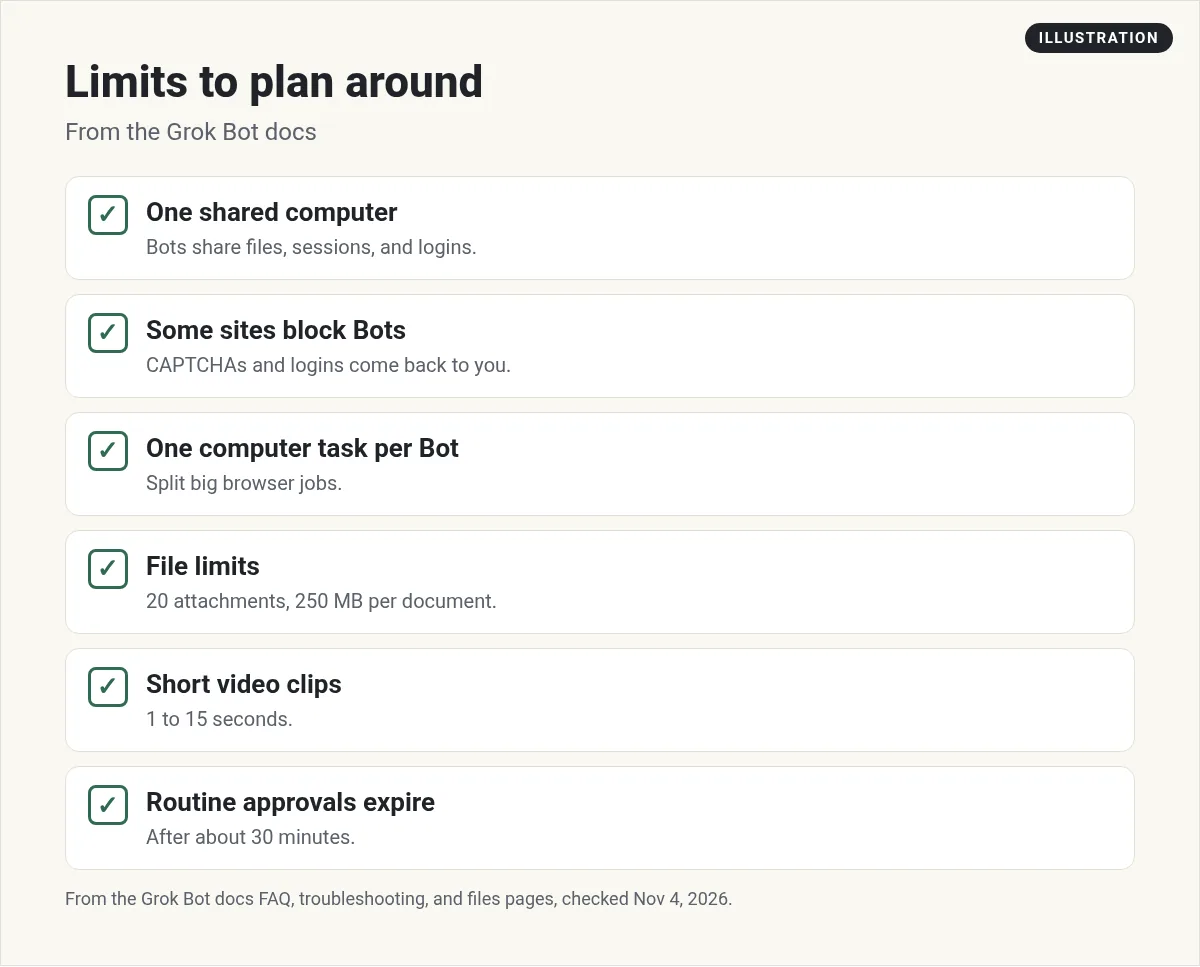
The FAQ says every Bot on your account uses one persistent cloud computer. They share its files, browser sessions, and logins. The computer is assigned per user, not per Bot. The docs say it plainly: do not use separate Bots as a security boundary.
What to do: only log in to a site if every Bot on your account should have access to it.
2. One computer task per Bot at a time
Bots can work in parallel. The FAQ says each Bot gets its own screen on the shared computer, but one Bot can run one computer use task on its screen at a time.
What to do: split big browser jobs across Bots, or queue them.
3. Your own computer is off limits by default
Bots work on their cloud computer. The FAQ says a Bot runs a command on your desktop only if you allow it, and by default it asks you each time. The troubleshooting page also lists a known issue on Cursor's side where a Bot may say local tools are turned off even when your setting allows them.
What to do: keep local access off unless a task really needs files on the computer in front of you.
Limits on the web
4. Some sites block Bots
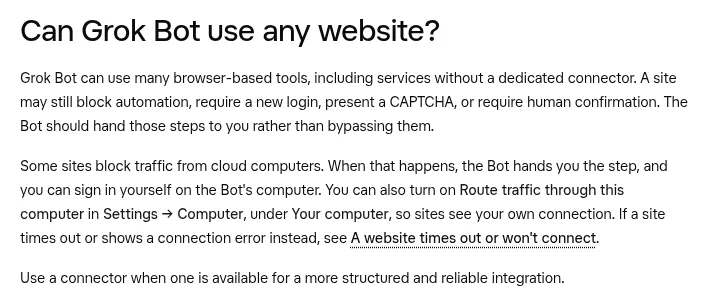
The FAQ says Grok Bot can use many websites, even ones without a connector. But a site may block automation, ask for a new login, show a CAPTCHA, or need human confirmation. The Bot should hand those steps to you instead of getting around them.
5. Some sites block cloud computers
When that happens, the docs say you can sign in yourself on the Bot's computer, or turn on Route traffic through this computer in Settings, under Computer, so sites see your own connection.
6. Human only steps stay human
The FAQ says single sign on, passkeys, CAPTCHAs, and similar human only steps use a computer takeover. You step in, finish it, and hand control back. My Grok Bot computer use post shows how takeover works.
My advice: use a connector when one exists. The FAQ itself says a connector is more structured and reliable than the browser.
Limits on files and media
7. Files have size and count limits
The files docs list these desktop limits:
- Up to 20 attachments per message.
- Images up to 25 MB each, and 200 MB total per message.
- Documents, audio, and other files up to 250 MB each.
8. Video clips are short
The help center says a Bot can make video clips from 1 to 15 seconds, with 6 seconds by default, at 480p unless you ask for 720p. It is not built for motion graphics, title cards, slideshows, app demos, charts, or exact text. My Grok Bot video editing post covers what it can do.
9. Pages are still rolling out
Pages let a Bot build a report you read in its Library. The docs say Pages is rolling out gradually and is not available on Enterprise teams yet. See my Grok Bot pages post.
Limits on control and memory
10. Approvals from routines expire
The FAQ says approvals from work that started without you, like a routine or a message from another Bot, expire after about 30 minutes. Approvals in a chat you are in wait for you.
What to do: for overnight jobs, have the Bot prepare drafts and stop before the risky step, so nothing needs a fast yes.
11. Memory is not a source of truth
A Bot can keep preferences, role context, and summaries of past work. But the FAQ says for important decisions, ask the Bot to check the current source rather than rely on memory. My Grok Bot memory post explains what it keeps.
Limits with certain apps
12. A few apps have known issues
The docs list known app issues and connector rules worth knowing:
- Zoom. Authorization from the desktop app fails with error 4700, and the docs say there is no workaround yet.
- SharePoint. Admins who connect with application level permissions see a redirect error. The docs say to use delegated permissions instead.
- Gmail. Gmail connects one mailbox at a time. To use another, disconnect and authorize the other one.
- X. The X plugin needs X API credits on your X developer account.
- Company Google accounts. An admin may need to approve the app named Grok before Gmail, Calendar, or Drive will connect.
Two honest takes
Chase AI says Grok Bot is overhyped and that the talk around it has lost nuance. It is a useful reality check.
From the Chase AI channel (not mine): A skeptic's view. His description promotes his own courses.
Serop tests whether Grok Bot can really replace human work and what the hype leaves out.
From the Serop | AI Automation channel (not mine): His description links to his own paid program. Judge the test, not the pitch.
My take
This is my opinion. None of these limits stop me from using Grok Bot every day. They shape how I use it. I give each Bot one clear job, I keep sending and buying behind approval, I use connectors over the browser, and I check facts that matter. Most frustration comes from asking a Bot to do something the docs already say it should hand back to you.
If something breaks, start with my Grok Bot not working guide, and read my Grok Bot review for the full verdict.
Start with Bots that know their lane
Most limits hurt less when each Bot has one clear job and clear rules.
AIM Agent is an AI Chief of Staff for business owners. It comes with an AI C-suite (COO, CMO, CFO, CRO and CTO), a Business Bot Builder and 100+ business skills, and it runs on AIM OS, a private vault that holds your notes and memory. AIM Agent is a ready-made AI business team that works inside Grok Bot, so you skip the setup and get to work.
Here is what you get:
- An AI Chief of Staff that helps you plan and run your business
- An AI C-suite: COO, CMO, CFO, CRO and CTO
- A Business Bot for each business or project. Give it a real task and it brings the work back for you to review
- 100+ business skills for content, offers, research and more
- Step by step setup guides and email support
So you spend less time fixing and more time getting work back.

Want an AI team to help run your business? Meet AIM Agent, an AI Chief of Staff for business owners. I am a co-founder of AIM Agent and have a financial interest in the product.
Get a ready made team inside Grok Bot
AIM Agent gives you an AI Chief of Staff, an AI C-suite, and 100+ business skills, so you skip the setup and get to work.
See AIM AgentFrequently asked questions
What are the biggest Grok Bot limitations?
All Bots share one computer, some sites block Bots or need you to log in, files and videos have size limits, and approvals from routines expire after about 30 minutes.
Can Grok Bot solve CAPTCHAs?
No. The docs say CAPTCHAs and similar human only steps use a computer takeover, so you do them yourself.
Can Grok Bot use any website?
Many, but a site may block automation or cloud computers. Use a connector when one exists.
Can my Bots keep secrets from each other?
No. They share one computer, files, and logins. The docs say not to use separate Bots as a security boundary.
Does Grok Bot use my own computer?
Only if you allow it. By default it asks you each time.
How big can files be?
Up to 250 MB for documents, 25 MB for images, and 20 attachments per message on desktop.
Is there a faster way to get a working team?
AIM Agent gives you an AI Chief of Staff, an AI C-suite, and 100+ business skills inside Grok Bot.
Sources
Checked November 4, 2026. Plans, prices, and rules can change.
