
Grok Bot · Tips
Small changes, big difference. These tips come from the people who build and use Grok Bot at x.ai, plus my own lessons.
Grok Bot tips are easy to find, but the best ones come from the people who build it. I went through the x.ai guides written by its own team and pulled out the habits that keep showing up.
I read these guides on November 3, 2026. Here are 12 tips, each with the source, so you can get better results this week.
TL;DR
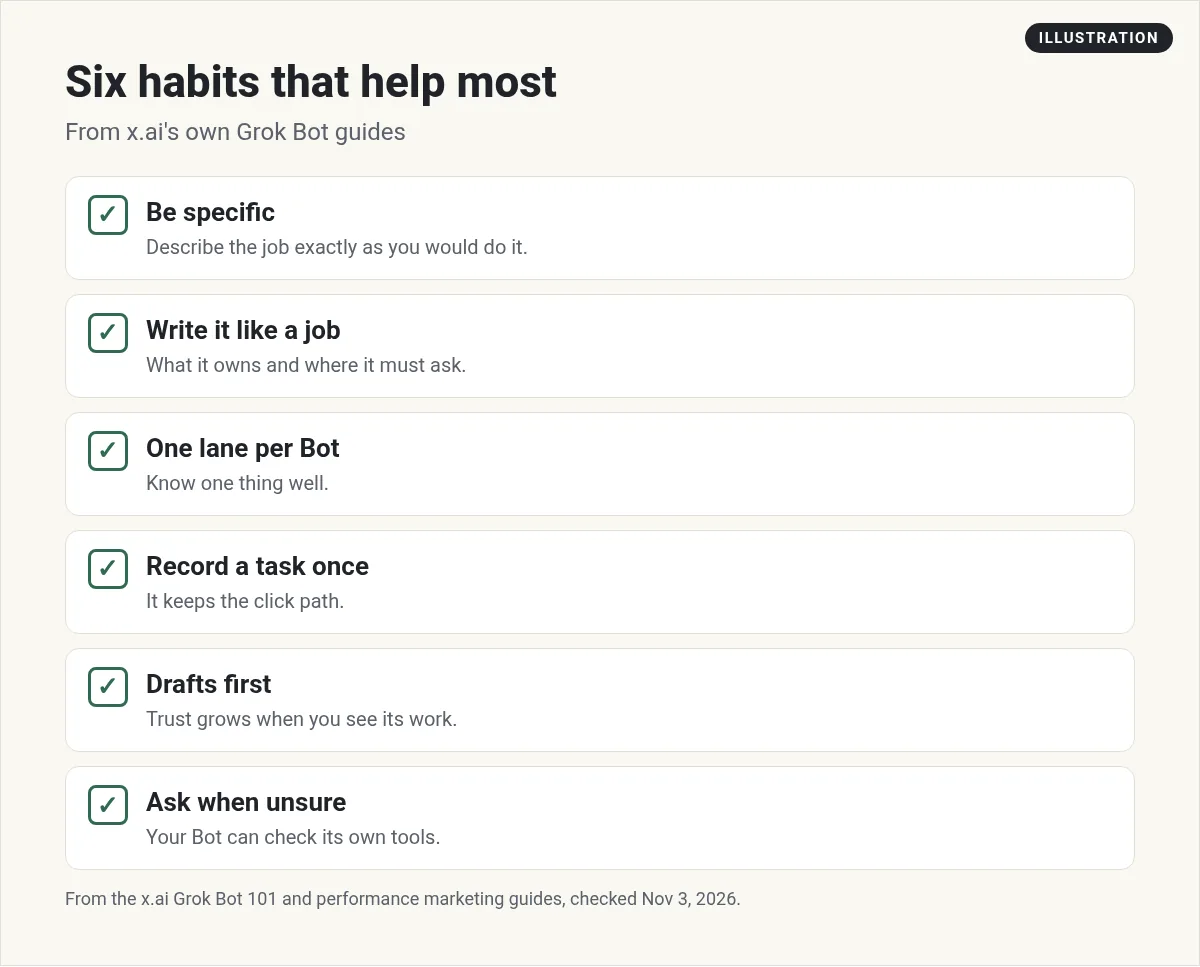
The best Grok Bot tips from x.ai's own guides are: describe a Bot's job as exactly as you would do it, record a task once so it keeps the click path, write your rules in plain English in settings, keep actions as drafts at first, give each Bot one lane, let Bots hand work to each other, and when you wonder if it can do something, ask it.
Tips for setting up a Bot
1. Be as specific as you can
Matt Palmer at x.ai wrote the Grok Bot 101 guide. He says to describe a workflow exactly as you would do it, or record a demo on your screen. Then assume the Bot can do hard things AI usually can't.
2. Start from a voice note
He likes to start a Bot from a voice note. A Bot is just a set of instructions, so talk it through like you would explain it to a new hire. Behind the scenes it becomes a name, a title, and a description.
3. Write it like a job description
The x.ai performance marketing guide says to write the Bot like a job: what it owns, the number it is responsible for, and where it has to stop and ask you. The guide says that last part matters more than the first two.
4. Give it one lane
The same guide says a Bot that knows one platform cold is worth more than one that half knows six. Start narrow.
Tips for daily use
5. Record a task once
Your Bot has a real computer. The 101 guide says you can teach it a workflow by recording a task. The mobile app guide shows a builder who recorded himself uploading an ad once, and the Bot remembered the clicks after that.
6. Let it hand you the screen
When a site needs a CAPTCHA or a two step login, the 101 guide says the Bot can hand the desktop back to you. It can also send a secure form for a password or an API key. Never paste passwords in chat.
7. Connect more than one account
The 101 guide says you can connect more than one account per service. So one Bot can look through your personal and work email, or more than one Slack.
8. If you wonder, ask
The 101 guide puts it simply: if you are wondering whether you can do something, ask. Your Bot can check its own tools and tell you.
Tips for staying safe
9. Write your rules in plain English
The 101 guide says you write the rules in Settings, under General, then Agent. A separate review agent checks what a Bot wants to do and can allow it, block it, or ask you. My Grok Bot safety post covers this.
10. Drafts first
The performance marketing guide says to keep platform actions as drafts for the first few weeks. You will trust a Bot faster once you can see what it would have done.
11. Remember the computer is shared
The 101 guide warns that if you log in to a site with one Bot, every other Bot can reach that site too. Log in only where every Bot on your account should have access.
Tips for a team of Bots
12. Chain specialists together
The 101 guide treats Bots as specialists that can message and trigger each other. You can put several in a group chat. In the guide, a Marketplace Bot asks a Chief of Staff Bot when it needs a judgment call. The performance marketing guide adds a rule: add the second Bot when the first one gets boring.
My Grok Bot group chats and Grok Bot chief of staff posts show how.
Extra tips from the getting started page
The x.ai Getting started page points to a few shortcuts that save setup time:
- Templates. The Templates for Grok Bot guide says a template shares a Bot as a recipe, not a clone. You can install someone else's Bot and make it yours.
- Bots that build Bots. Recommended Bots include dr eggbot, which designs a tight Bot for one job and then creates it, and Alfred, which designs the smallest useful Bot team and changes nothing without your yes.
- Import Bot. It brings your setup from other agents into Grok Bot.
- Cooper. It sends a daily briefing of AI, tech, and business news.
My Grok Bot templates post explains how templates work.
One more: keep it small
The 101 guide says standing up a Bot takes 10 or 15 minutes. That is a good sign to keep each one small. A short, clear Bot you can fix in a minute beats a giant one you are afraid to touch.
My own two cents
I run a team of about 25 Bots. The habit that helped me most is a weekly look at what each Bot did. When one keeps making the same mistake, I fix its instructions instead of fixing the work by hand every time. Also check my Grok Bot mistakes post for what not to do.
Two videos worth your time
Nuno Tavares shares 8 tricks after 50 hours in Grok Bot, like giving each Bot its own voice and using group chats.
From the Nuno Tavares | Automated Marketer channel (not mine): He also shows outside tools for app logins. Check any tool before you give it access to your accounts.
Clearmud tried every tip from the Grok Bot team on a brand new account, on camera.
From the Clearmud channel (not mine): He puts permissions and write approvals first, before you connect anything real.
Skip the trial and error
Most of these tips are about setup. A ready made team means the setup is already done.
AIM Agent is an AI Chief of Staff for business owners. It comes with an AI C-suite (COO, CMO, CFO, CRO and CTO), a Business Bot Builder and 100+ business skills, and it runs on AIM OS, a private vault that holds your notes and memory. AIM Agent is a ready-made AI business team that works inside Grok Bot, so you skip the setup and get to work.
Here is what you get:
- An AI Chief of Staff that helps you plan and run your business
- An AI C-suite: COO, CMO, CFO, CRO and CTO
- A Business Bot for each business or project. Give it a real task and it brings the work back for you to review
- 100+ business skills for content, offers, research and more
- Step by step setup guides and email support
So you start with Bots that already know their jobs.

Want an AI team to help run your business? Meet AIM Agent, an AI Chief of Staff for business owners. I am a co-founder of AIM Agent and have a financial interest in the product.
Get a ready made team inside Grok Bot
AIM Agent gives you an AI Chief of Staff, an AI C-suite, and 100+ business skills, so you skip the setup and get to work.
See AIM AgentFrequently asked questions
What is the best Grok Bot tip?
Be specific. The x.ai 101 guide says to describe a workflow exactly as you would do it, or record a demo.
How do I teach Grok Bot a task?
Record yourself doing it once on the Bot's computer, or describe it step by step.
Where do I set rules for my Bots?
The 101 guide says Settings, under General, then Agent. You write the rules in plain English.
Should my Bot act on its own right away?
Start with drafts. The x.ai performance marketing guide says to keep actions as drafts for the first few weeks.
Can Bots work together?
Yes. They can message and trigger each other, and you can put several in a group chat.
Do all my Bots share logins?
Yes. They share one computer, so a site you log in to with one Bot is open to the others.
Is there a faster way to get a good setup?
AIM Agent gives you an AI Chief of Staff, an AI C-suite, and 100+ business skills inside Grok Bot.
Sources
Checked November 3, 2026. Plans, prices, and rules can change.
