
AI agents for business · AIM Agent
When you do every job yourself, AI can take the first draft of the repeat work. Here is what to hand off first and how to start safely.
AI for solopreneurs means using AI tools to draft, sort, research and follow up for you. That way, you can spend more of your time on the work only you can do. You still make the calls. You stay the boss who checks the work.
If you run a one person business, you do every job yourself. You write the posts, answer the emails, take the calls and track the numbers. AI will not run your business for you. But it can take some of the repeat work off your plate, as long as you give it clear direction and review what it hands back. This guide shows you where to start, which kinds of tools to look at, and what to keep in your own hands.
Quick answer
Pick one repeat job, like content drafts or email replies. Write one page about your business and save it in a chat assistant project with two or three good examples. Tell the AI to make drafts only. Check every answer for a week. When the drafts are right most days, add a second job. You stay the one who sends, posts and pays.
What AI for solopreneurs really means
Think of AI as a set of helpers, not a magic button. A helper is good at a first draft, a quick summary or a sorted list. A helper is not good at knowing your customers, your goals or your standards unless you tell it.
So your job changes a little. You go from doing every task to giving direction and reviewing the result. You tell the AI what you want, show it what good looks like, and check the work before it goes out.
7 jobs to hand off to AI first
Start with jobs you do over and over, where a rough first draft is helpful and a mistake is easy to catch. Here are seven good places to begin.
- Content drafts. Ask AI for a first draft of a post, a newsletter or a product description. Then you edit it so it sounds like you.
- Email replies. Paste in a message and ask for a short, polite reply. You read it, change what needs changing, and send it yourself.
- Meeting and call notes. Turn your rough notes into a clean summary with next steps. This makes it easier to remember who needs what.
- Research before a call. Ask AI to pull together background on a topic or a type of client before you talk. Always check the facts before you rely on them.
- Follow up lists. Give AI your notes and ask for a list of people to follow up with and what to say. You decide who gets a message.
- Common customer questions. Write clear answers to the questions you hear all the time. AI can help you draft them, and you approve the final version.
- Simple numbers from a spreadsheet. Ask AI to explain what a sheet shows, add up a column or spot a pattern. Double check anything that matters before you act on it.
The 3 kinds of AI tools for solopreneurs
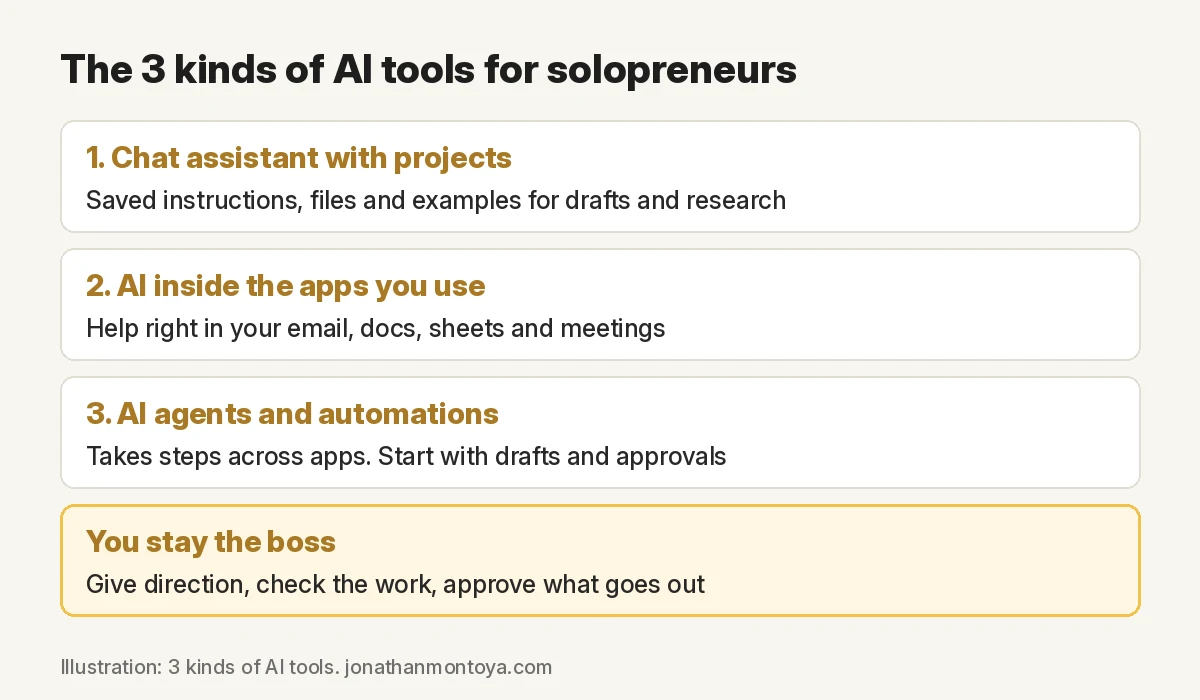
There are a lot of AI tools out there. The good news is that most of them fit into three simple groups. Once you know the groups, it gets much easier to choose.
1. A chat assistant with projects
A chat assistant is a simple place to start. You type a request, and it writes back. If you work alone, a feature called projects helps a lot.
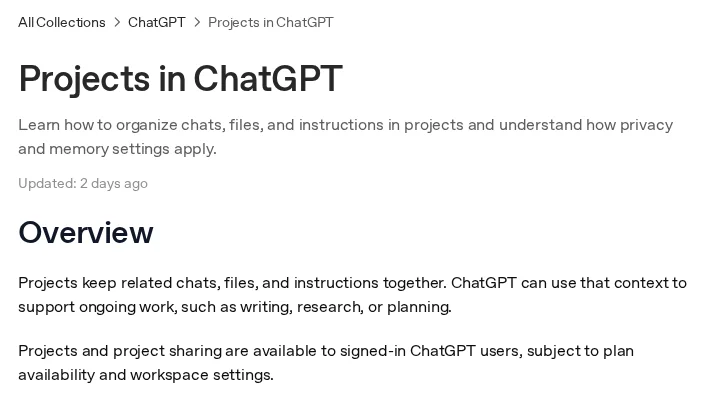
OpenAI Help says projects in ChatGPT keep related chats, files and instructions together. It also says you can reuse a project for recurring tasks, such as weekly research or content drafts. Claude Help says projects are self contained workspaces with their own chat histories and knowledge bases. It also says free Claude users can create up to five projects.
For you, this means one place for each kind of work. You might have one project for content and one for client emails. Each one holds your instructions and examples, so you do not have to start from zero. For a step by step setup, see my guide to ChatGPT Projects.
2. AI inside the apps you already use
Some AI lives right inside the apps you open every day, so you can ask for help where you already work.
Google says Gemini works inside Gmail, Docs, Sheets and Meet in Google Workspace. Features change by plan, so check what your plan includes before you count on a feature.
This kind of AI is a good fit when the work already happens in your email, documents or spreadsheets. It helps you right where you are. For more ways to use AI at work, read ChatGPT for small business.
3. AI agents and automations
An AI agent does more than answer. It can take steps for you, like moving information from one app to another or starting a task when something happens.
Zapier says its Agents can connect to your business data and do tasks across 9,000+ apps. That is powerful, and it is also why you should go slow. Because an agent can act for you, start with drafts. Leave sending and posting off, and review the work yourself.
Another version of this idea is an AI team. A lead agent, often called an “AI chief of staff,” plans the work and hands tasks to other AI helpers. Then it brings the work back to you for review. You are still the one who says yes or no. Read what an AI chief of staff is to see how this works, or learn how to build an AI agent of your own.
A simple AI setup by job
You do not need every kind of tool on day one. Match the tool to the job. Here is a simple way to think about it. For tool picks by job, see AI tools for small business.
| Job | Kind of tool | First thing to try |
|---|---|---|
| Content drafts | Chat assistant with projects | Make a content project with your business basics and two or three of your best posts. |
| Email replies | AI inside your apps | Ask for a draft reply to one common type of email, then edit it before you send. |
| Meeting and call notes | AI inside your apps or a chat assistant | Paste in your notes and ask for a short summary with next steps. |
| Research before a call | Chat assistant with projects | Set up a research project and reuse it before each call. Check every fact. |
| Follow up lists | AI agents and automations | Ask it to list who needs a reply. Check the list and send any messages yourself. |
Write your business basics once
AI does better work when it knows your business. If you start each chat from scratch, you end up explaining your business again. That gets old fast, and the answers come out uneven.
Instead, write one page of business basics. Keep it short and plain. Include:
- Who you help. Describe your ideal customer in a few sentences.
- Your offers. List what you sell and who each offer is for.
- How you talk. Are you warm, direct, playful or calm? Say it.
- Words you never use. List the words and phrases that do not sound like you.
- Your rules. For example, “draft only, never send,” or “ask me before you make any promise.”
Save this page in a project so the AI can use it in the chats there. That way you explain your business far less often. When something changes, you update one page.
How to start in one week
You do not need a big plan. You need one small habit. Here is a simple seven day path.
- Day 1: Pick one job. Choose one repeat task from the list above. Just one.
- Day 2: Write your basics. Write your one page of business basics and save it in a project.
- Day 3: Add 2 or 3 good examples. Add examples of that job done well, like past posts or emails you liked.
- Day 4: Set the rule, draft only. Tell the AI it only makes drafts. You do all the sending, posting and spending.
- Day 5: Check every answer. Read each result with care. Note what was good and what was off.
- Day 6: Fix and update your basics. Use what you noticed to improve your basics and your examples.
- Day 7: Decide on a second job. If the first job is going well, pick the next one. If not, keep working on the first.
What to keep human
Some work should stay with you, no matter how good the tools get. These are the jobs where trust, money or your name is on the line.
- Sending, posting and spending. AI can draft. You press send, publish and pay.
- Upset customers. When someone is unhappy, they want a real person. Reply yourself.
- Promises and prices. Never let AI agree to a deal, a deadline or a price for you.
- Legal, tax and money advice. AI can help you get ready with questions. Talk to a qualified pro for the answers.
- Your own voice and stories. Your stories are why people pick you. AI can help shape them, but they need to come from you.
Not sure if a job needs AI or a person? Read AI agent vs virtual assistant.
Privacy basics
Before you share business info with any AI tool, know where it goes. For example, Google says your Workspace business data is not used to train Gemini models or for ads. Other tools have their own rules.
Check each tool’s privacy page and the settings for your plan before you start. Then follow one simple rule. Never paste passwords, card numbers or private customer data into an AI tool.
Mistakes to avoid
Buying five tools at once. More tools means more to learn and more to manage. Start with one tool and one job, then grow from there.
Giving no examples. Without examples, AI guesses what you want, and the result sounds generic. Show it two or three samples of your best work.
Letting it send on day one. An AI that sends emails or posts without your review can make mistakes in public. Keep it on draft only until you trust the results.
Explaining your business every time. Typing the same background in every chat is tiring and leads to uneven answers. Write your basics once and save them in a project.
Where AIM Agent fits
Most people start with one AI tool for one job. As you add more jobs, you become the one who manages every hand off, and you explain your business again in each tool.
AIM Agent is an AI Chief of Staff for business owners. You manage one lead agent, and it plans the work and coordinates a trained AI team. It runs on AIM OS, a private vault that keeps the goals, offers, voice and rules you approve, so your team can reuse them.
Here is what you get:
- An AI Chief of Staff that turns your goals into a plan
- An AI C-suite: a COO, CMO, CFO, CRO and CTO for operations, marketing, money, sales and tech
- A Bot Builder that makes a focused Business Bot for each business or idea
- 100+ business skills for content, research, sales and operations
- Schedules and approval rules that you set
- Step by step setup guides and email support

See how an AI team works in a real business in this case study. You stay the one who approves the work. I am a co-founder of AIM Agent and have a financial interest in the product.
Give your one person business a team
AIM Agent is an AI Chief of Staff for business owners. You give it a real task, and it brings the work back for you to review. You stay the one who approves.
Meet AIM AgentI am a co-founder of AIM Agent and have a financial interest in the product.
Frequently asked questions
What is AI for solopreneurs?
It means using AI tools to draft, sort, research and follow up on repeat work in your one person business. You give the direction and check the results. That way you can focus on the work only you can do.
What are the best AI tools for solopreneurs?
Most tools fit into three kinds: a chat assistant with projects, AI inside the apps you already use, and AI agents and automations. The best one for you depends on the job you want to hand off first. Start with one tool and one job.
What should I hand off to AI first?
Start with a repeat task where a first draft helps and mistakes are easy to catch. Good choices are content drafts, email replies, call notes or follow up lists. Pick the one that bugs you the most.
Are AI agents safe for a one person business?
An AI agent can take steps for you, so it needs clear limits. Start with drafts, leave sending and posting off, and review the work yourself. Give it more freedom only once you trust the results.
How do I get AI to sound like me?
Write one page of business basics that covers who you help, your offers, how you talk and words you never use. Add two or three examples of your best work. Save it all in a project so the AI can use it in the chats there.
What should I never share with an AI tool?
Never paste passwords, card numbers or private customer data. Check each tool’s privacy page and the settings for your plan before you start.
Is AIM Agent built for solopreneurs?
AIM Agent is an AI Chief of Staff for business owners, including people who run a business on their own. You manage one lead agent that coordinates an AI team, and you approve the work before it goes out.
Sources
Checked November 20, 2026. Plans and features change.
