
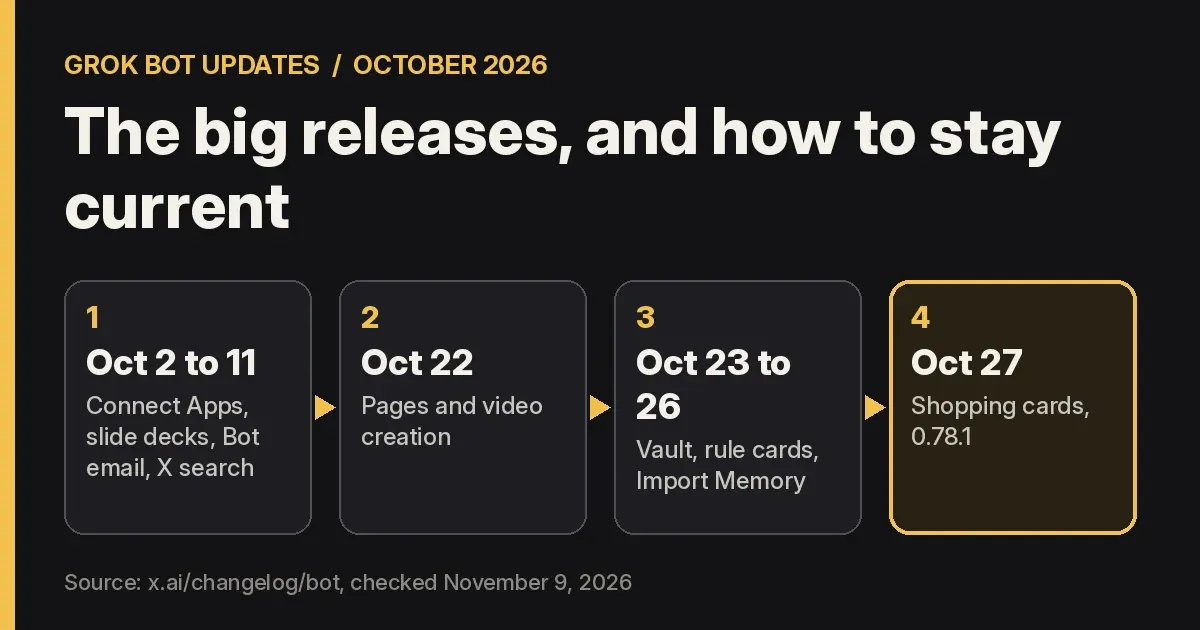
Grok Bot · Updates
Grok Bot updates come out almost every few days. Here are the biggest ones from October 2026, what each one means for you, and how to make sure you are on the latest version.
Grok Bot updates are hard to keep up with. In October 2026 alone, the official changelog lists more than ten releases. Some are small fixes. Others change how you use your Bots.
This summary is based on the official x.ai Grok Bot changelog and the Grok Bot team’s weekly update videos. It was first written on October 29, 2026 and checked again on November 9, 2026. Here are the updates that matter most for a business owner, newest first, plus how to update the app and the computer.
TL;DR
The biggest Grok Bot updates in October 2026 were Pages for reports and dashboards (0.75.2, Oct 22), Vault for saved logins and cards (0.75.5, Oct 23), Vault payments and Import Memory (0.77.0, Oct 26), and shopping cards with Shop Pay (0.78.1, Oct 27). Earlier in the month came Connect Apps (0.67.0), slide decks (0.68.1), and Bot email addresses with X search (0.70.2). The desktop app checks for updates on its own. To check yourself, open Settings, then Updates, then Check for Updates.
The latest version
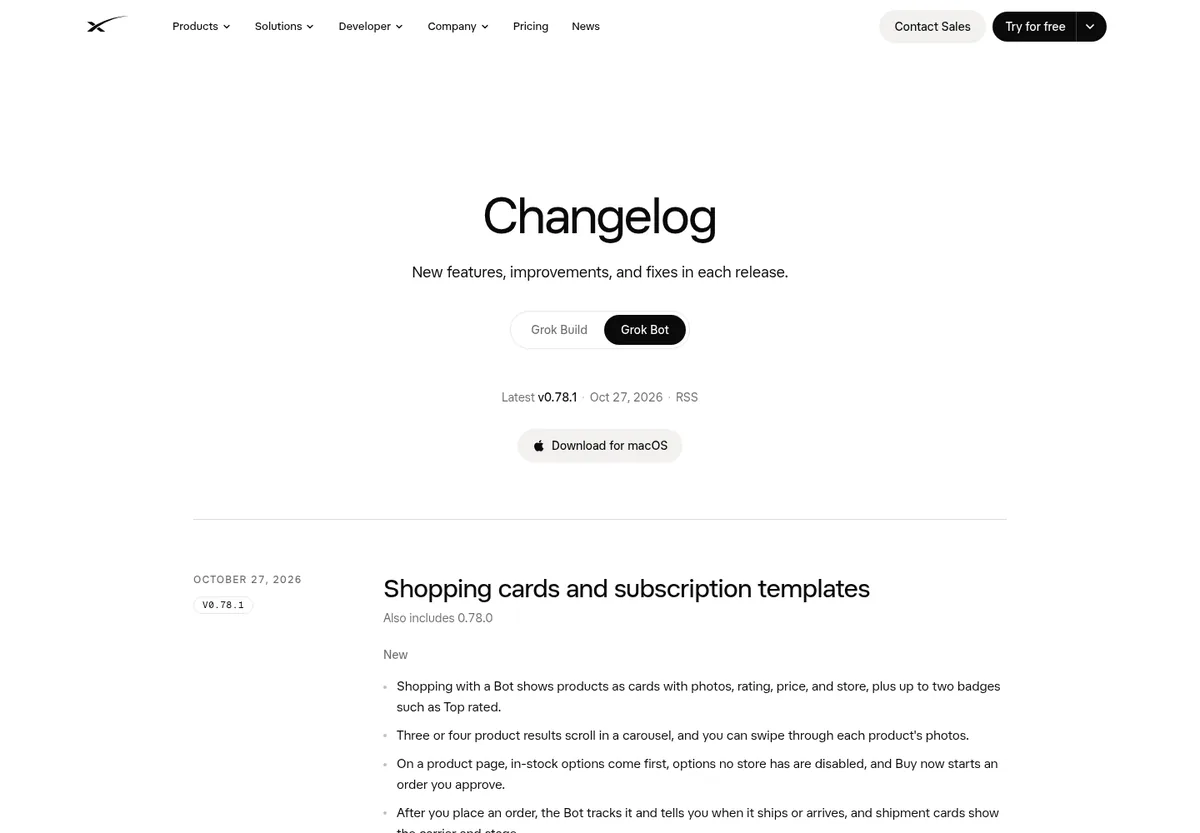
As of November 9, 2026, the changelog still shows version 0.78.1, from October 27, 2026, as the latest. Its title is Shopping cards and subscription templates.
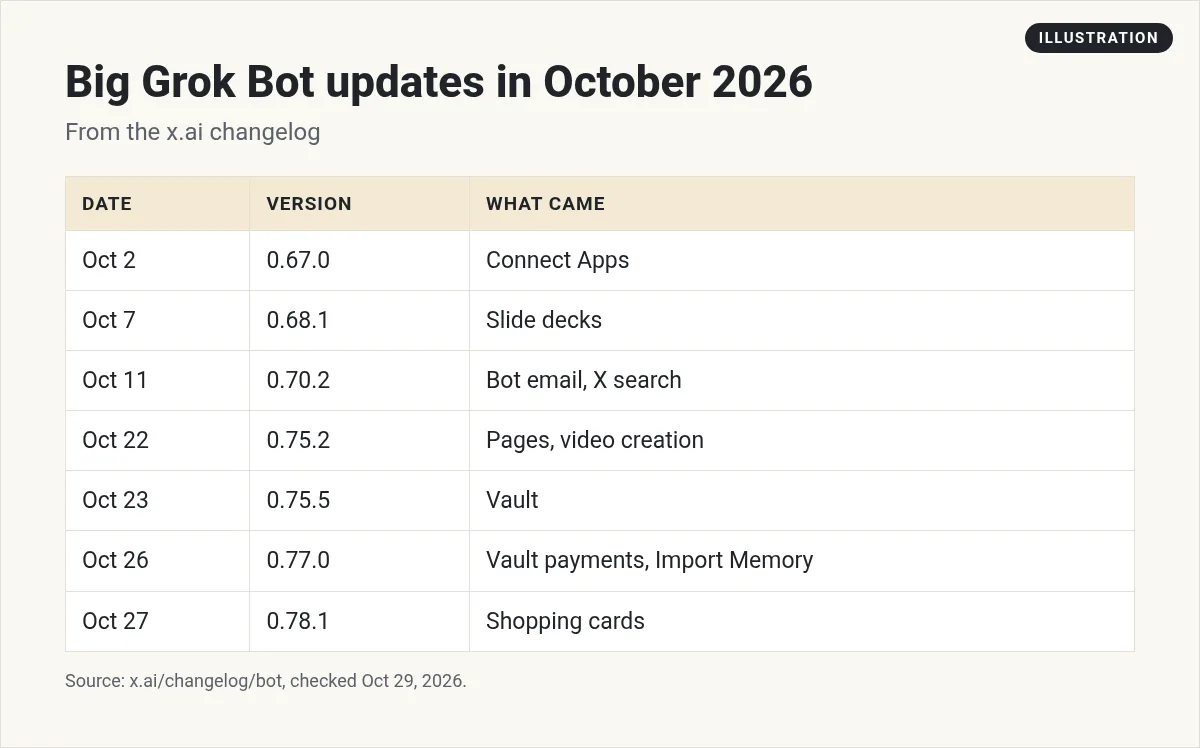
Here is the quick list of the big ones this month. Details for each are below.
Oct 27: Shopping cards and subscription templates (0.78.1)
When you shop with a Bot, it now shows products as cards with photos, rating, price, and store. On a product page, Buy now starts an order you approve. After you order, the Bot tracks it and tells you when it ships or arrives.
You can also connect Shop Pay in the Vault's Payments tab. New templates help with subscriptions. One starts a free trial and cancels it or reminds you before it bills. Another finds subscriptions you no longer use. The Grok Bot personal assistant post covers these, plus simple money safety rules.
Oct 26: Vault payments and Import Memory (0.77.0)
- Import Memory. In Settings, you can bring your preferences and context from another AI assistant into your main Bot. Great if you are moving from another tool.
- Vault Payments tab. You pick the payment method Bots use first.
- Better 1Password. You approve each login in 1Password, and it fills it in without the Bot seeing it.
- Longer approval cards. Auto-review approval cards now stay open for 30 minutes instead of 10, and Settings has a Permissions section that lists your Always Ask and Allow without Asking rules.
- Question cards. A Bot can ask several questions on one card.
Want to know how Bots remember things? See Grok Bot memory.
Oct 24: Auto-review rule cards (0.75.8)
A Bot can offer to add, change, or remove one of your approval rules right in the app. That makes it easier to stop seeing the same approval card again and again. My Grok Bot safety guide explains approvals.
Oct 23: Vault and email forwarding (0.75.5)
Bots can save your logins, cards, and contact info to a Vault in Settings, and fill them in to sign in or check out. In the weekly video, Matt from the Grok Bot team calls it a password manager. He says the Bot cannot see what is in it, because it is encrypted.
Bots can also forward an email from their own inbox and keep its original look.
Oct 22: Pages and video creation (0.75.2)
This was a big one. Bots can build Pages, such as reports, memos, and dashboards, that you edit together or have the Bot keep up to date. Bots can also create videos from a description or an image you share.
See my full Grok Bot Pages post for real examples. Here is the official weekly video that covers Pages and Vault:
From the Matt Palmer channel (not mine): Matt from the Grok Bot team covers Pages, the encrypted Vault, and new Apple app connections.
Oct 14: Smarter notifications (0.71.2)
Bots can send from a tagged email address, like name+shop@, and a routine on that tag runs only for its mail. When a Bot's computer runs low on disk space, it tells you once, names the biggest files, and deletes them only if you agree.
Oct 11: Bot email and X search (0.70.2)
- Bot email addresses. Bots can claim their own email address and get mail there. Email they send from it waits for your approval on a draft card. See Grok Bot email.
- X search. Bots can search X and read posts and profiles without you connecting an X account. See Grok Bot on X.
- Apps in chat. Apps like Figma, Notion, and Canva can show as a card you can use in the chat.
- Find a template. Bots can find a Bot template that fits what you describe. See Grok Bot templates.
The official weekly video from October 13 covers these, and its description says Grok Bot now connects to your Shopify store too.
From the Matt Palmer channel (not mine): The Grok Bot team shows the new Bot email inbox, X search with no setup, and the Shopify connection.
Oct 7: Slide decks (0.68.1)
Bots can build slide decks with you. They show sample slides to choose from and deliver them as PowerPoint files or Google Slides. Bots can also send formatted emails with headings, bold text, and lists.
Oct 2: Connect Apps and a smarter main Bot (0.67.0 and 0.66.0)
Connect Apps became the place to find and connect apps. The same week, your main Bot, marked with a star, started spotting work it can take off your plate and offering to handle it. My Grok Bot connectors post covers which apps to connect first.
What creators are saying
Many creators make videos on each big update. This one walks through Pages and dashboards.
From the Alex Finn channel (not mine): A creator shows how to use Grok Bot Pages and dashboards after the update.
Any results mentioned in videos are not typical and are not a promise of income. Your results depend on your work and your market.
How to update Grok Bot
Grok Bot has two parts that update on their own schedule: the app on your device and the Bot's cloud computer. The docs explain both.
The desktop app
- The app checks for updates by itself. When one is ready, the account menu shows New update available. Choose Install, then Restart to update.
- To check yourself, open Settings, then Updates, then Check for Updates.
- With Automatic Updates on, which is the default, a downloaded update also installs while you are away.
Your phone
Phone updates come from the App Store or Google Play. See my Grok Bot mobile app post.
The Bot's computer
Open Settings, then Computer, and choose Update Bot's Computer when an update is offered. Updating the app does not reset the computer.
Update required
The docs say Grok Bot needs an update when your version is more than 14 days old and a newer one is out. It shows Update required until you do. Your Bots keep running in the cloud the whole time. If an update gets stuck, see my Grok Bot not working guide.
How to keep up
- Check the changelog once a week. It is at x.ai/changelog/bot, and it has an RSS feed.
- Watch the weekly video. The Grok Bot team posts a short What's new video.
- Ask a Bot. Have a research Bot read the changelog each week and tell you which changes matter for your business. See Grok Bot research.
New features, real jobs
Grok Bot keeps adding tools like Pages, Vault, and Bot email. They only pay off when each Bot has a clear job that uses them.
AIM Agent is an AI Chief of Staff for business owners. It comes with an AI C-suite (COO, CMO, CFO, CRO and CTO), a Business Bot Builder and 100+ business skills, and it runs on AIM OS, a private vault that holds your notes and memory. AIM Agent is a ready-made AI business team that works inside Grok Bot, so you skip the setup and get to work. I am a co-founder of AIM Agent and have a financial interest in the product.
Here is what you get:
- An AI Chief of Staff that helps you plan and run your business
- An AI C-suite: COO, CMO, CFO, CRO and CTO
- A Business Bot for each business or project. Give it a real task and it brings the work back for you to review
- 100+ business skills for content, offers, research and more
- Step by step setup guides and email support
So instead of building those jobs from blank Bots, you start with an AI Chief of Staff and a business team with skills already made.

Get a ready AI team for your business
AIM Agent gives you an AI Chief of Staff, an AI C-suite, and 100+ business skills, so your Bots start with clear jobs.
See AIM AgentFrequently asked questions
What is the latest Grok Bot version?
As of November 9, 2026, the changelog still shows 0.78.1 from October 27, 2026.
What are the biggest Grok Bot updates in October 2026?
Pages, Vault, Vault payments, Import Memory, shopping cards, Bot email addresses, X search, and slide decks.
How do I update Grok Bot?
The desktop app checks on its own. You can also open Settings, then Updates, then Check for Updates. Phones update from the App Store or Google Play.
Does updating the app reset my Bots?
No. Updating the app does not reset the cloud computer, and your Bots keep running.
Why does Grok Bot say Update required?
Your version is more than 14 days old and a newer one is out. Choose Update, then Restart to update.
Where is the Grok Bot changelog?
At x.ai/changelog/bot. It also has an RSS feed.
Sources
Checked November 9, 2026. Plans, prices, and rules can change.
